
ALL UNLIMITED - BEST VALUE FOR MONEY ON THE MARKET
The invoicing software designed
for Swiss businesses
QR-code invoices, accounting and VAT, payroll, and a Copilot that answers with its sources: the simple, complete software for Swiss SMEs, freelancers and start-ups.

New
Download the mobile app now!
The product
What To Bill does for you
From the invoice to the VAT return, from payroll to bank reconciliation: one piece of software, built around Swiss rules.
An invoice on a single page, the PDF alongside
Client, dates, lines, VAT and finishing touches on one page. The PDF updates alongside as you type, and every change is saved automatically. The QR-bill is included.
Works with Claude and ChatGPT
Your books, from your AI assistant
Connect Claude, ChatGPT or another MCP client to To Bill, with no install and no key to copy: it matches your bank lines, corrects your entries and drafts your invoices, with your rights and your approval before every change.
The problem
Too much time wasted managing your invoices?
Stop wasting your time. Start working with an all-in-one tool. Here are those already doing it — save time like they do.
Without To Bill
- Manual creation, lengthy and prone to errors
- Sending PDFs and emails one by one, with no time savings
- Documents scattered, compiled by hand at quarter-end
- No alerts on payments or upcoming deadlines
- No overview of invoice status
- Client information updates not centralized
- Scattered files, hard to find everything quickly
- Sending generic emails for quotes that always end up in the trash
- Risk of data loss, no centralized backup
With To Bill
Quotes and invoices on a single page — It doesn't get simpler. Pick your client, fill it in and send it. The PDF builds alongside as you type, and everything is saved automatically.
Accounting kept as you go — Your invoices, expenses and payments become accounting entries automatically, and your fiduciary follows everything from their cockpit.
Activity notifications (time and date) — Track activity on your quotes and invoices: when a client interacts, you can follow up quickly.
Quick and efficient search — Everything is centralized in a single app. Wherever you are: at the office, at a café or even with a client.
Scan your expenses in under 10 seconds — Use our mobile app and scan your expenses: our AI categorizes them automatically.
Available in 7 languages — French, English, German, Italian, Portuguese, Spanish and Albanian.
Benefits
The all-in-one solution you need!
From expense management to quotes and invoices, To Bill supports you at every step for relevant, efficient tracking — without wasted effort.
Expense scanning in under 10 seconds
Capture expenses with a single scan, straight from the mobile app.
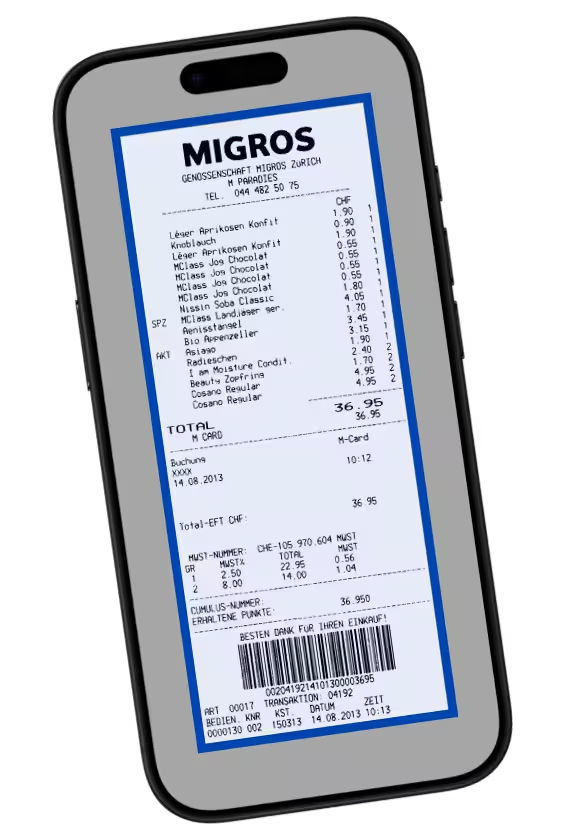
— Automatic AI classification.
Quotes and invoices in a few clicks
Select a client, fill in the work to do or done, and send.
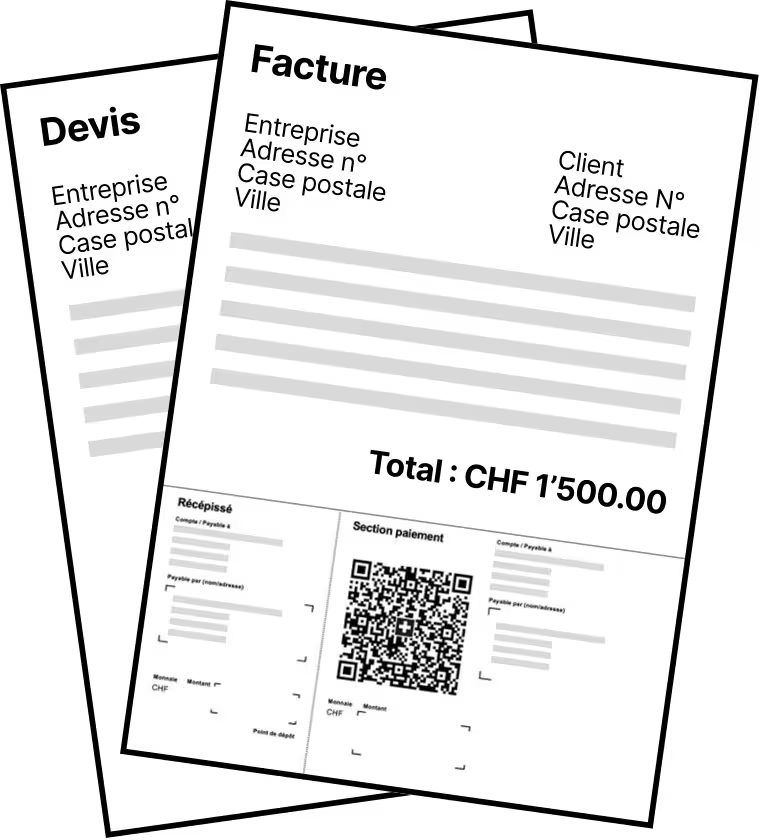
— AI assistance to fill it in.
Invoice with QR code to make payment easy
No more manual entry for clients. They just scan the invoice.
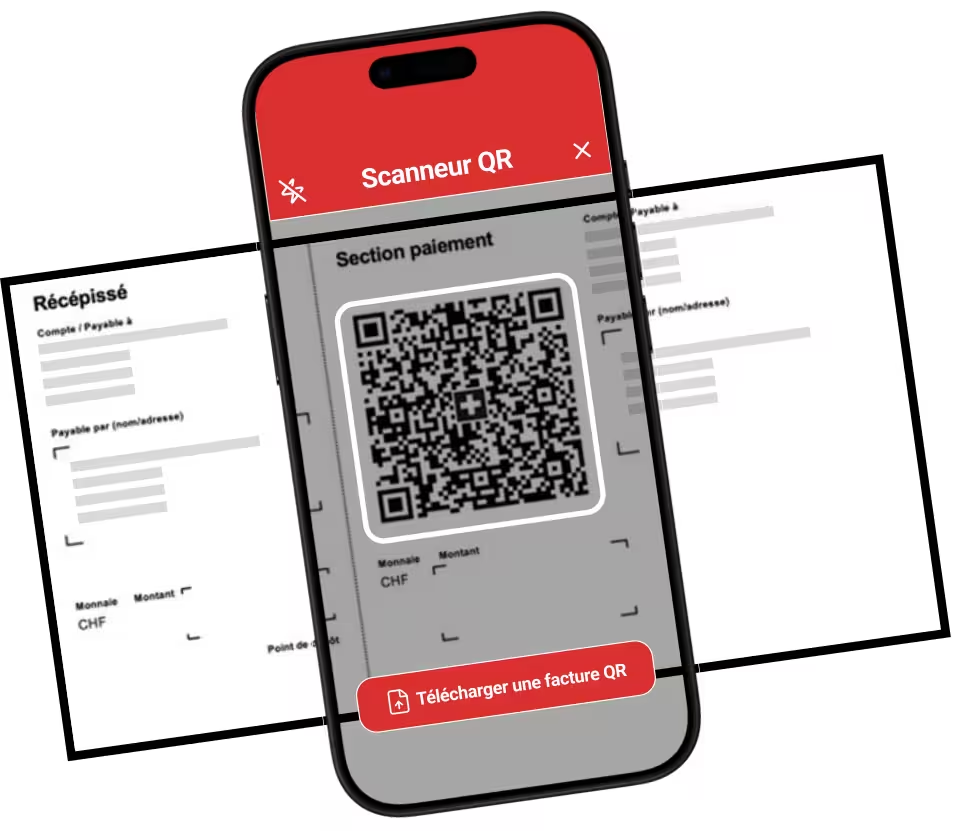
— Paid within 1 business day.
Tracking fast and practical
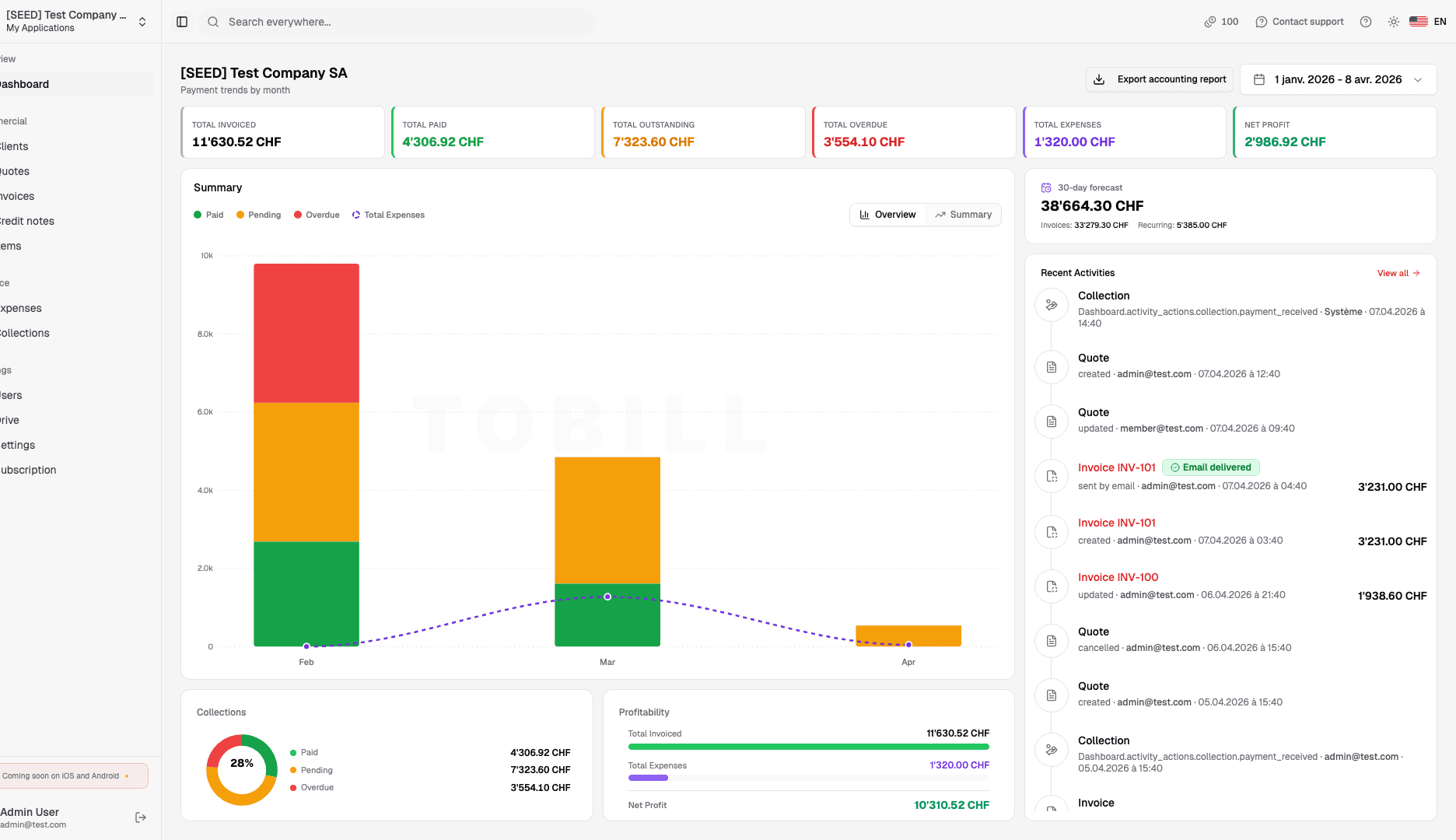
A summary of invoices with amounts over the period you choose.
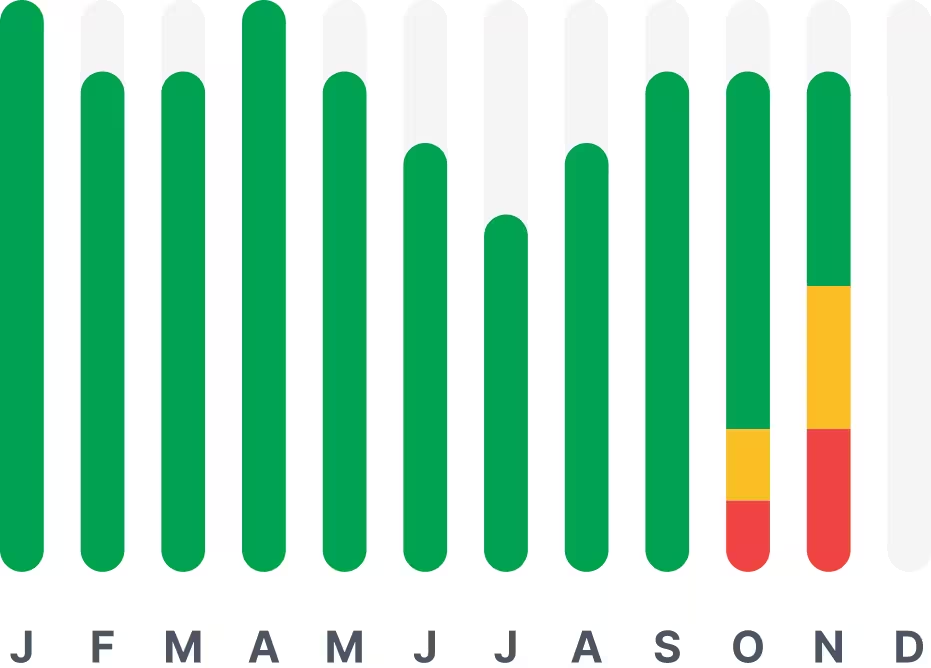
— Paid, pending, overdue, etc.
Available in 7 languages
Switzerland is a cosmopolitan country and language shouldn't be a barrier.

— Designed for everyone.
Monitoring in real time
The time and date your client viewed the quote or invoice.
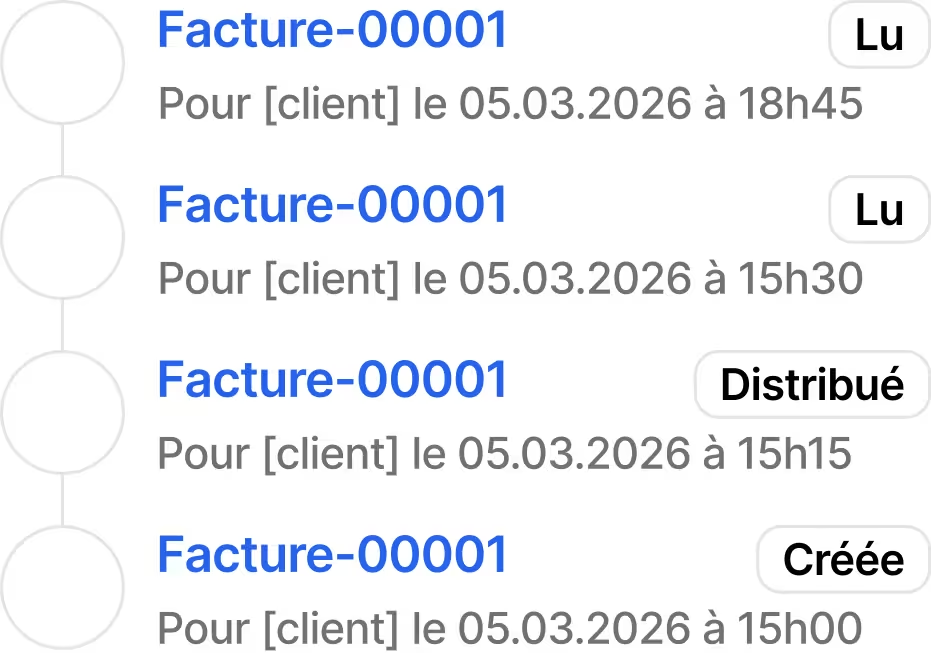
— Perfect for reminders.
How it works
Manage your invoices in 3 steps
Create and complete an invoice for your client
Send the invoice to your client so they can pay you
Nothing more, you can repeat the operation
Choose the plan that fits your needs
Centralize the management of your quotes/invoices, and save time with To Bill.
Try the platform for free · Try it free
Annual
For businesses with employees
Billed annually
Unlimited users
Try free - 7 daysSave CHF 60.00 with the annual plan
- Unlimited invoices
- Unlimited expenses
- Unlimited clients
- Unlimited quotes & items
- Web and mobile app
- Claude and ChatGPT connector (MCP)
- Multilingual + interactive guides
- Step-by-step guides and full documentation
Frequently Asked Questions
Do you have another question? Read the step-by-step guides and full documentation.
What will I get exactly?
With To Bill you get online software built for Swiss businesses: quotes and invoices with a QR-bill that follows the SIX guidelines, recurring invoices, payment tracking and automatic reminders, expense management with AI reading of receipts, and a dashboard. On top of that come full Swiss accounting (automatic entries, bank reconciliation, VAT return and eCH-0217 file, year-end closing), payroll (payslips, departures, holiday balances), and a Copilot that answers questions about your figures and cites its sources. Your fiduciary works with you from their cockpit. One plan, at CHF 30 a month or CHF 300 a year, with a 7-day free trial.
How does To Bill differ from other invoicing software?
To Bill differentiates itself from general-purpose invoicing tools like Bexio or Abacus by focusing exclusively on what Swiss SMEs and freelancers actually need, without unnecessary complexity. The key differentiator is 100% Swiss compliance with native QR-invoice generation that follows the SIX Group QR-bill standard — not a third-party add-on. To Bill also includes integrated AI for expense categorization, which automatically sorts your receipts into the correct accounting categories. The all-in-one approach means you manage quotes, invoices, recurring billing, payment tracking, collections, expense management, and fiduciary reporting from a single interface. There is no need to connect multiple tools or pay for separate subscriptions. The platform is developed in Switzerland and the application's data is hosted in Switzerland (Infomaniak, Exoscale); sending e-mails and the AI use providers abroad, listed on the Sub-processors page.
How do clients pay their invoices online?
To Bill integrates multiple payment methods to make it easy for your clients to pay. The primary method is the Swiss QR-invoice, which generates a standardized QR code on every invoice that clients can scan directly with their banking app to initiate a bank transfer — this is the standard payment method used across Switzerland following the transition from the old payment slip system. For online payments, To Bill connects with Stripe to accept credit card payments via Mastercard and Visa, allowing your clients to pay with a single click from the invoice email. TWINT payments are also supported for clients who prefer mobile payment. When a client pays, you are notified instantly and the invoice is automatically marked as collected in your dashboard. For overdue invoices, the system sends automatic payment reminders on a schedule you define.
Can I customize my invoices with my logo?
Yes, To Bill allows complete customization of your business documents so they reflect your professional brand identity. You can upload your company logo which appears on all quotes, invoices and credit notes. The color scheme of your documents can be adjusted to match your brand colors. Invoice and quote templates are fully configurable — you can modify the layout, choose which fields to display, add custom notes or payment terms, and set your preferred numbering format (for example: INV-2026-001 or any pattern you choose). Your company details, bank information, and VAT number are automatically included on every document. You can also set different default texts for different document types, such as specific terms and conditions for quotes versus invoices. The result is that every document your clients receive looks professionally branded and consistent.
Can I generate reports and accounting exports?
Yes. To Bill's accounting keeps your books from your invoices, expenses and payments: balance sheet, income statement, general ledger and trial balance, the VAT return on the Federal Tax Administration form with the eCH-0217 file, year-end closing, appropriation of profit and the notes. The accounting exports follow the formats of the software Swiss fiduciaries use, and your fiduciary can also work directly in their cockpit. Accounting is still experimental: have your fiduciary check your figures before you file anything.
Do you offer a mobile app?
The To Bill mobile app is available on both iOS and Android, allowing you to manage your invoicing on the go. You can create and send invoices directly from your phone, scan receipts with your camera for instant expense tracking, check payment status and outstanding balances, and send payment reminders to clients — all from a mobile-optimized interface. The web application at app.tobill.ch is also fully responsive, meaning it works seamlessly on any smartphone or tablet browser without needing to install anything. Whether you are meeting a client and need to send a quote immediately, or you want to check your revenue dashboard while away from your desk, To Bill gives you full access to your invoicing data from any device. Your data syncs in real time across all devices connected to your account.
Get started in 5 minutes
1. Create your To Bill account
Enter your information from a computer or our mobile app
2. Connect your credit card
Connect your credit card to start collecting your invoices
3. Manage your quotes/invoices
Create, send, and track your invoices in just a few clicks with the Swiss QR invoice
Send your first 10 invoices to your clients in just a few moments.