
Track every payment in real time
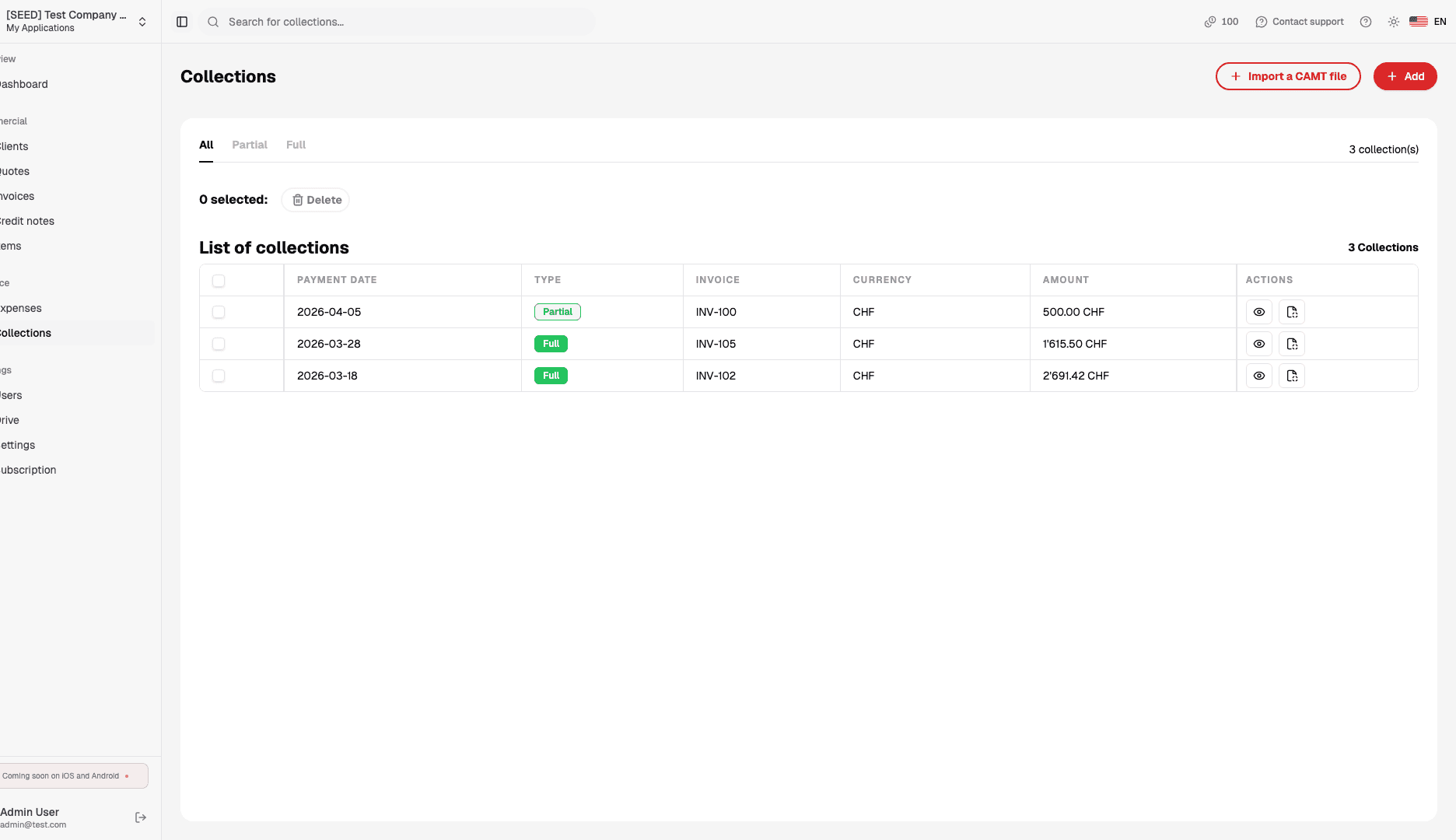
To Bill centralises all your incoming payments — QR-invoice, TWINT, Stripe, bank transfers — in a single dashboard. Import your bank's CAMT file to reconcile payments with your invoices via QR references, or mark them manually, then export your data for your accountant in one click.
Benefits
Why choose To Bill for your payment tracking
Bank reconciliation via CAMT import
Import your bank's CAMT (ISO 20022) file and To Bill matches payments to your open invoices using QR references. You can also mark a payment as received manually in one click.
Multi-channel: QR, TWINT, Stripe
Accept payments via Swiss QR-invoice, TWINT, Stripe (credit card) or standard bank transfer. All channels are centralised in a single view for simplified tracking.
Instant notifications
Receive an alert as soon as a payment is recorded. Immediately identify which invoices are settled and which are overdue, without checking your bank statement.
Fiduciary export and full history
Generate detailed reports of all your payments filtered by period, client or status. Export in PDF or CSV for your accountant or fiduciary in seconds.
How it works
How to track your payments with To Bill
Send an invoice with QR code
The Swiss payment QR code is generated and included automatically in the PDF.
Your client pays in one scan
QR scan, TWINT, card via Stripe or bank transfer: every method is supported.
Reconcile and track
Import the CAMT file to match payments, then export your history.


Resources
Useful articles
Get started
Ready to automate your payment tracking?
Create your account in 2 minutes and track your payments. Bank reconciliation via CAMT import, invoice tracking and accountant export included. 7-day free trial.