
For fiduciaries
All your To Bill mandates in one cockpit
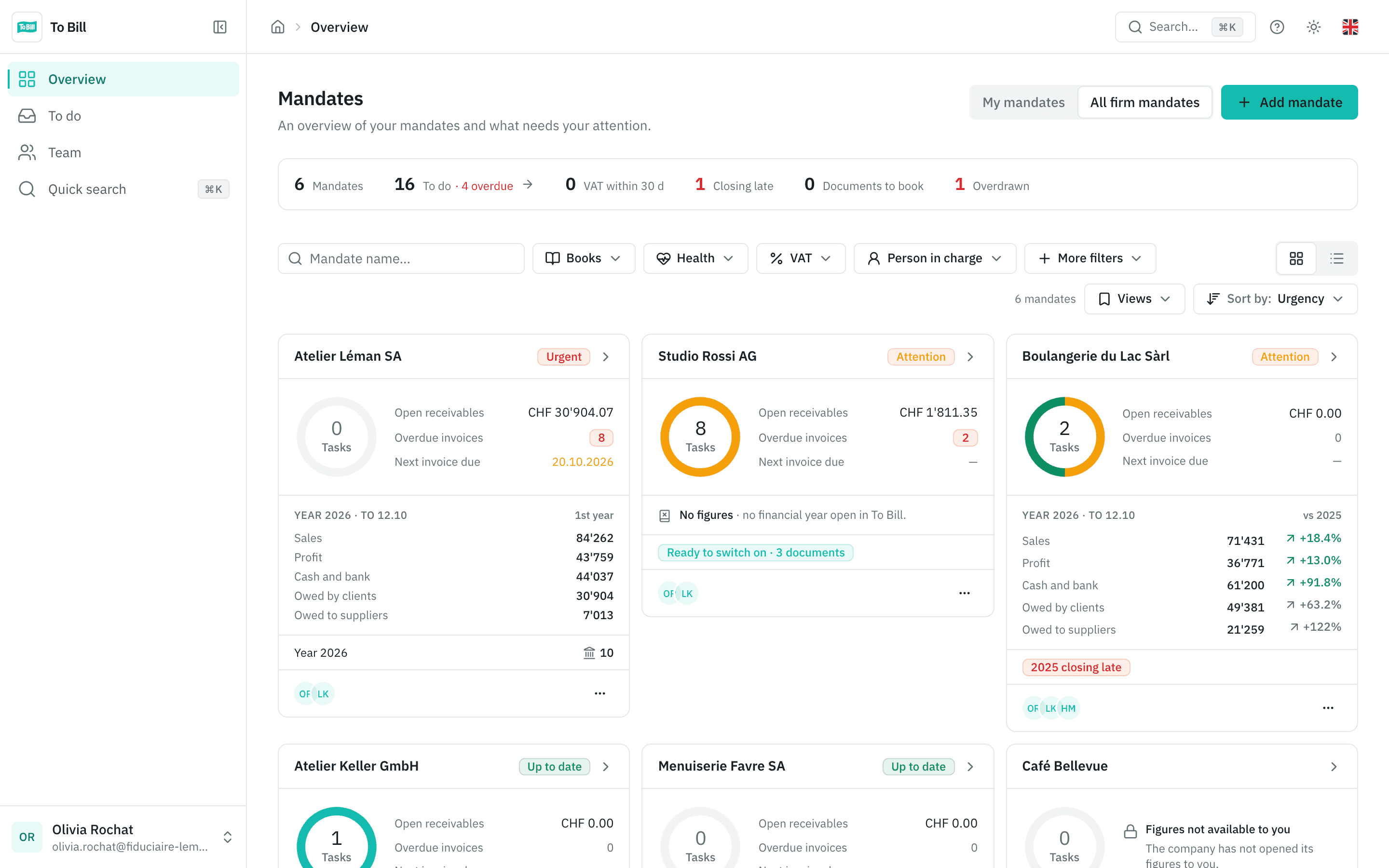
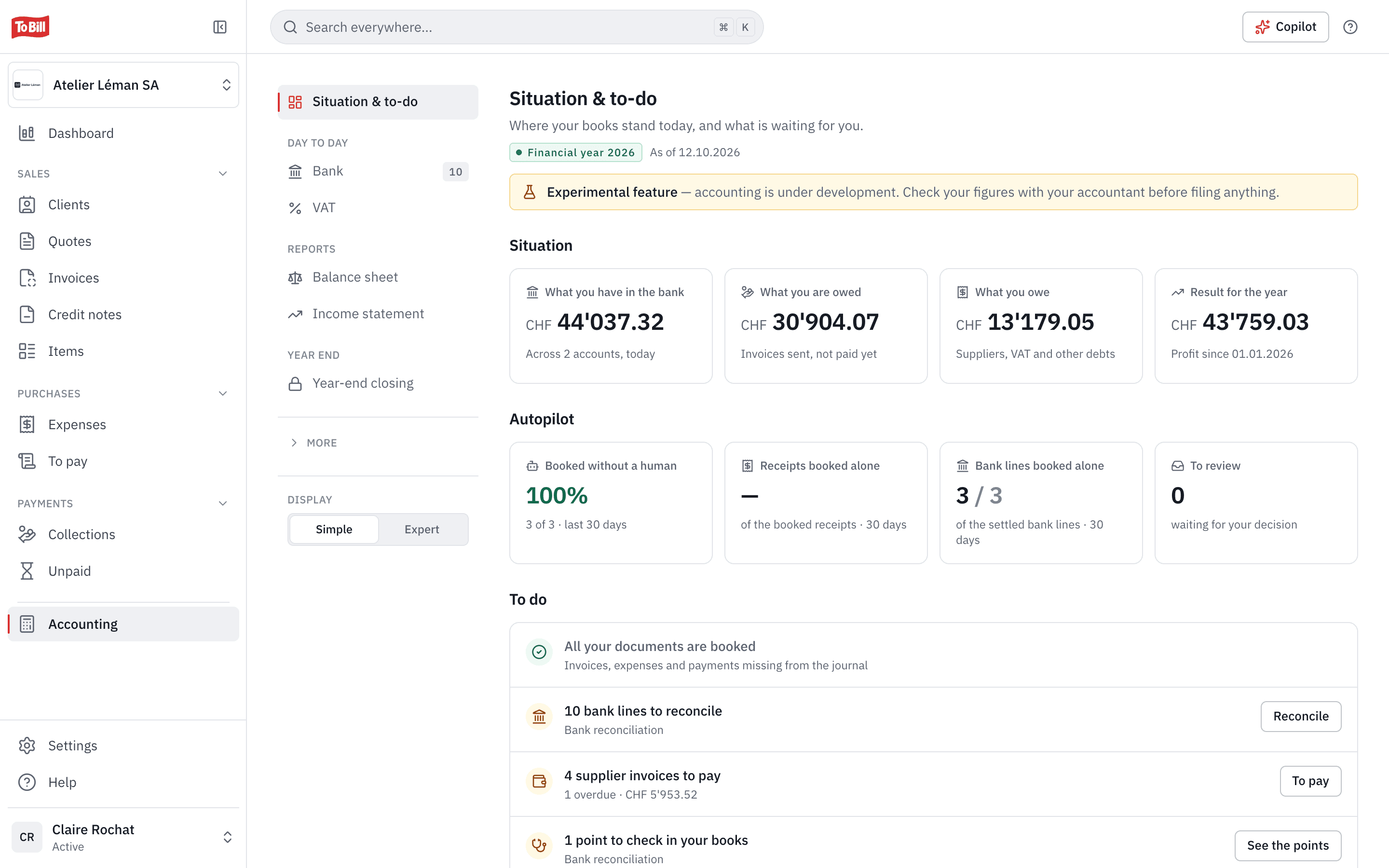
The cockpit is the fiduciaries' space in To Bill. One card per mandate shows its tasks, open receivables, the year's figures against last year and its alerts, such as a late closing. A single list brings together everything that is waiting, across all mandates.
On cockpit.tobill.ch, with your To Bill account
Mandates
Each mandate, its figures and its books
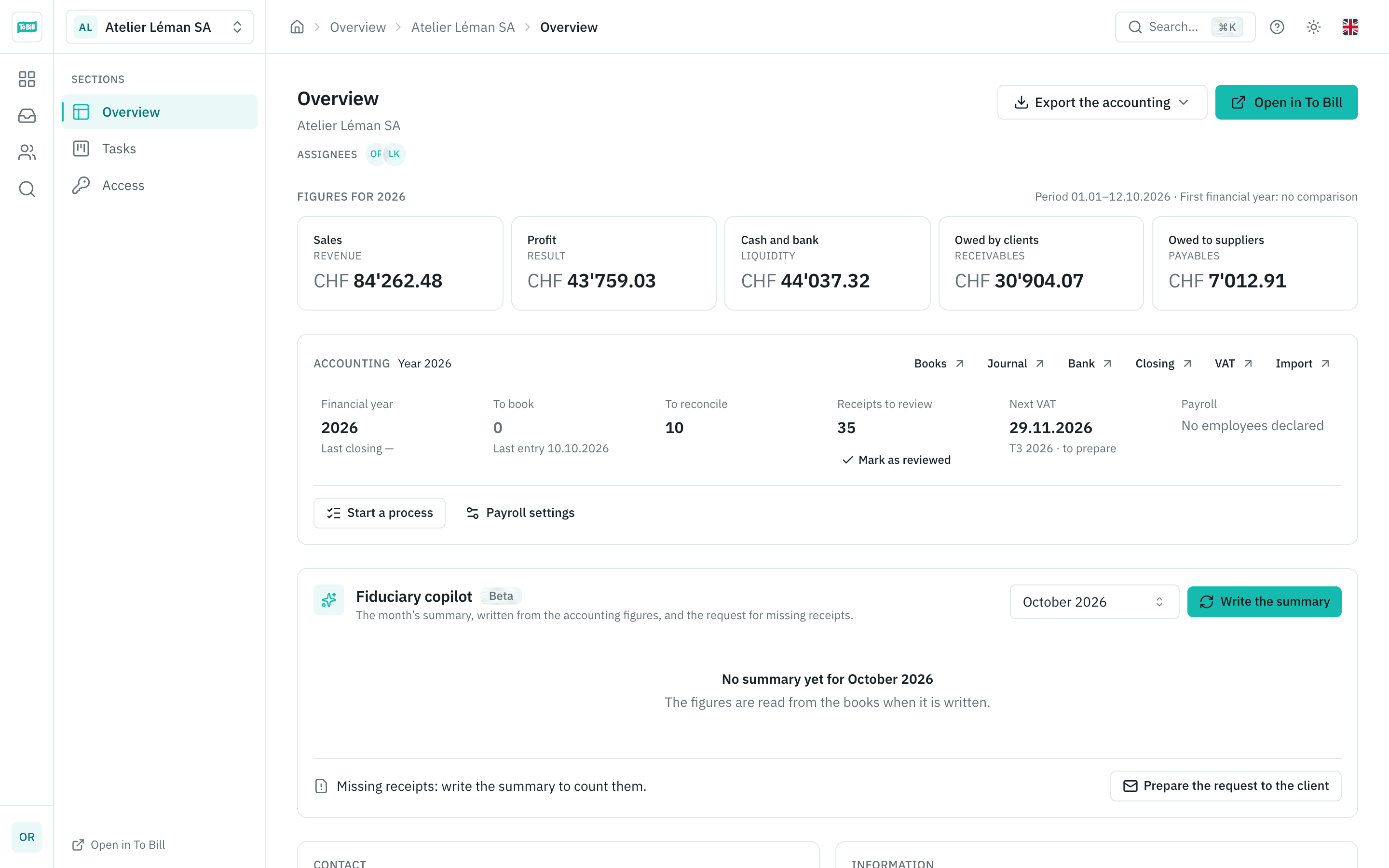
Create a client's company, invite the client to link theirs, or accept their invitation from To Bill. A mandate's overview shows the year's figures against the previous year (sales, profit, bank and cash, receivables, payables) and the state of its books.
- « Open in To Bill », after a confirmation, to work in the client's books.
- Exports for Banana, Abacus, Crésus and WinBIZ, per mandate or for several mandates at once.
- The eCH-0217 VAT file for the FTA Portal.
- The fiduciary copilot writes the month's summary, to be checked, if the client's AI settings allow it.
To do
One list for everything that is waiting
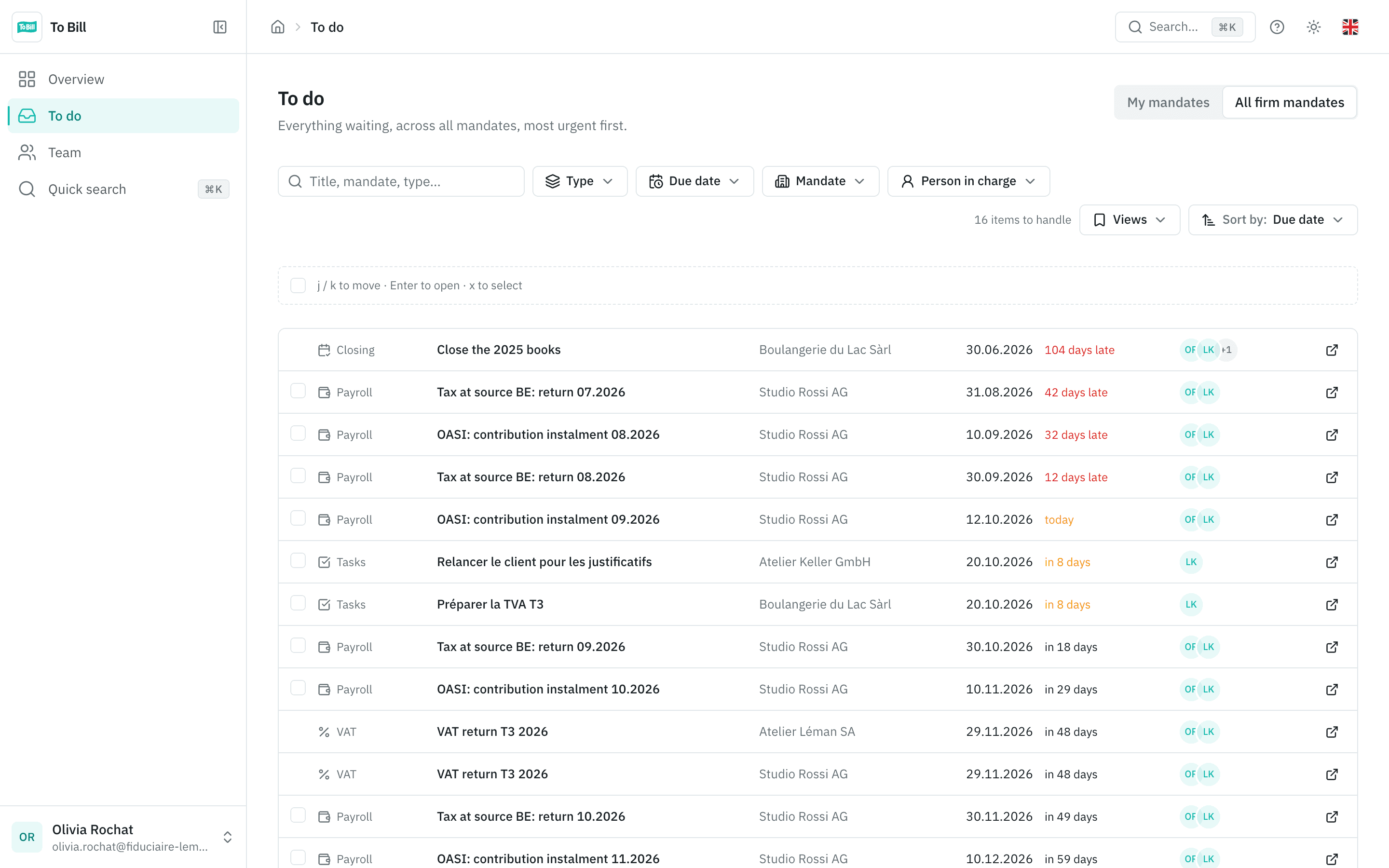
VAT, withholding tax, payroll (OASI, pension fund, tax at source, certificates), closings, tasks, bank, receipts to book: the To do list brings together the deadlines of all your mandates, the most urgent first. An item leaves the list once the work is done.
- Filters by type, due date, mandate and assignee, and the Overdue, This week and Assigned to me views.
- From the keyboard: j and k to move, Enter to open.
- Your mandates or the whole firm, in one click.
Tasks and processes
Tasks per mandate and processes ready to start
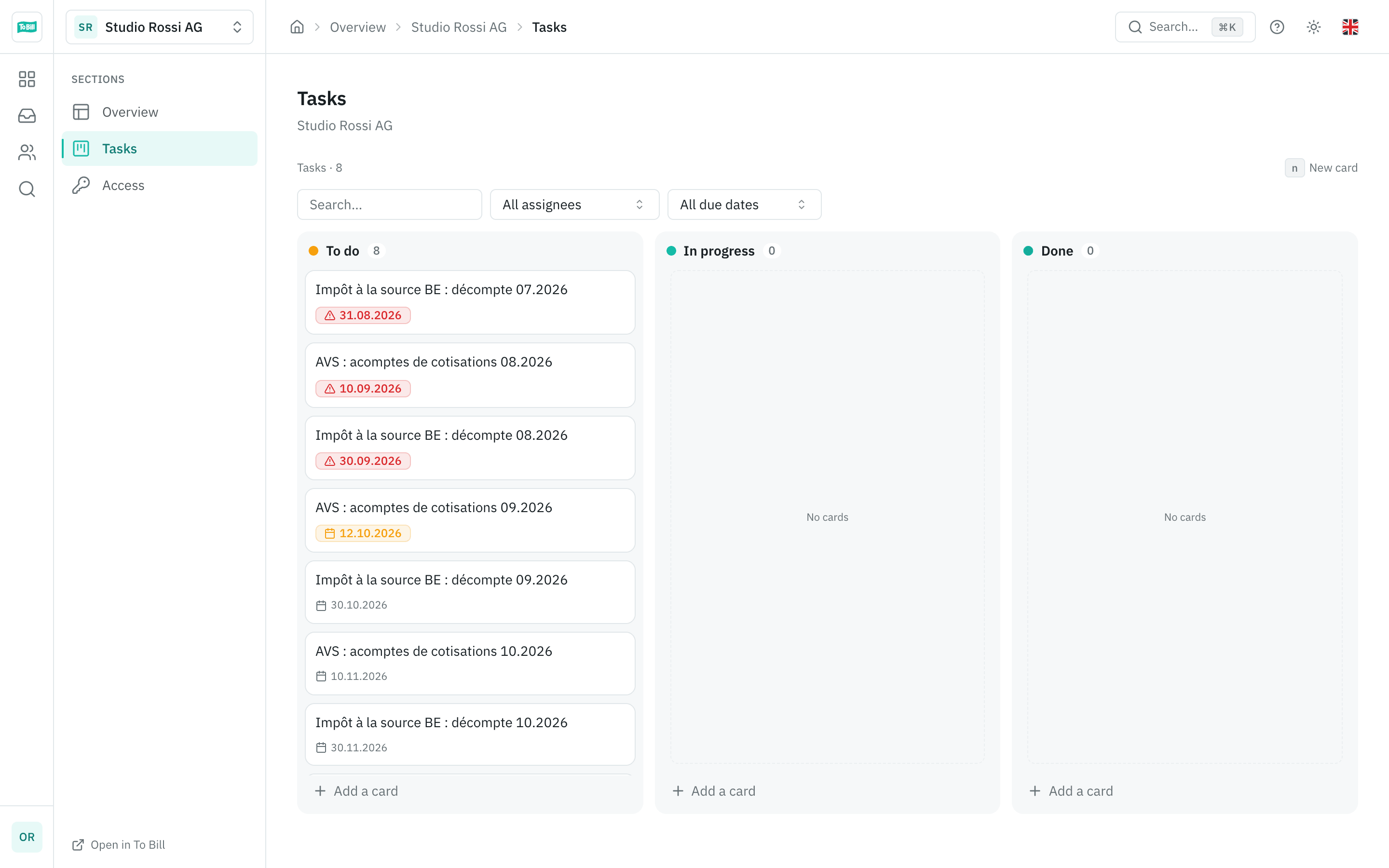
Each mandate has its task board: To do, In progress, Done. A card holds a description, an assignee, a due date, comments and attachments. Three processes create the tasks for you: year-end closing, VAT return and mandate onboarding.
- A process can be started on several mandates at once.
- A due date that falls on a weekend or public holiday moves to the next working day.
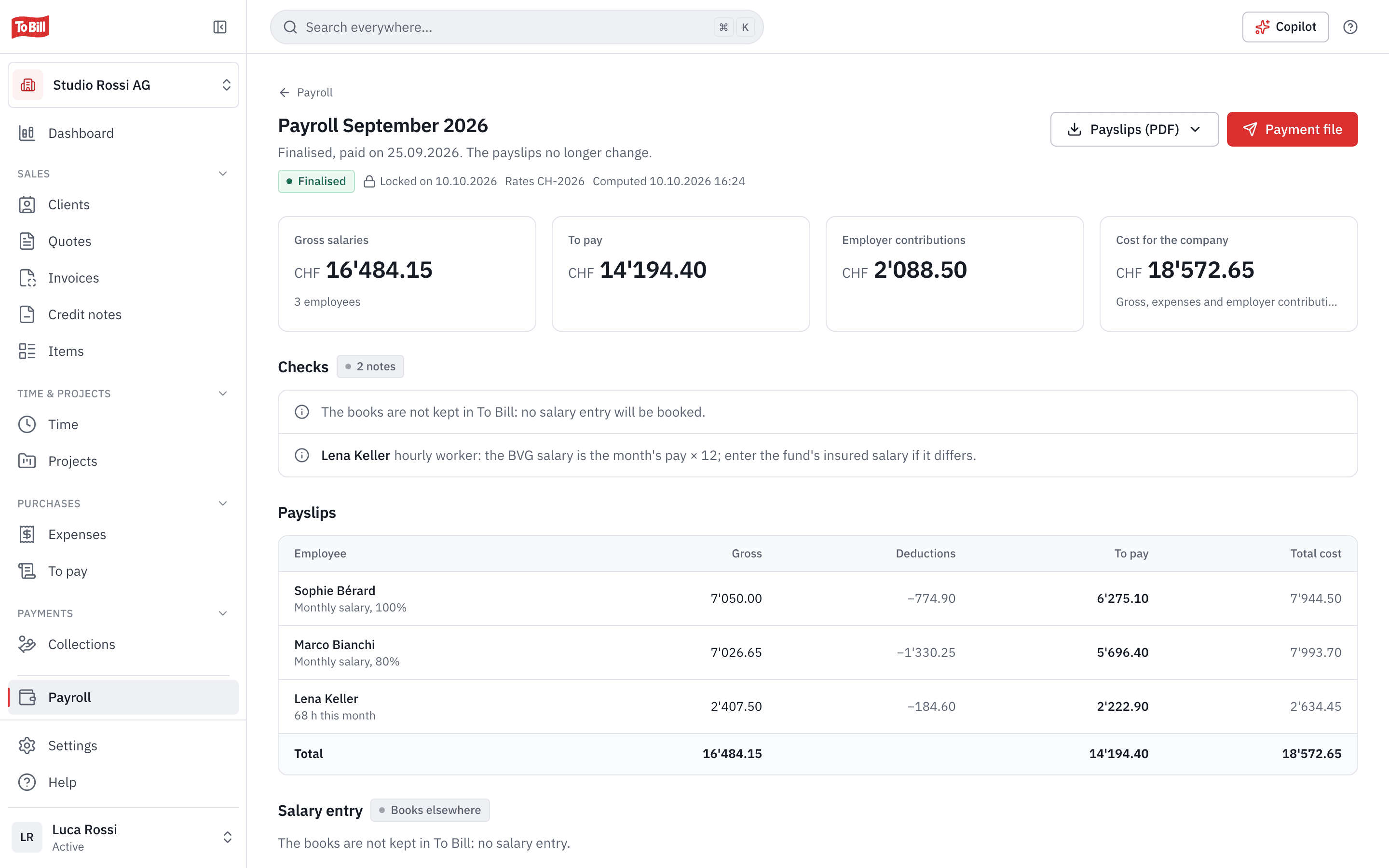
- The client's payroll deadlines are set from the cockpit: OASI, pension fund, tax at source, certificates.
Your firm's team
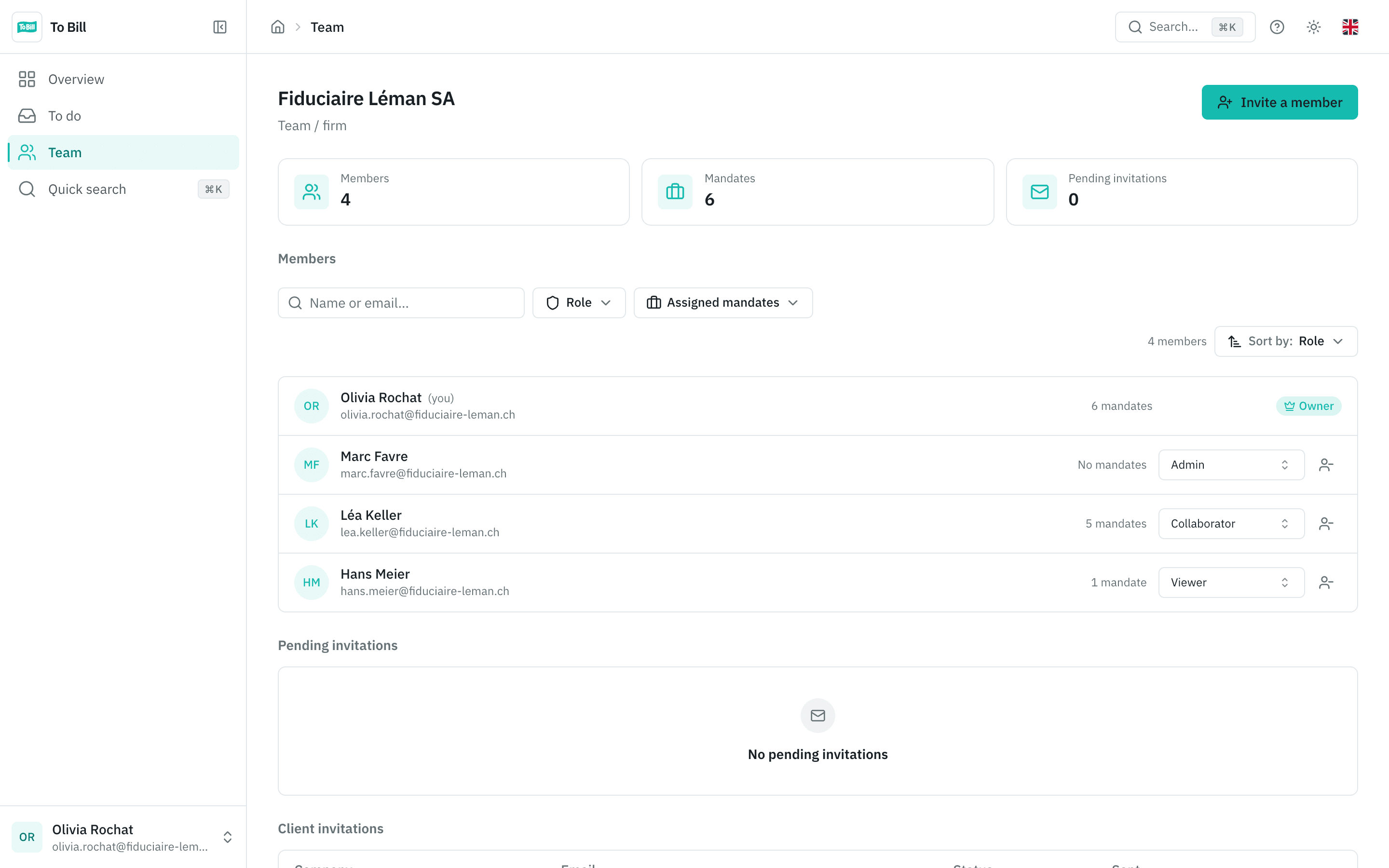
Your team, each with a role
Invite your colleagues and assign them mandates. The Owner and Admins see every mandate; a Collaborator works on the mandates assigned to them; a Viewer can look and export, without changing anything.
- A mandate without anyone assigned is flagged « Unassigned ».
- Removing someone's access takes effect immediately.
- The cockpit is available in French, German, Italian and English.
Client access
Your client stays in control
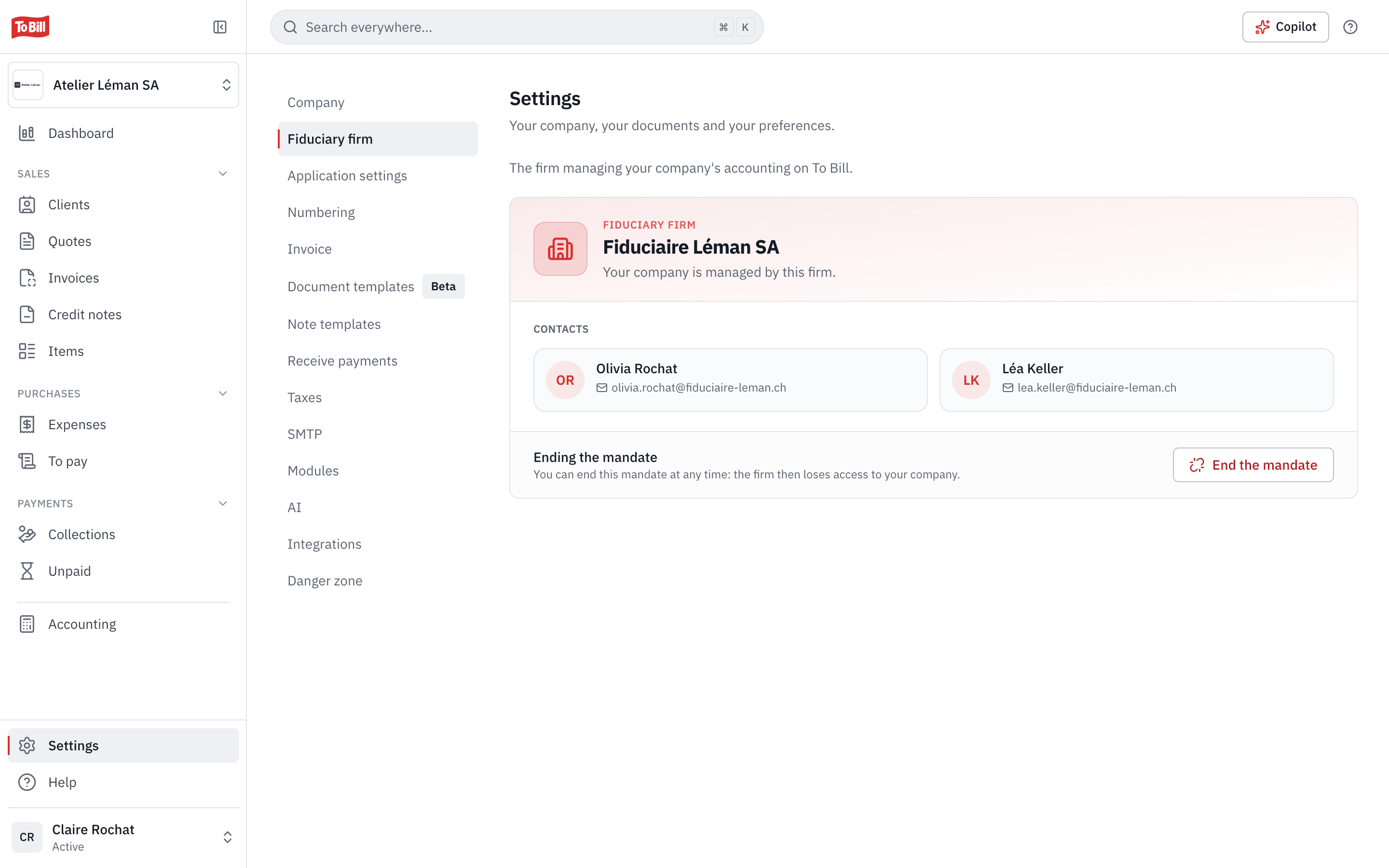
Nothing is visible without the client's consent: they link their company to your firm, and their invitation sets your rights. In their settings, they see who follows them and can end the mandate at any time; the firm then loses access.
- On a mandate the firm created or that was linked to it, your colleagues work with the fiduciary role: invoices, clients, expenses, payments and accounting, without users, settings or the subscription.
- Opening a client's space asks for a confirmation.
- Requests for missing receipts go out from your own address, and never without you.
How do I open a fiduciary account?
On cockpit.tobill.ch, with « Create a fiduciary account ». The person who creates the firm becomes its Owner and then invites the team; inviting requires a confirmed email address.
How does a client become my mandate?
In three ways: you create their company; you invite them to link theirs (the invitation lasts 14 days, and their click on « Link to the firm » is their consent); or they invite you themselves from To Bill.
Does a company created by the firm need its own subscription?
Yes. Its 7-day trial starts the first time it is opened; after that, it needs its own subscription.
Which accounting exports are available?
Banana (.txt), Abacus (.xml AbaConnect), Crésus (.txt) and WinBIZ (.txt), up to two years per export, with the mapping of accounts and VAT codes saved per mandate and per software. Several mandates download together in a ZIP.
Does the fiduciary copilot send data to the AI?
Only if the client's AI settings allow it. It sends the month's figures, the failing checks and the deadlines, never client names, IBANs or email addresses, and it sends nothing to the client.

Resources
Guides for fiduciaries
Get started
Open your firm's cockpit
Create your fiduciary account on cockpit.tobill.ch, invite your team and add your first mandates.
On cockpit.tobill.ch, with your To Bill account