
Payroll
Your SME's payroll, from the payslip to the certificate
The month's payroll with its checks, payslips as PDF, the payment file for the bank and, at year end, the salary certificates. To Bill calculates contributions at the year's official rates and your contracts' rates, for companies with one to about twenty employees.
No extra cost on the subscription · No commitment
To Bill is not Swissdec-certified: it calculates the payroll and prepares the figures, but sends nothing to the funds or the authorities. You still file the returns yourself.
Monthly payroll
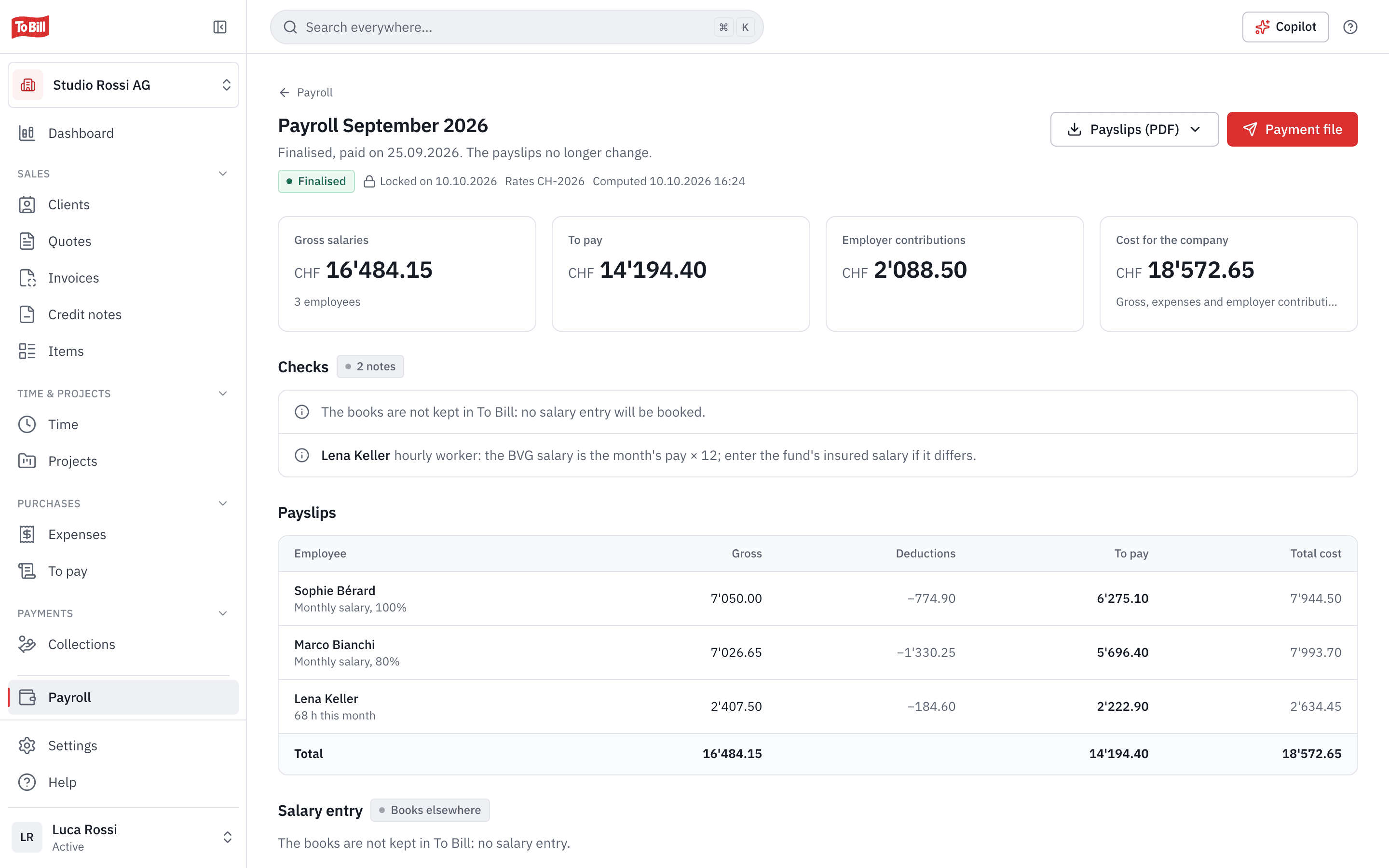
The month's payroll, checked before it is finalised
New payroll, Calculate: To Bill prepares a draft with the month's hours, overtime, bonuses and expenses, then checks it. Each point is Blocking, To check or a Note. A finalised payroll is locked; a mistake is fixed with a correction run.
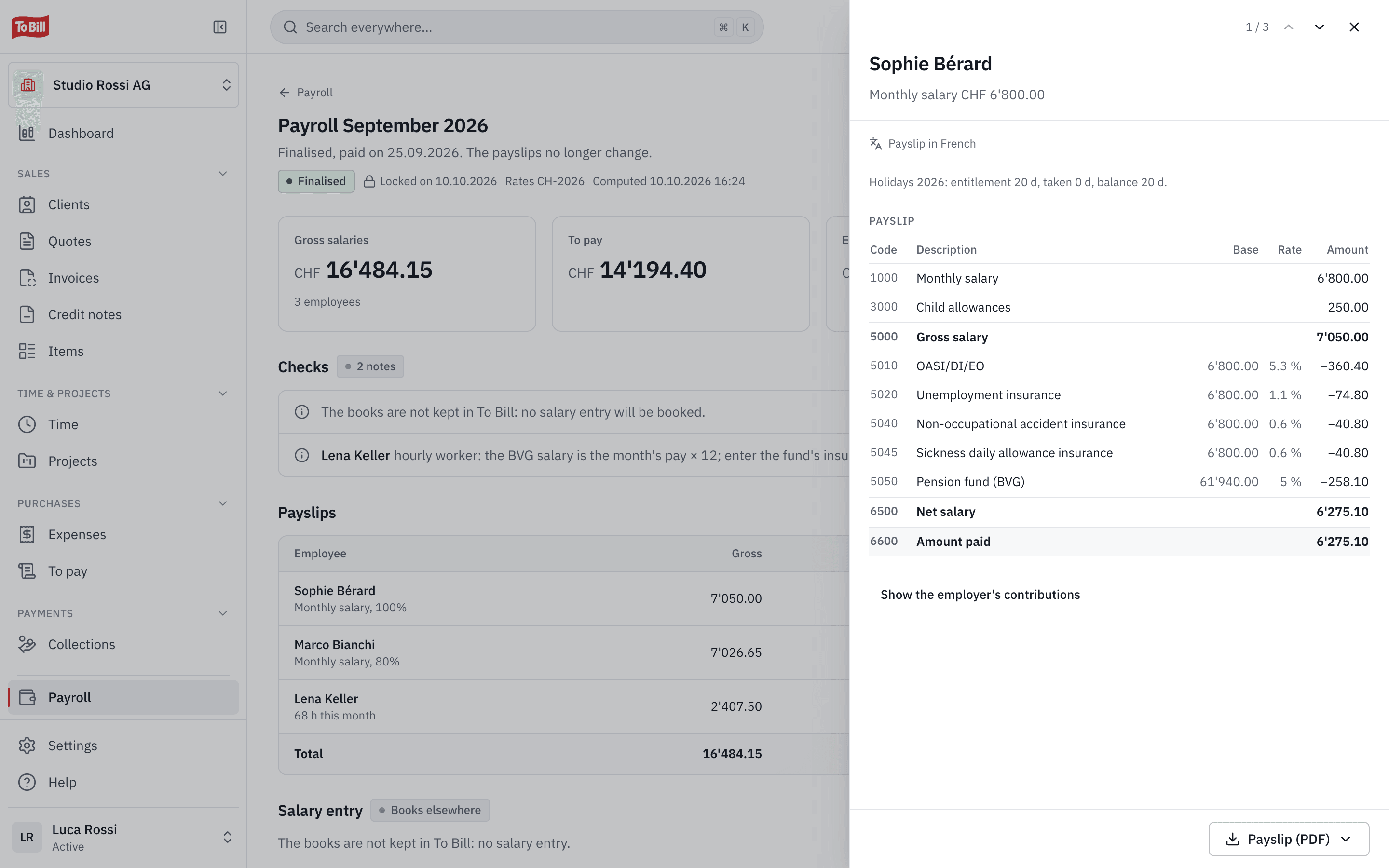
- One payslip PDF per employee, in French, German, Italian or English.
- The year's holiday balance on every payslip.
- If you keep your books in To Bill, one balanced entry for the month, on the payment day.
Social insurance
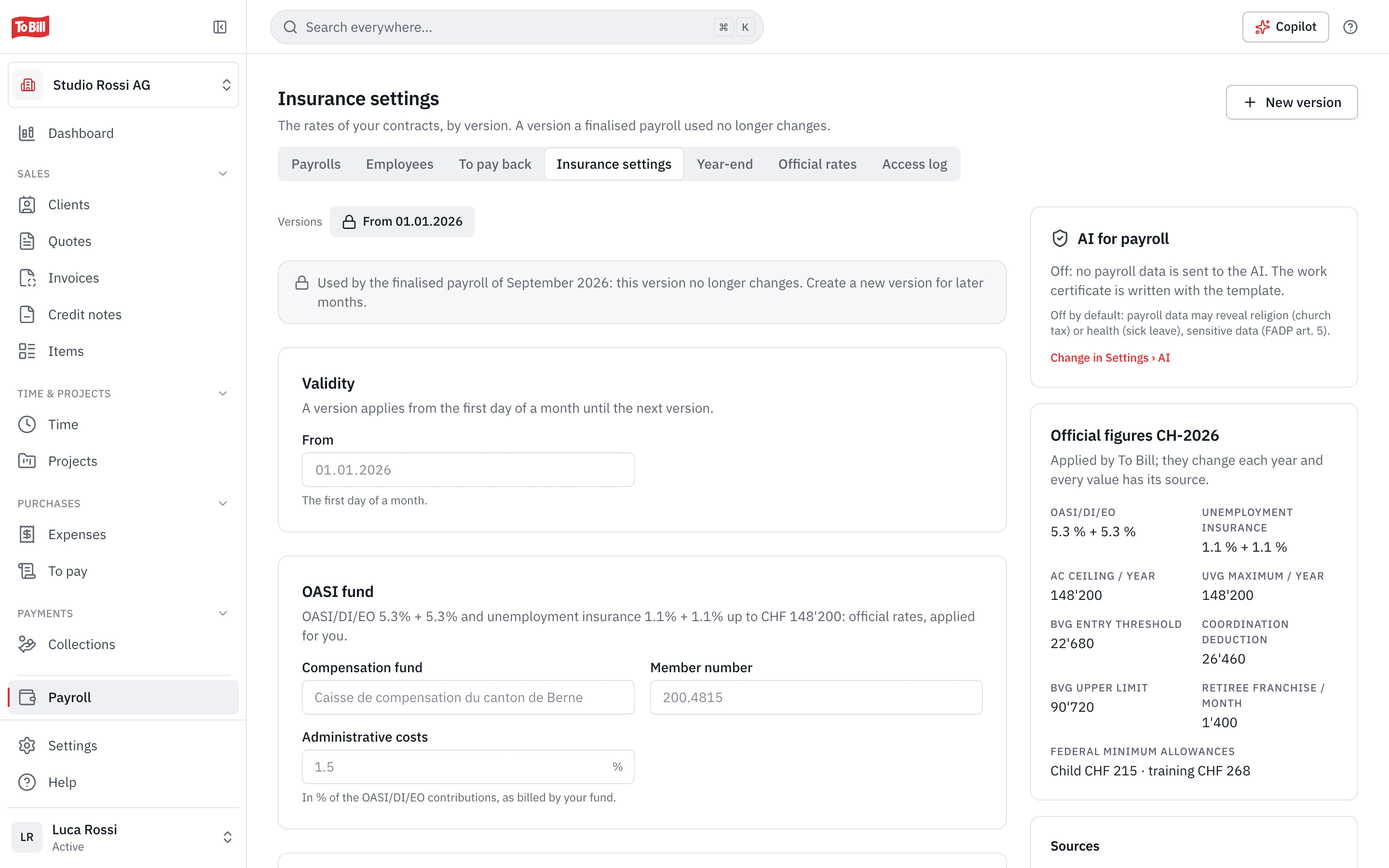
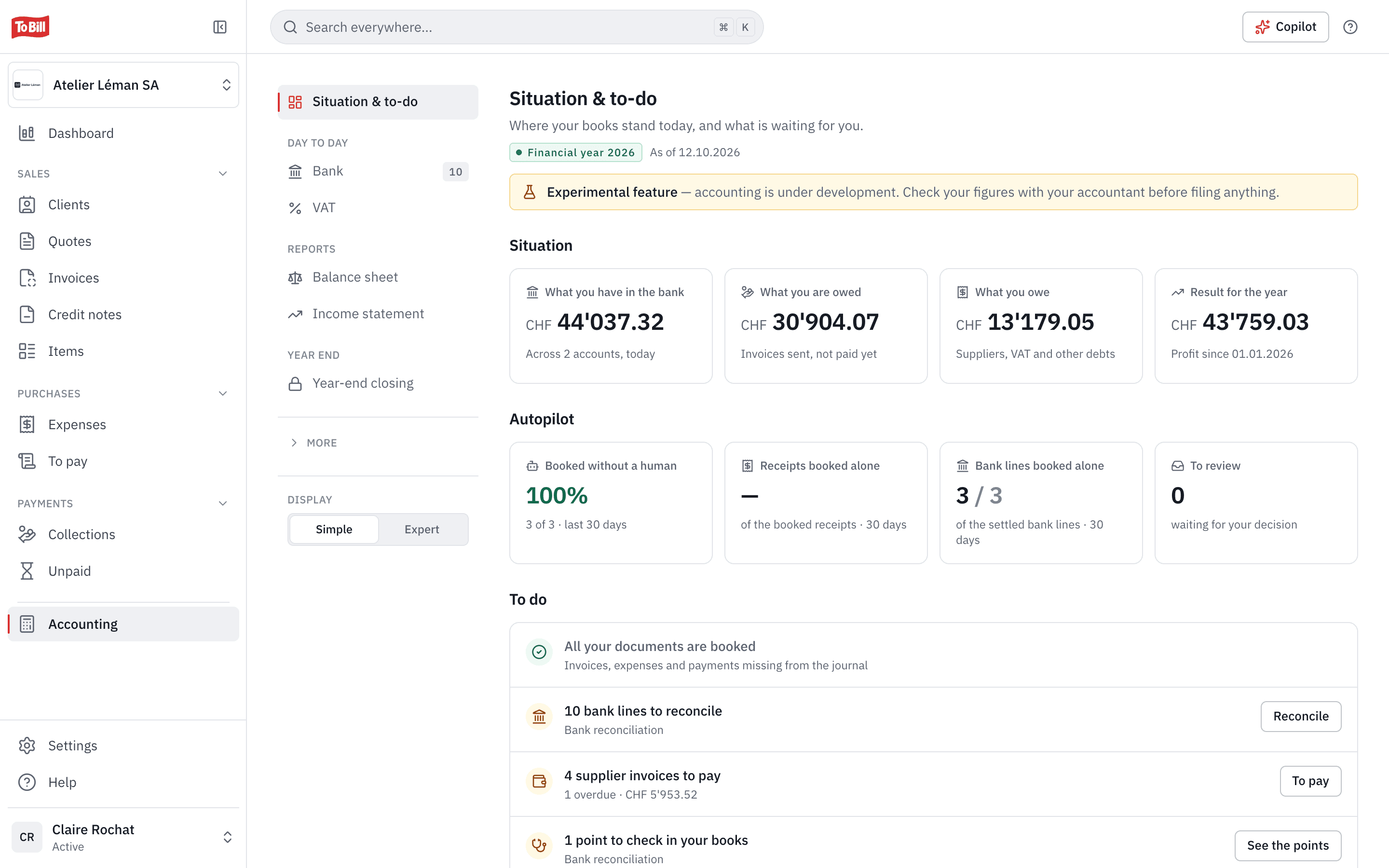
OASI, unemployment, accident, sickness, pension fund and family allowances
You enter your compensation fund, your accident (UVG), daily sickness (KTG) and pension (BVG) contracts and your family allowance fund once. To Bill applies the year's official rates, kept up to date with their sources, and your contracts' rates.
- The pension fund according to your fund's statement, one rate for everyone or rates by age, with the legal thresholds.
- The canton's family allowances, with a warning below the minimum of the canton of work.
- Tax at source: you enter the rate and the tariff code, To Bill applies it and reminds you to check it every year.
- Every new official rate is checked by a person at To Bill before it is published.
Salary payment
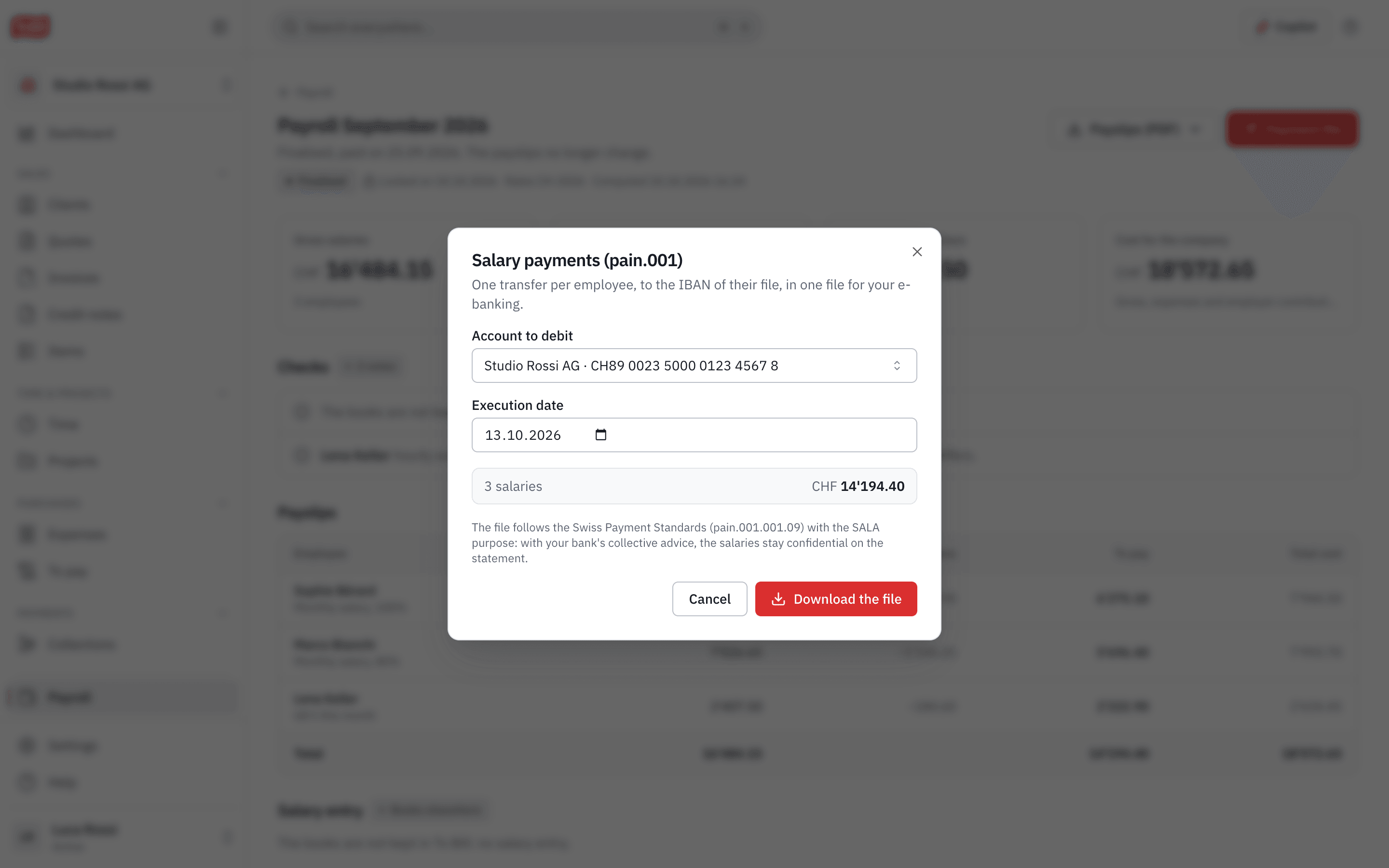
A pain.001 file to pay the salaries
To Bill prepares one transfer per employee, to the IBAN on their record, in a single file for your e-banking. The file follows the Swiss Payment Standards with the SALA purpose: with your bank's collective advice, salaries stay confidential on the statement.
- Each employee's address is checked before the file is created, as banks require from 14 November 2026.
- Expenses an employee paid upfront are paid back with the next salary or by a separate transfer.
- You sign the file in your e-banking.
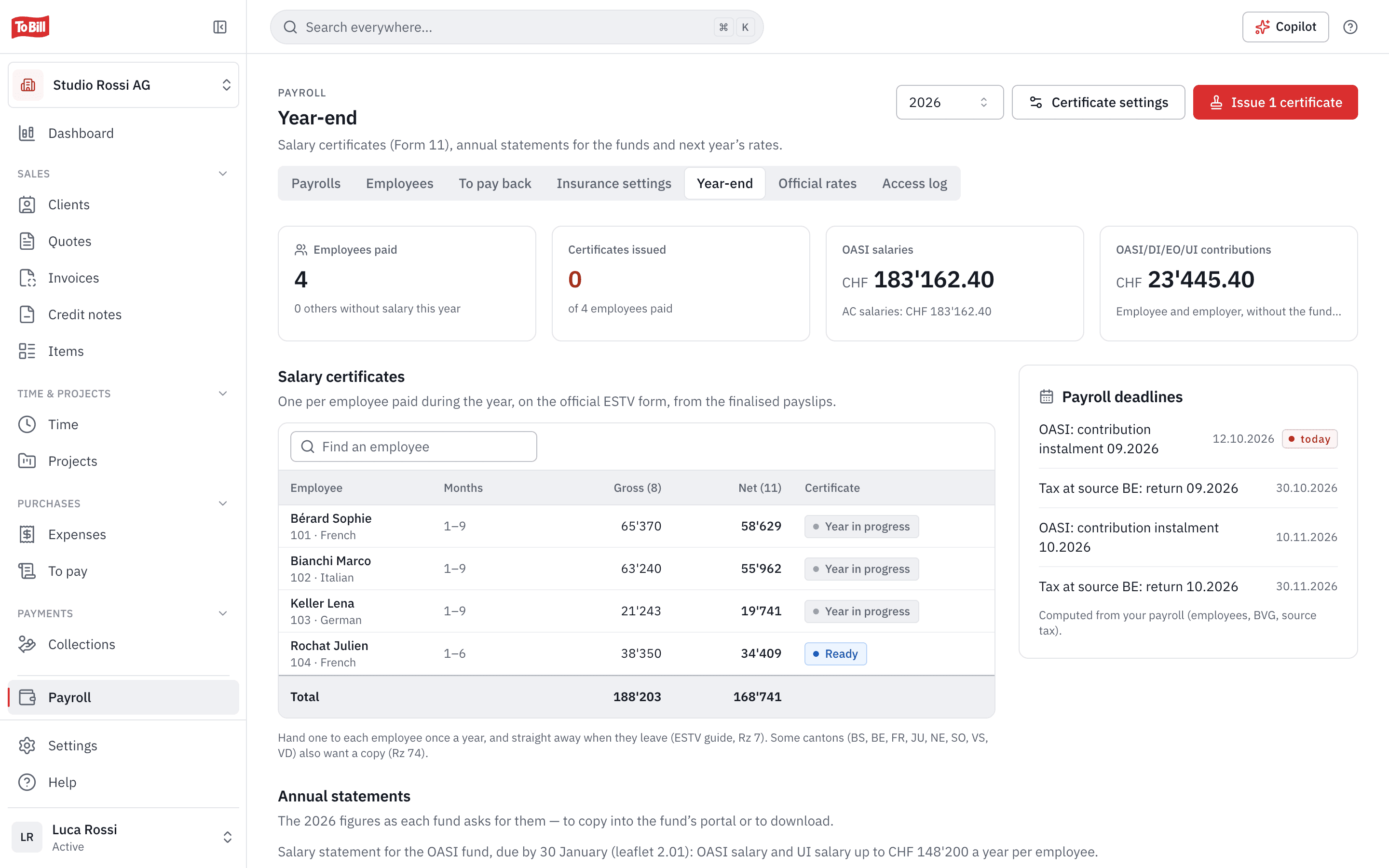
Year end
Salary certificates and year-end statements
At year end, To Bill fills in each employee's salary certificate on the official FTA form (Form 11), from the payslips. You add expenses, a company car or meals, then issue all the certificates in one go.
- The year's figures for OASI and unemployment insurance, accident insurance, family allowances and the pension fund, to copy onto each fund's portal or download as CSV.
- The payroll deadlines: OASI instalments, tax-at-source returns.
- All certificates in a single PDF.
Leavers
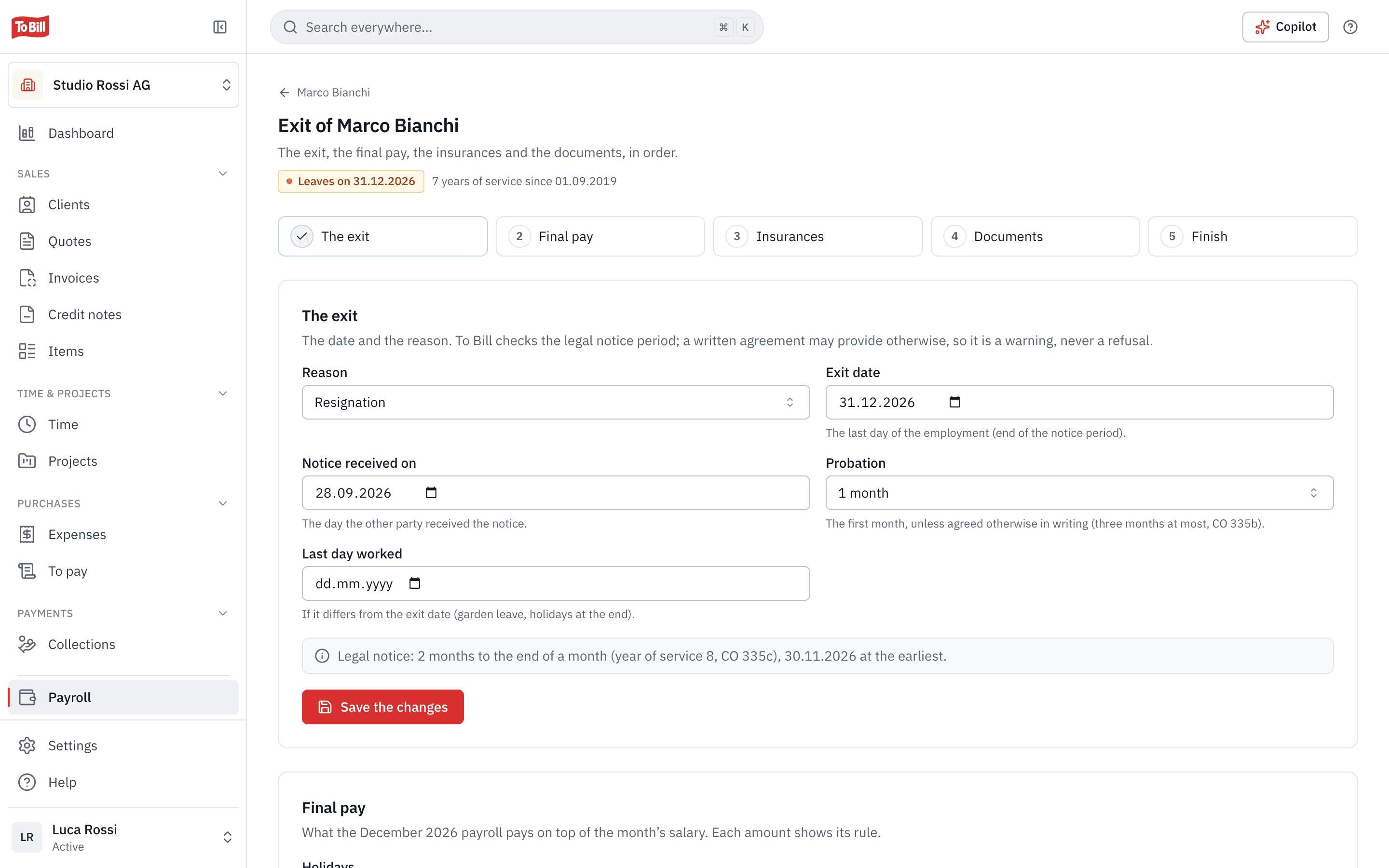
When an employee leaves, step by step
Resignation, dismissal, end of a fixed-term contract: To Bill shows the legal notice period (art. 335c CO), works out the holiday balance and the final pay, lists the insurers to inform and prepares the leaving documents.
- The salary certificate and the employer's certificate for unemployment insurance, pre-filled.
- A full work certificate, or a simple certificate of employment.
- To Bill sends nothing: you tick each step once it is done.
Payroll questions
From switching it on to an employee leaving, everything is explained on docs.tobill.ch.
Is To Bill Swissdec-certified?
No. To Bill calculates the payroll and prepares the figures, but sends nothing to the funds or the tax authorities (no ELM). You copy the year-end figures onto each fund's portal.
For how many employees?
The module is made for small businesses, with one to about twenty employees.
Does To Bill calculate tax at source?
It applies it, but does not calculate it from the tariffs: you enter the rate, the tariff code and the canton. Each new year, To Bill reminds you to check the rate. The return to the canton is still yours to file.
Does my payroll data go to the AI?
No, as long as AI for payroll stays off, which is the default. An administrator can switch it on for two uses only: the payroll totals the Copilot reads, and the draft of a work certificate. Never a payslip.
Who sees the salaries?
Only people with a payroll right; by default, the administrator. Every view of the employee list or an employee's record, with the OASI number and IBAN, is written to the access log.
Does payroll cost extra?
No. It is switched on at no extra cost on the subscription, in Settings › Modules.
Get started
Prepare your next payroll in To Bill
Turn on payroll in Settings › Modules, at no extra cost on the subscription. 7-day free trial, no commitment.
No extra cost on the subscription · No commitment