
Time & projects
The time spent on your projects, all the way to the invoice
Record your hours with the timer or in the weekly grid. Each project follows its budget and what is left to invoice; one button prepares the draft invoice of the hours, which you review before sending it.
No extra cost on the subscription · No commitment
Recording
With the timer or by the week
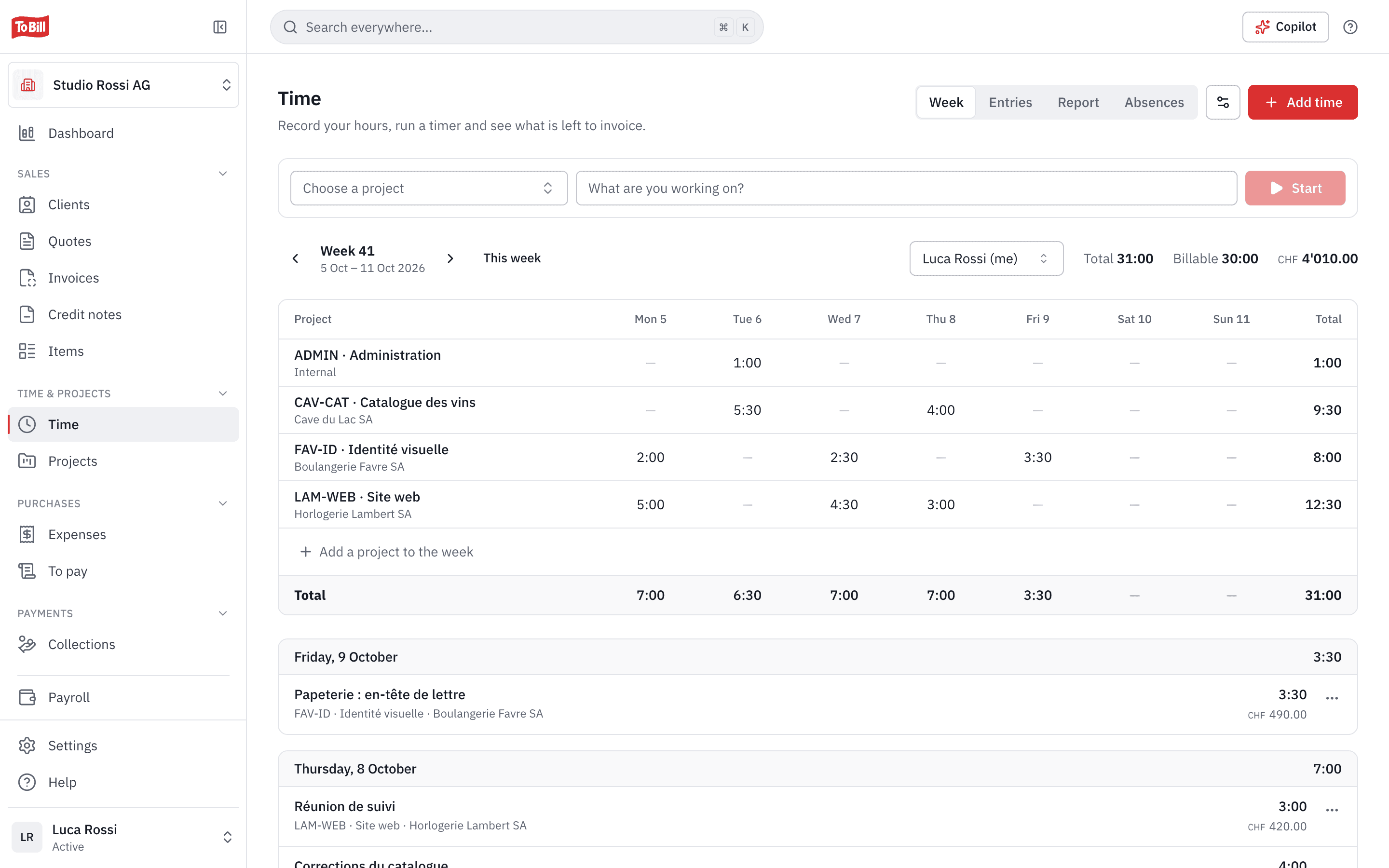
Start the timer on a project, or fill in the weekly grid: one row per project, one column per day. Type 1:30, 1h30, 1.5 or 90m, To Bill understands. Each entry is billable or not, depending on the project's setting, and can be filtered: to invoice, invoiced, not billable.
- Rounding of your choice: 5, 6, 10, 15 or 30 minutes.
- A team member sees only their own hours, without amounts.
- Keyboard shortcuts to move fast through the week.
Projects
Projects with a budget, in hours or in francs
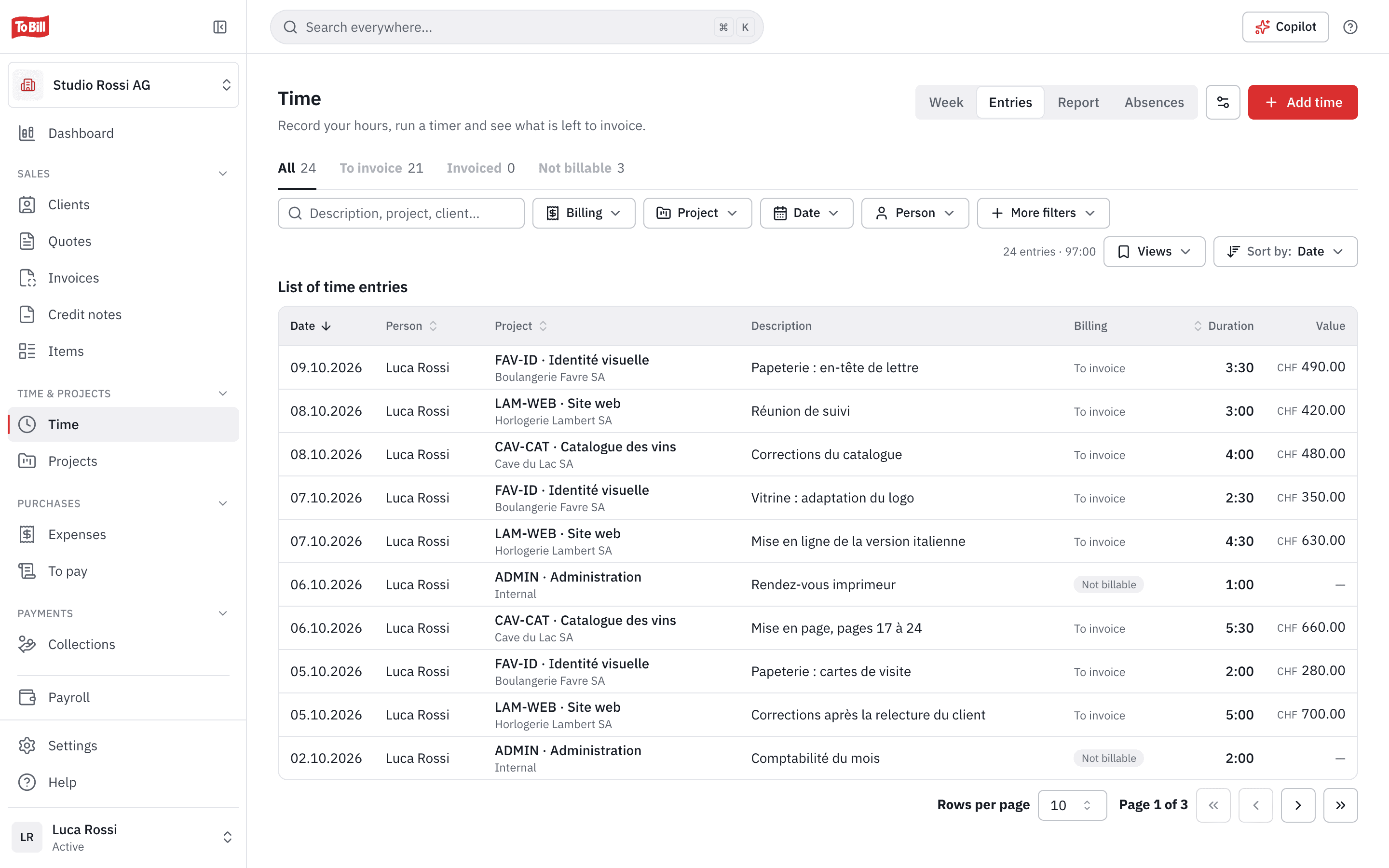
A project has its client, or none for an internal project, a code, an hourly rate and a budget in hours or as an amount. You see at a glance how much budget is used and what is left to invoice.
- Rates per person on a project.
- The Over budget view for projects that go beyond it.
- Projects active, completed or archived.
Invoicing
The hours become a draft invoice
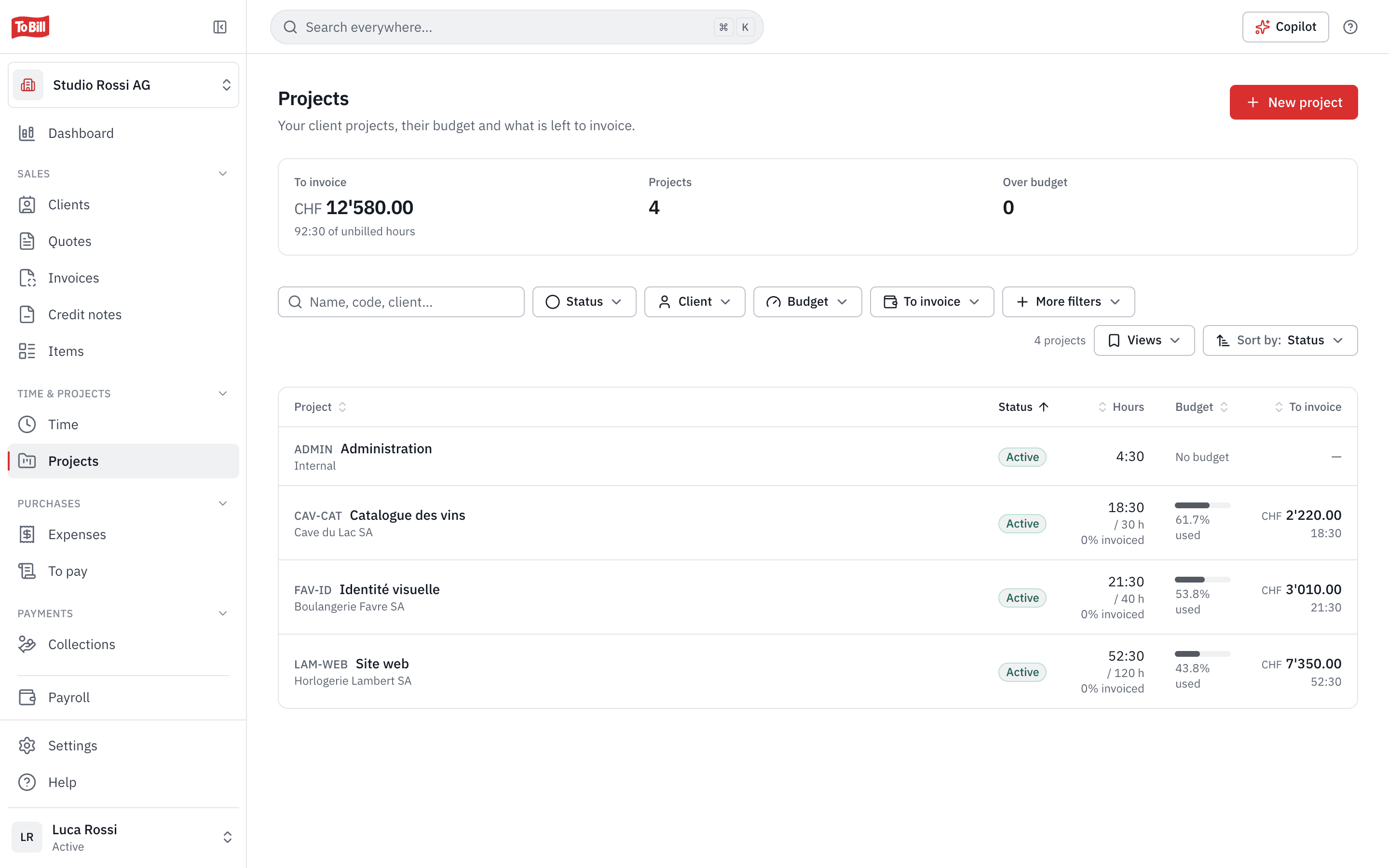
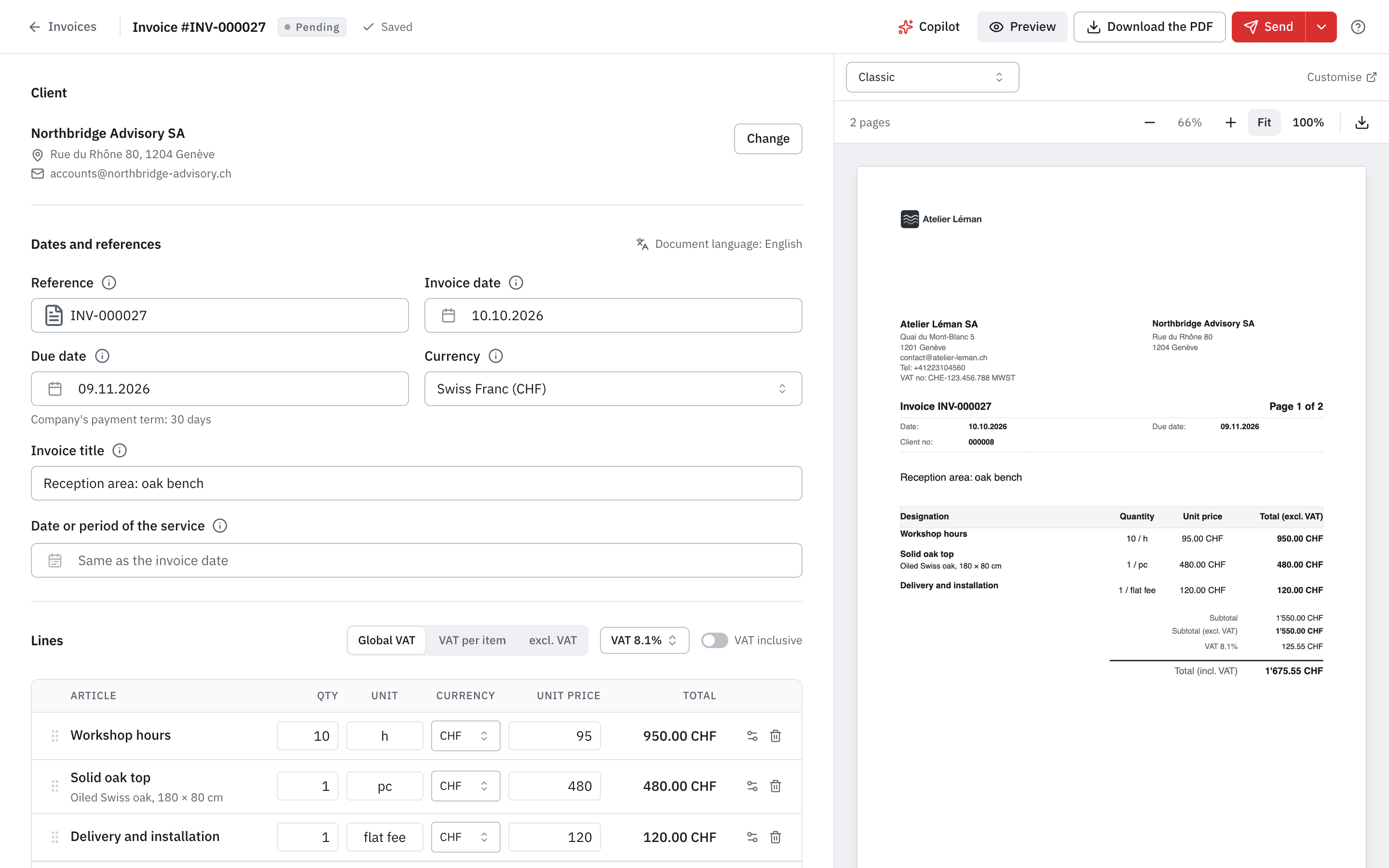
In a project's To invoice tab, tick the hours, choose one line per project, per person or per entry, and the date. « Create draft invoice » prepares the invoice with the next number and opens it: you review it before sending.
- Invoiced hours are marked as such and can no longer be changed.
- Deleting the draft releases the hours.
- Amounts excluding VAT, with your company's default VAT rate.
Report
Where your time goes
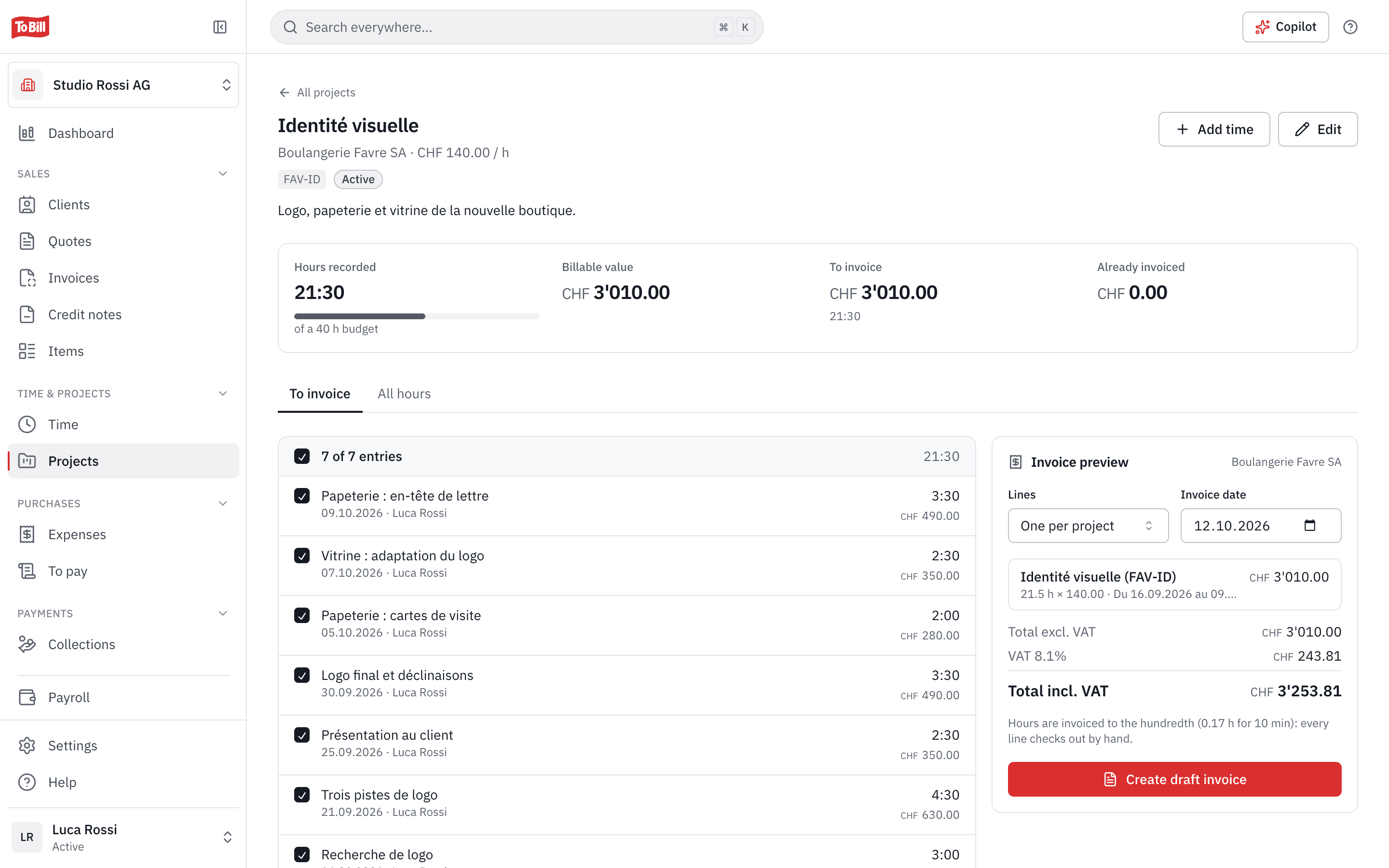
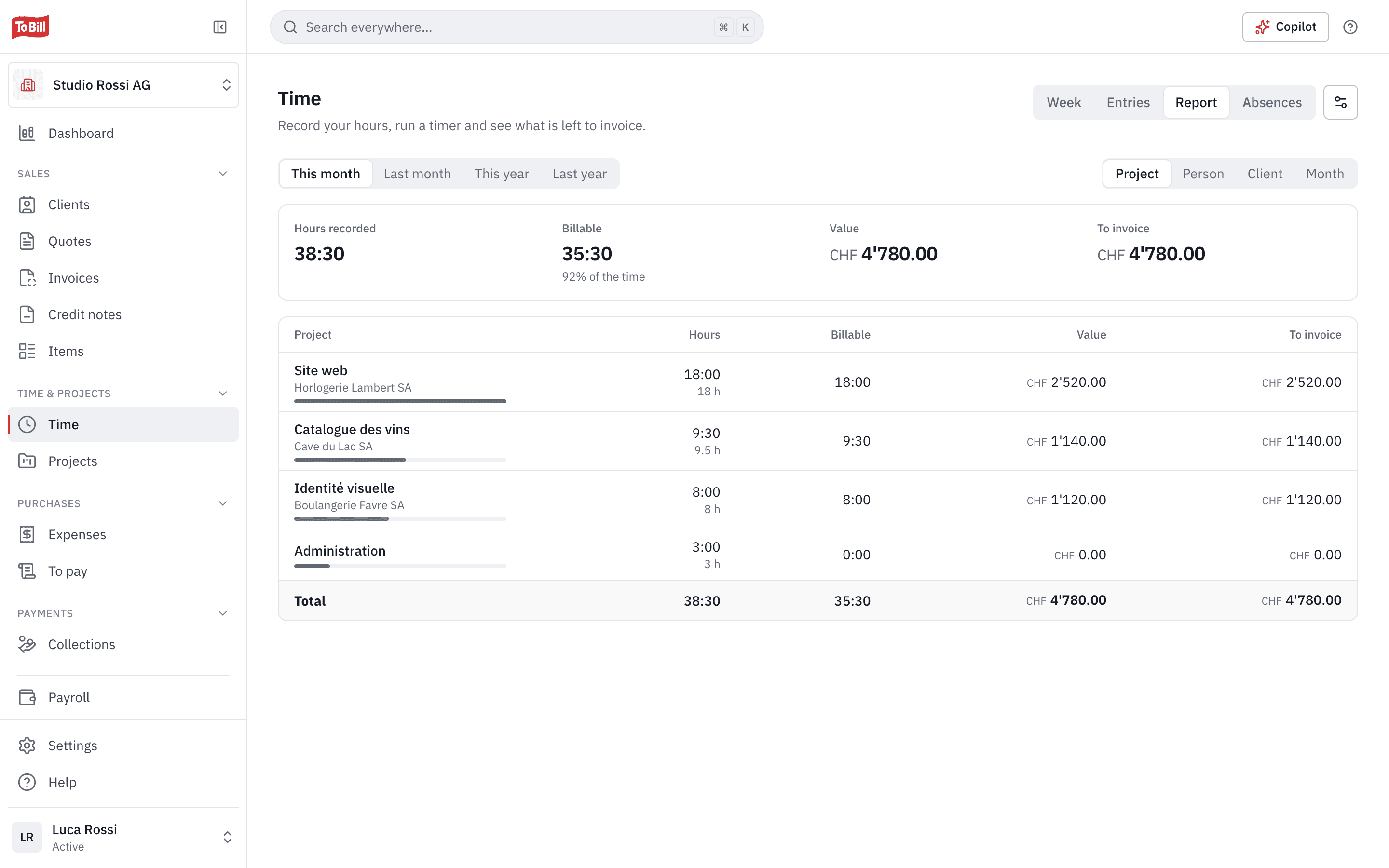
The report groups hours by project, person, client or month, over the period you choose: billable hours, their value and what is left to invoice.
- This month, last month, this year or last year, in one click.
- Entries without a rate are flagged.
Absences
Your team's absences, together with payroll
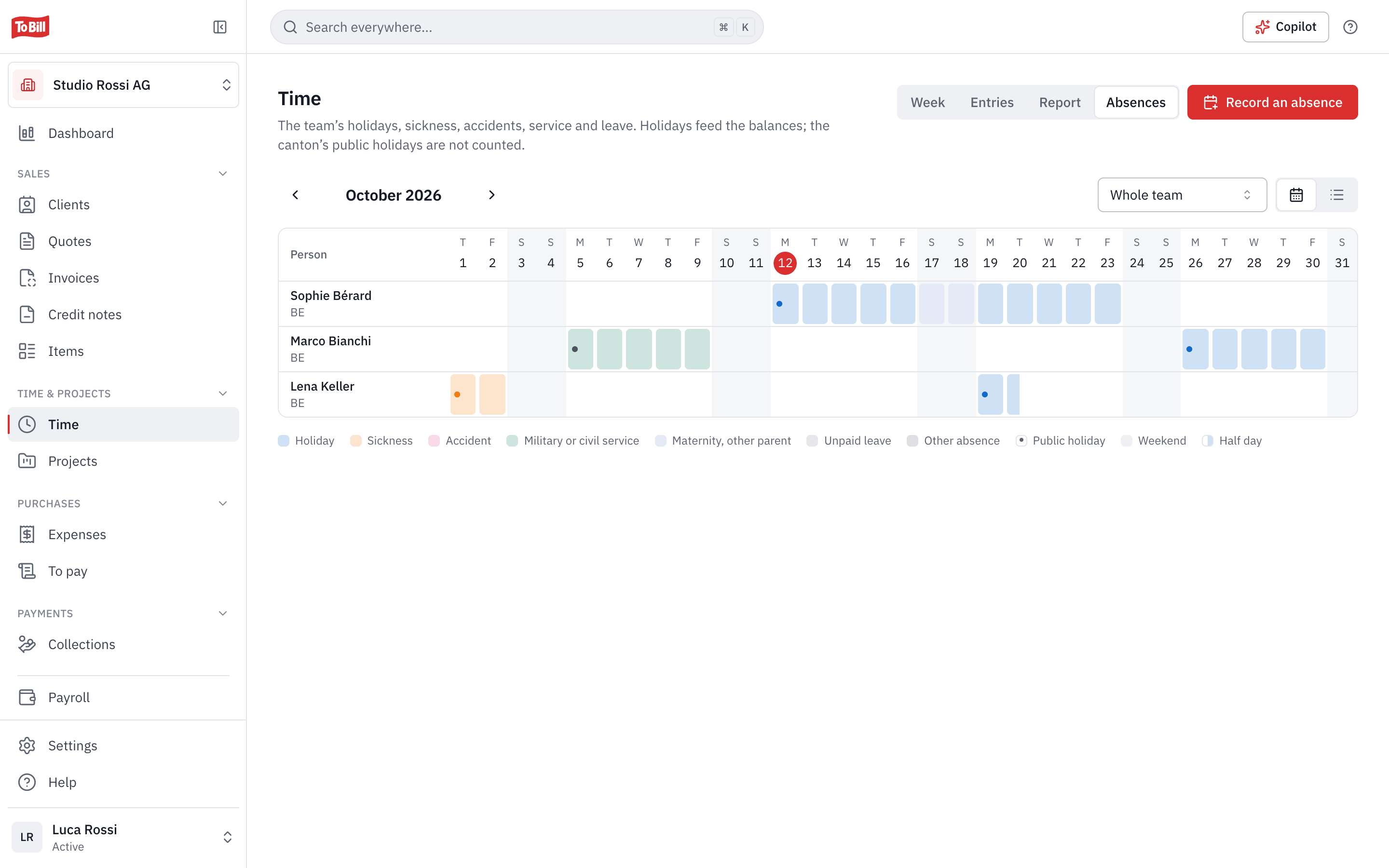
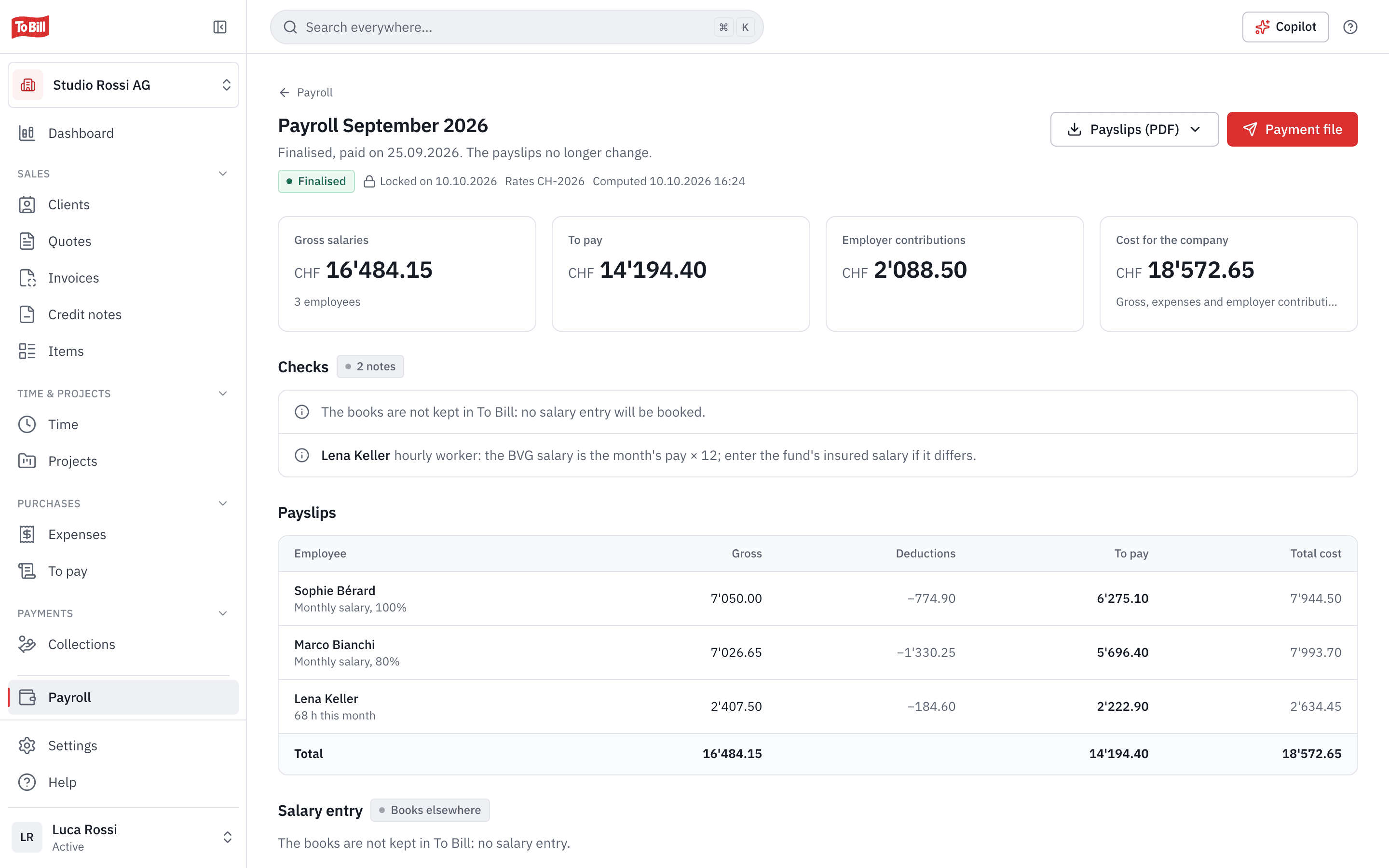
With the Payroll module, the Absences tab shows who is away and when: holiday, sickness, accident, military or civil service, leave. Holidays feed the balances, and the canton's public holidays are not counted.
- Half days can be recorded too.
- Without a payroll right, a colleague only sees « Absent ».
Does time tracking replace working-time records?
No. Project time is for following and invoicing your hours. It is not the working-time record the Labour Act requires, with start and end times and breaks.
Do I need the Payroll module?
Not for hours and projects. Absences, however, need both modules: Payroll and Time & projects.
Which hourly rate applies?
The first one that exists: the entry's, the person's on the project, the project's, the person's usual rate, then the company's.
What if an invoice of hours is cancelled?
While the invoice is a draft, deleting it releases the hours. After a sent invoice is cancelled, « Release the hours » puts them back to invoice.
Does Time & projects cost extra?
No. The module is switched on at no extra cost on the subscription, in Settings › Modules.
Get started
Invoice your hours straight from your projects
Turn on Time & projects in Settings › Modules, at no extra cost on the subscription. 7-day free trial, no commitment.
No extra cost on the subscription · No commitment