
Bank
Your bank statements, reconciled line by line
Import your bank's statement in camt format or as CSV. To Bill matches each transaction to its invoice or expense through QR references, proposes the rest with its reason and posts what you confirm. Rules take care of the transactions that come back every month.
Included with accounting, no extra cost · No commitment
The bank is part of accounting, which is still experimental: check your figures with your fiduciary before you file any return.
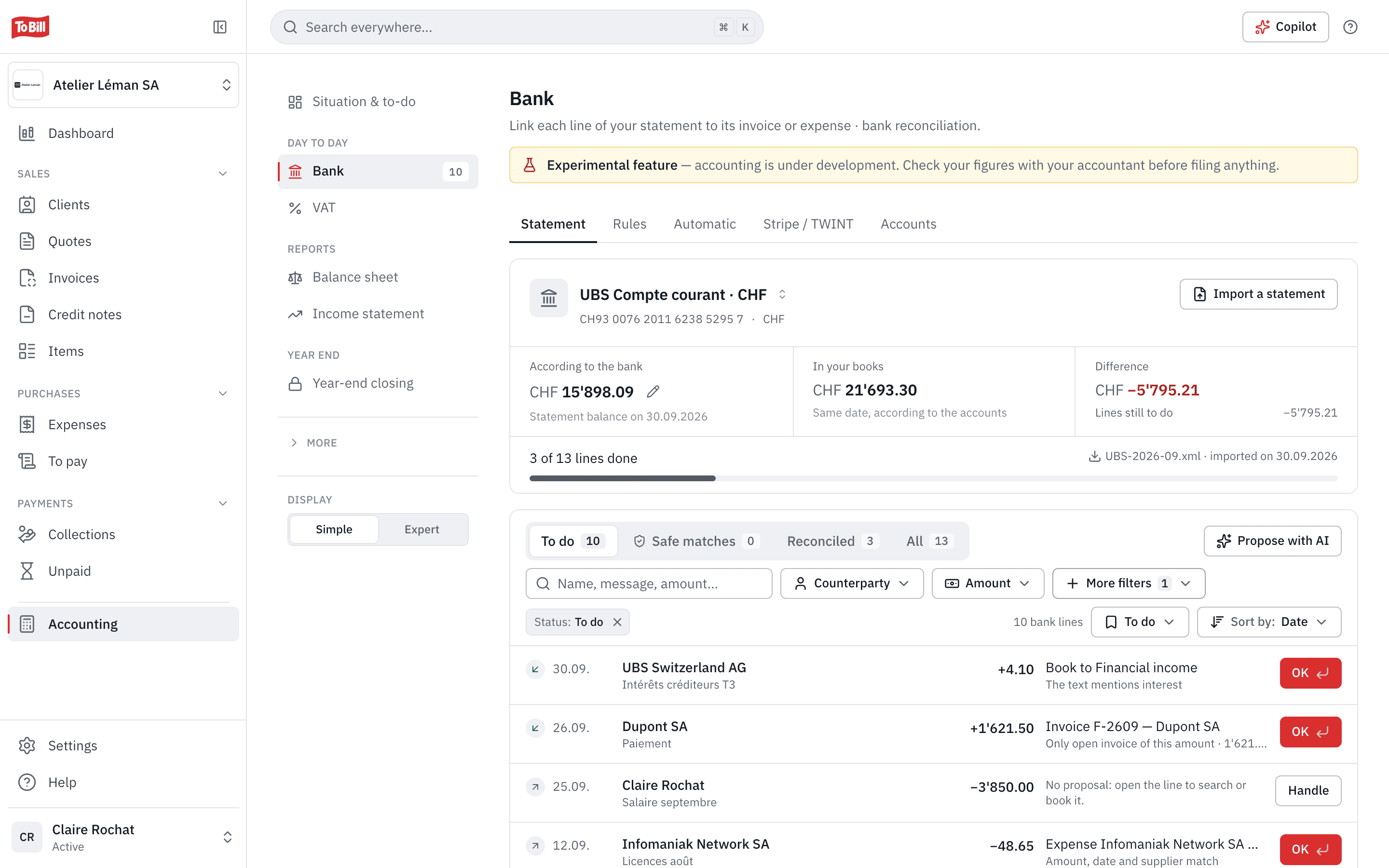
Statement import
camt.053, camt.054, camt.052 or CSV
Drop in the file from your e-banking: To Bill reads the camt versions in use without you choosing one, and keeps the original file. A CSV can be imported too, with column mapping and a preview; the setting is remembered for that account.
- Importing a file again, or overlapping statements, creates no duplicates.
- A file from another account is refused.
- The balance according to the bank next to the balance in your books, with the difference explained.
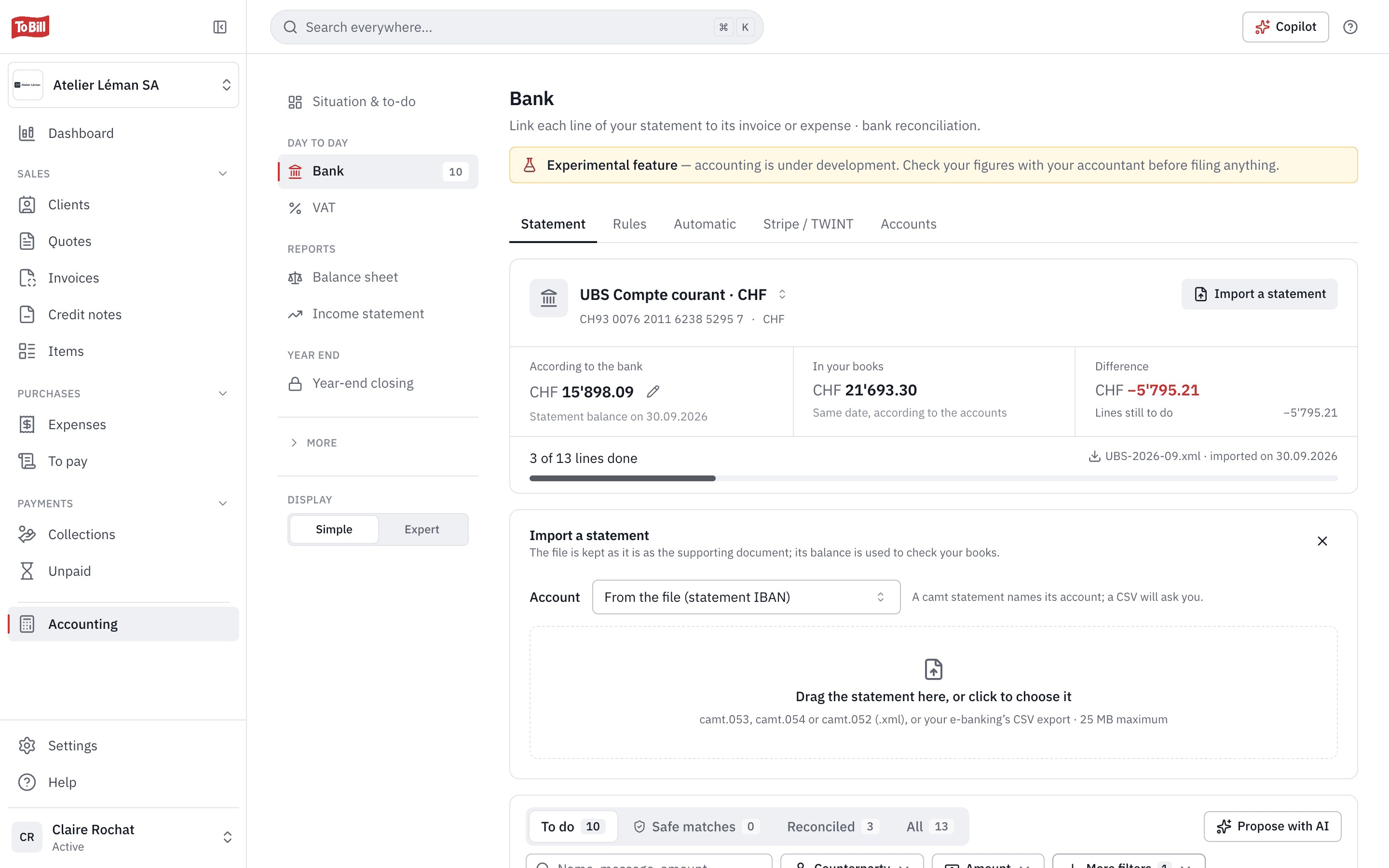
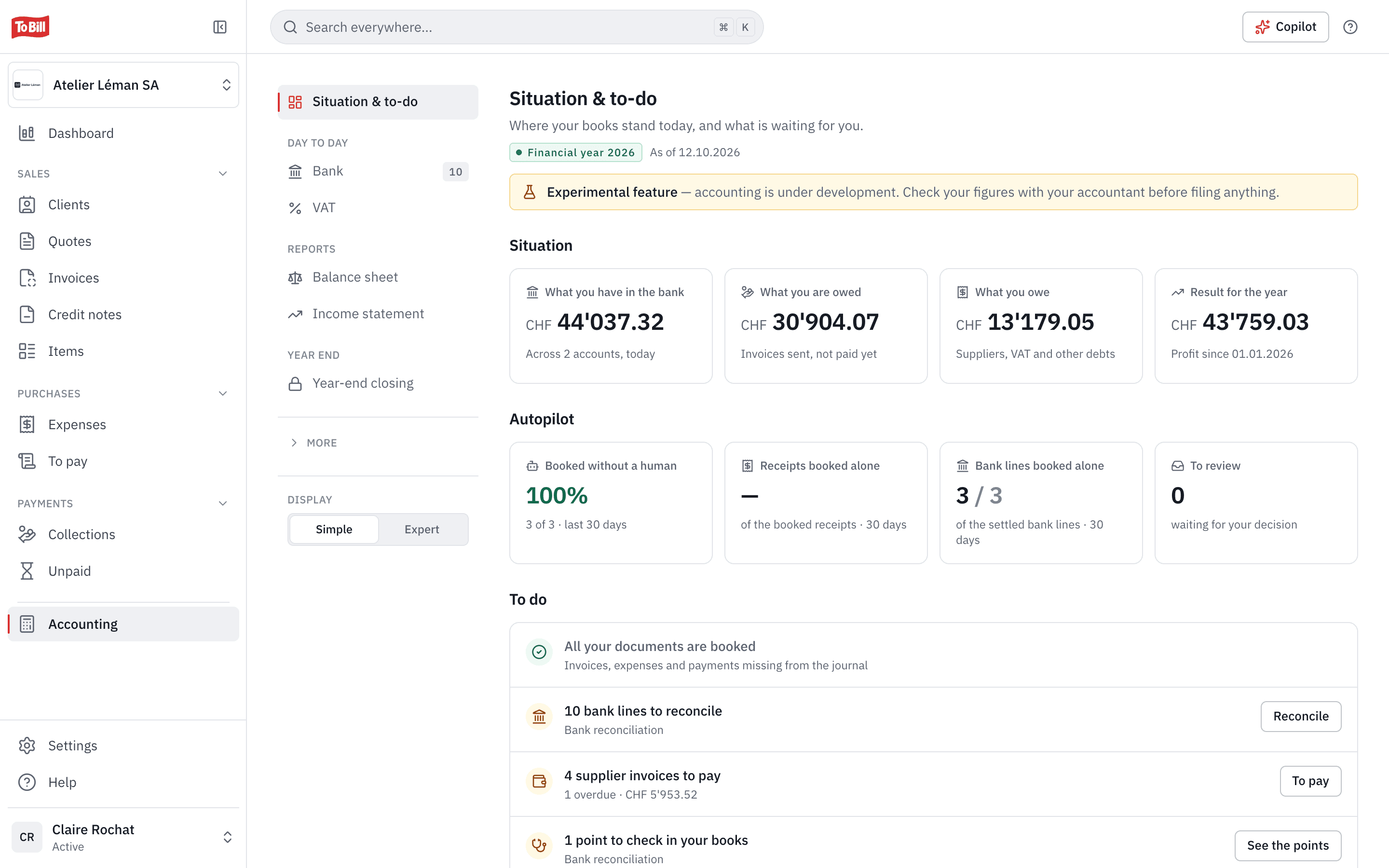
Reconciliation
Every transaction with its best match, and why
Each line to do shows its best match and the reason: the same QR reference, an exact amount, a partial payment, one of your rules. Enter accepts, Undo really undoes. One payment can settle several invoices, and a line can be split across accounts.
- Safe matches are confirmed all at once.
- A small difference is booked as a discount granted or as fees withheld.
- An AI suggestion is never posted without you.
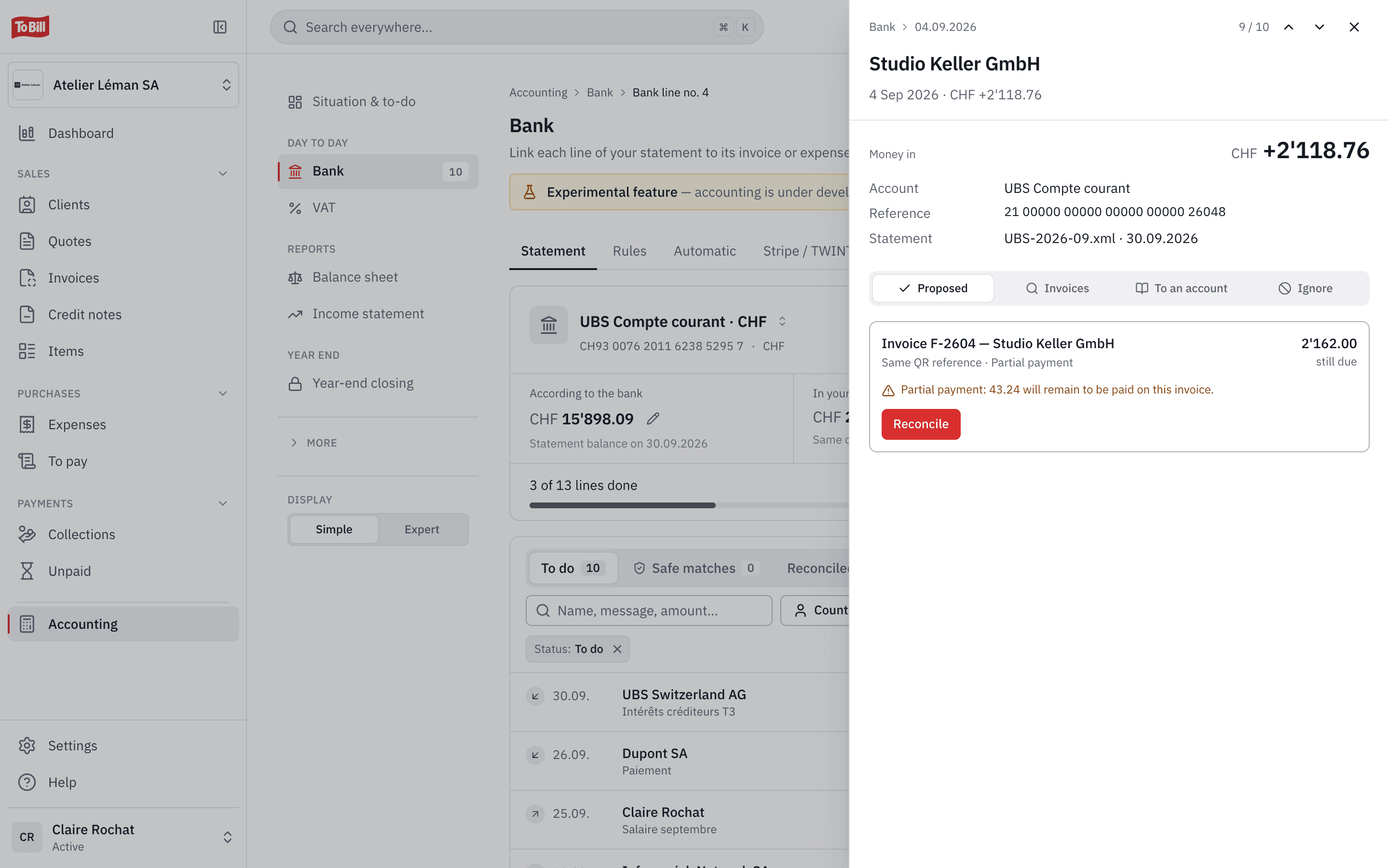
Rules
Rules for the transactions that come back
A rule recognises a line by the counterparty's name, the IBAN, the text or the reference. It posts it to the right account, VAT included, or links it to the document it quotes. You choose whether it acts on its own or only proposes.
- After the same posting twice, To Bill suggests the rule.
- A new rule also applies to lines still open.
- A rule can be paused without losing it.
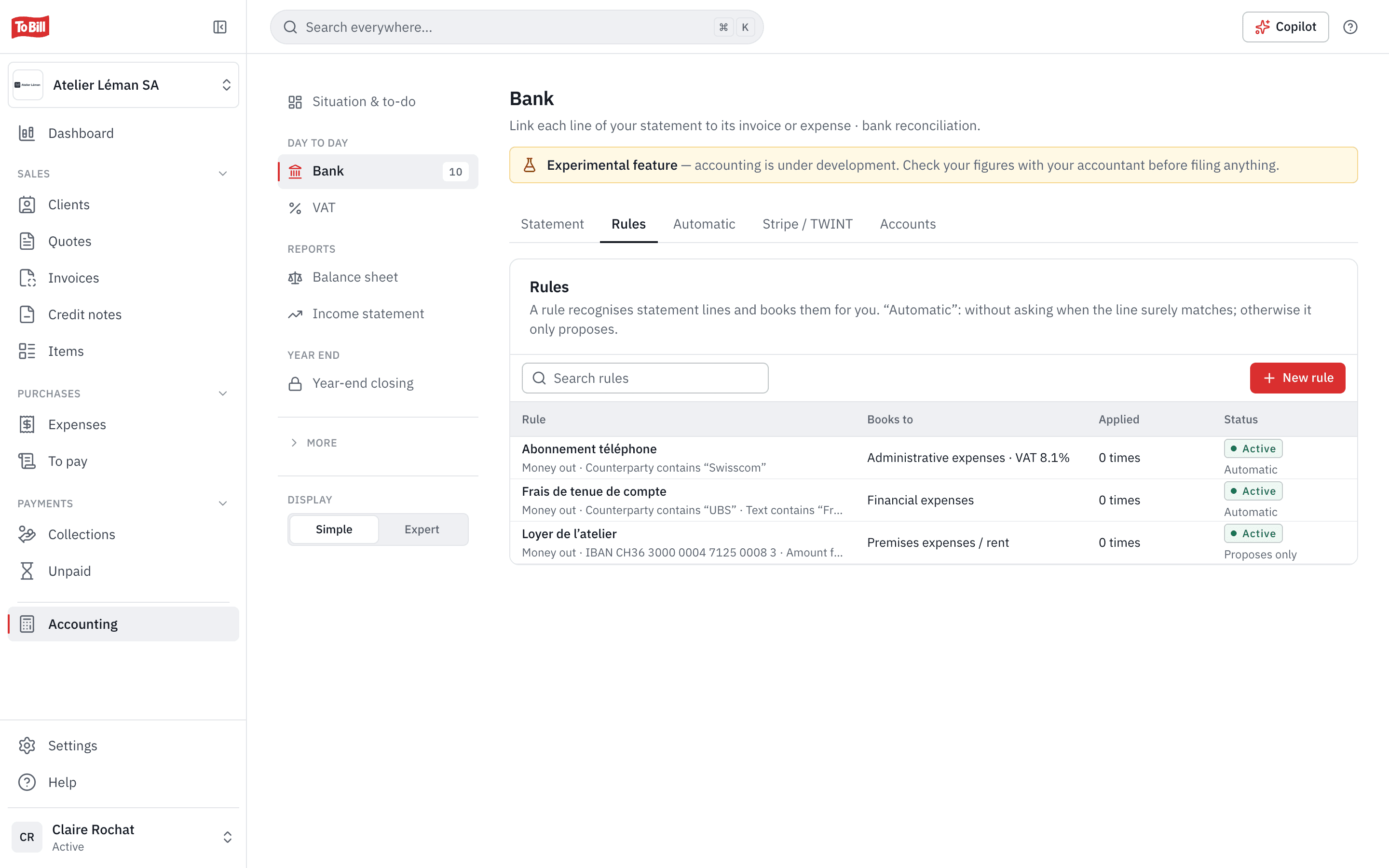
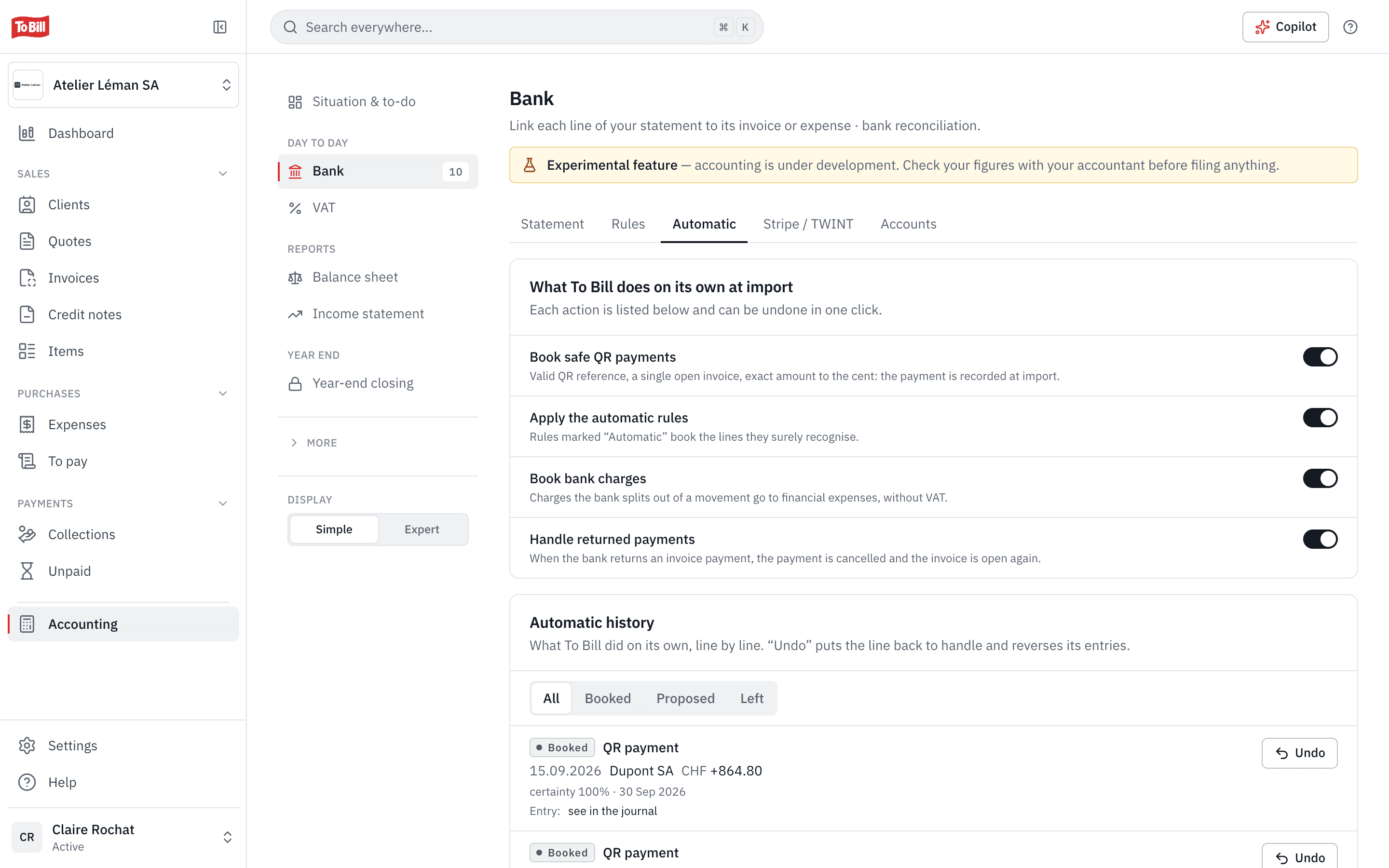
Automatic
What To Bill does on its own, and how to undo it
Four automations, each with its own switch: post safe QR payments, apply automatic rules, post bank fees and handle returned payments. The history shows every action with its reason, and undoes it in one click.
- A QR payment is posted on its own only if the reference is valid, the invoice open and the amount exact to the cent.
- Undo puts the line back to do and reverses its entries.
- With Stripe, card and TWINT payments reach the books with their fees, refunds and payouts.
Suppliers
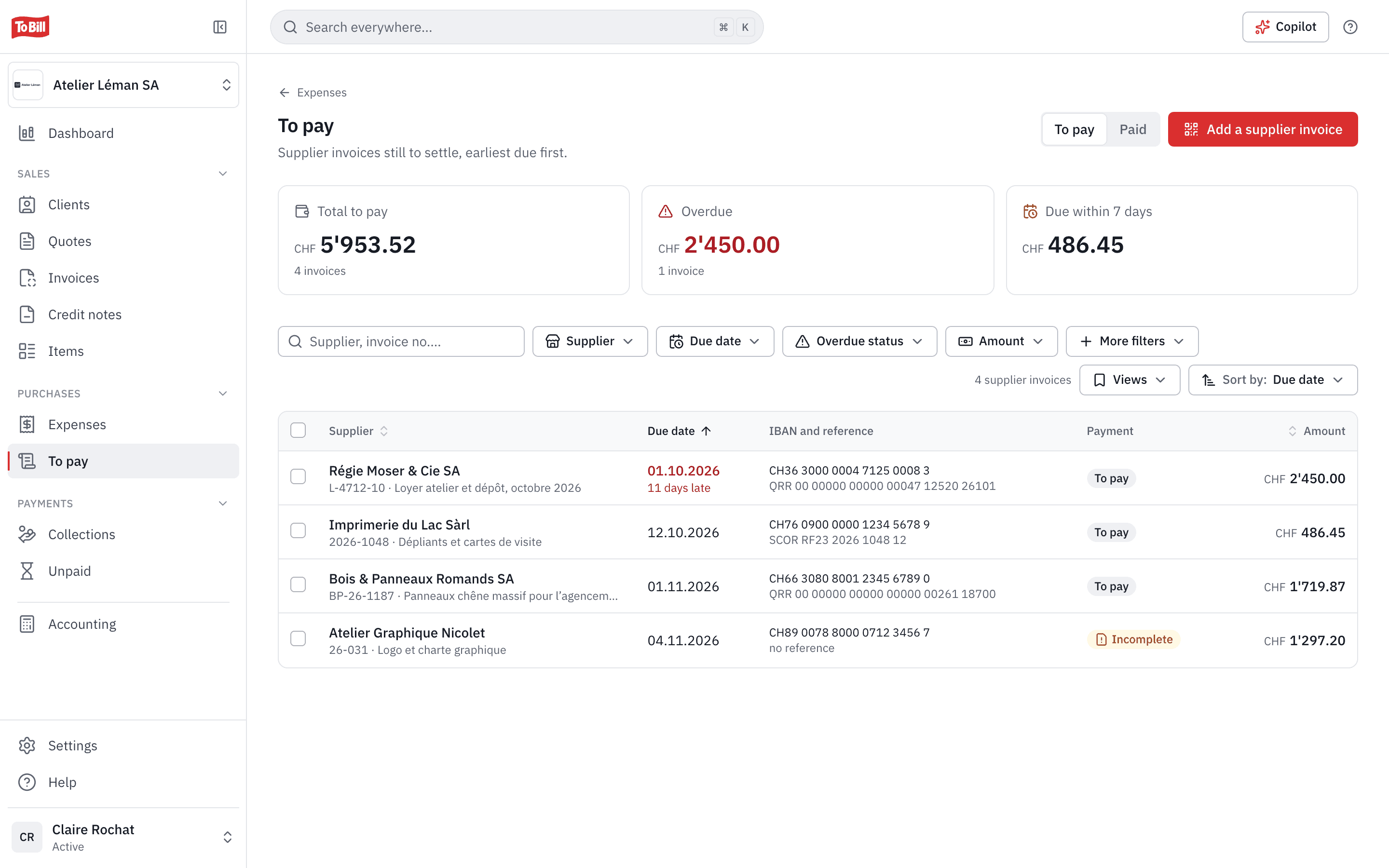
Supplier invoices, all the way to the payment file
Drop in a supplier's invoice: its QR code fills in the expense (supplier, amount, IBAN, reference) and a duplicate is flagged. The To pay list sorts invoices by due date and prepares a pain.001 file for your e-banking, in the version Swiss banks require from 14 November 2026.
- Each supplier's address is checked before the file is created.
- The payment is posted when you mark the invoices as paid.
- You sign the file in your e-banking, as usual.
Does To Bill connect directly to my bank?
No. To Bill has no direct connection to banks: you import the statement exported from your e-banking, and upload the pain.001 payment file there to sign it.
Which statement formats are accepted?
camt.053, camt.054 and camt.052 (.xml files) in versions .001.02, .001.04 and .001.08, as well as CSV. To Bill recognises the version itself.
Do I need to turn on accounting?
Yes: the bank is part of accounting, which you switch on at no extra cost on the subscription. Without accounting, you can already follow your invoices' payments under Payments.
What if I reconcile a line by mistake?
« Undo the reconciliation » posts a reversal: nothing is deleted, and the line is back to do.
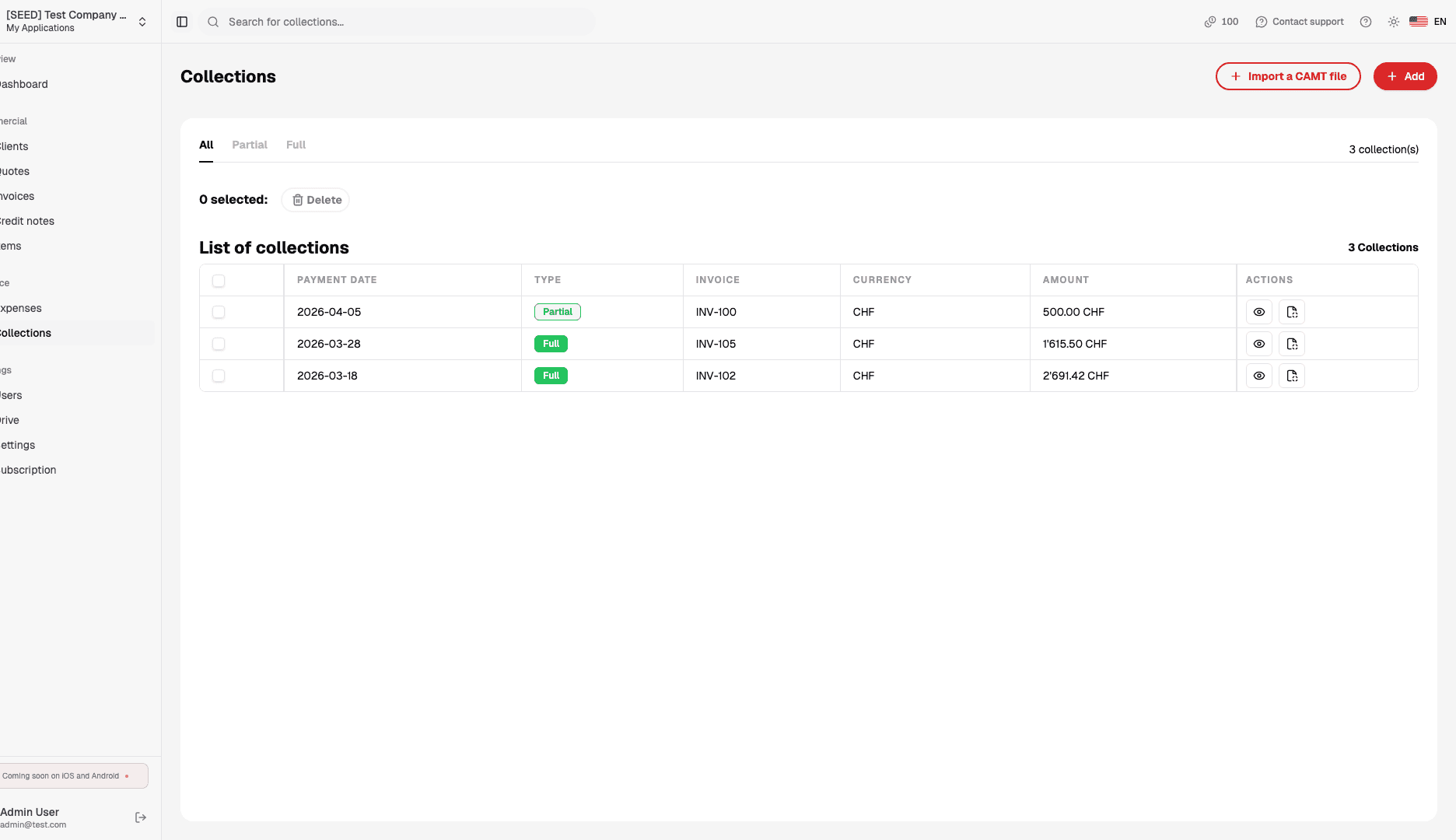
Are card and TWINT payments reconciled?
Yes, with Stripe: payments, fees, refunds and payouts reach the books, and each payout is matched with the statement line that quotes it.
Get started
Reconcile your next statement in To Bill
Turn on accounting at no extra cost on the subscription, import your camt statement and let To Bill propose every match. 7-day free trial, no commitment.
Included with accounting, no extra cost · No commitment