
Accounting
Your Swiss accounting, kept up to date from your invoices
Every invoice, expense and payment becomes an entry, VAT included. The journal, balance sheet and income statement are up to date at any time, and the year-end closing follows a checklist. Built for Swiss SMEs and their fiduciary.
No extra cost on the subscription · No commitment
Experimental feature: accounting is still in development. Check your figures with your fiduciary before you file any return.
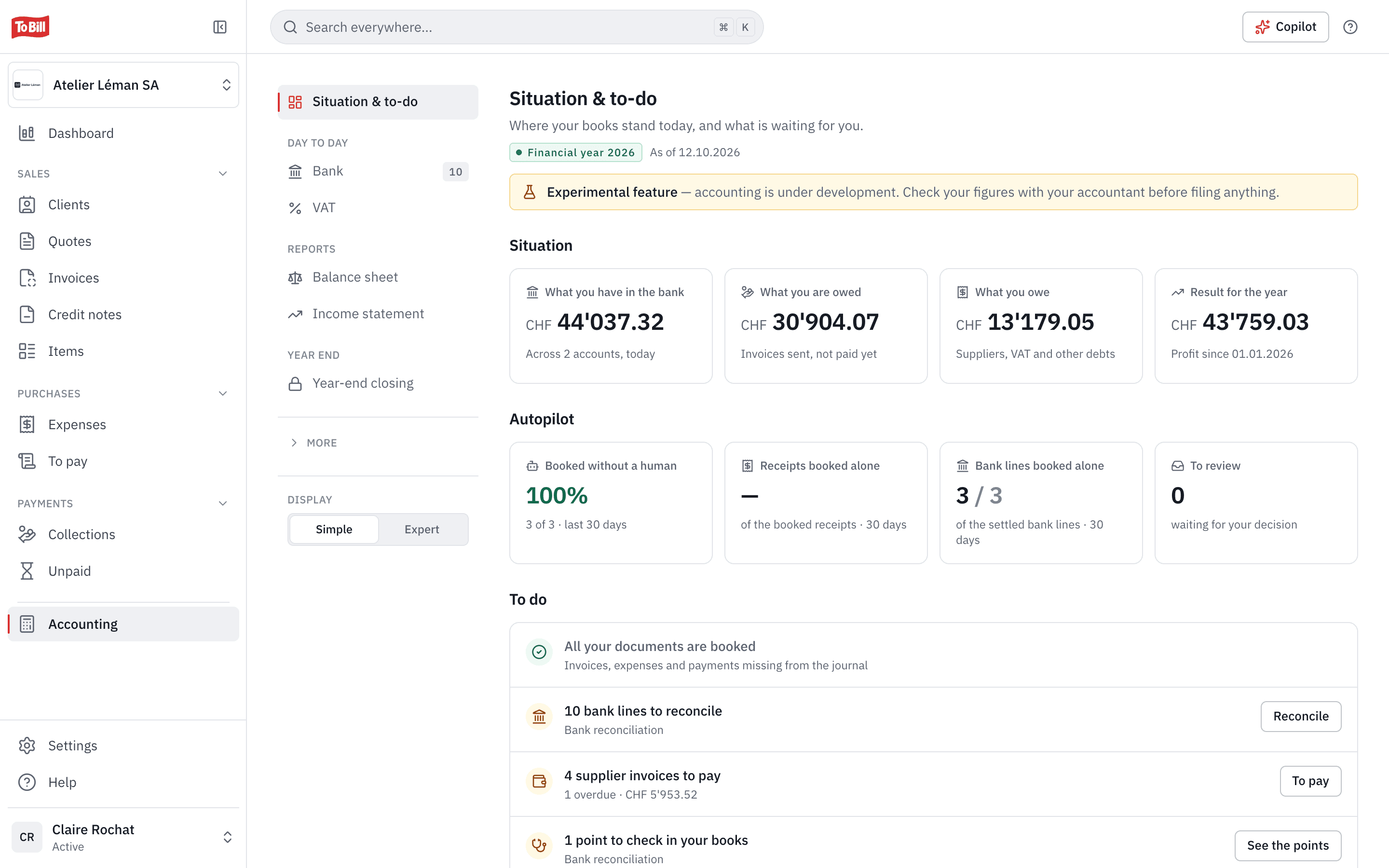
Automatic entries
Your invoices and expenses reach the journal on their own
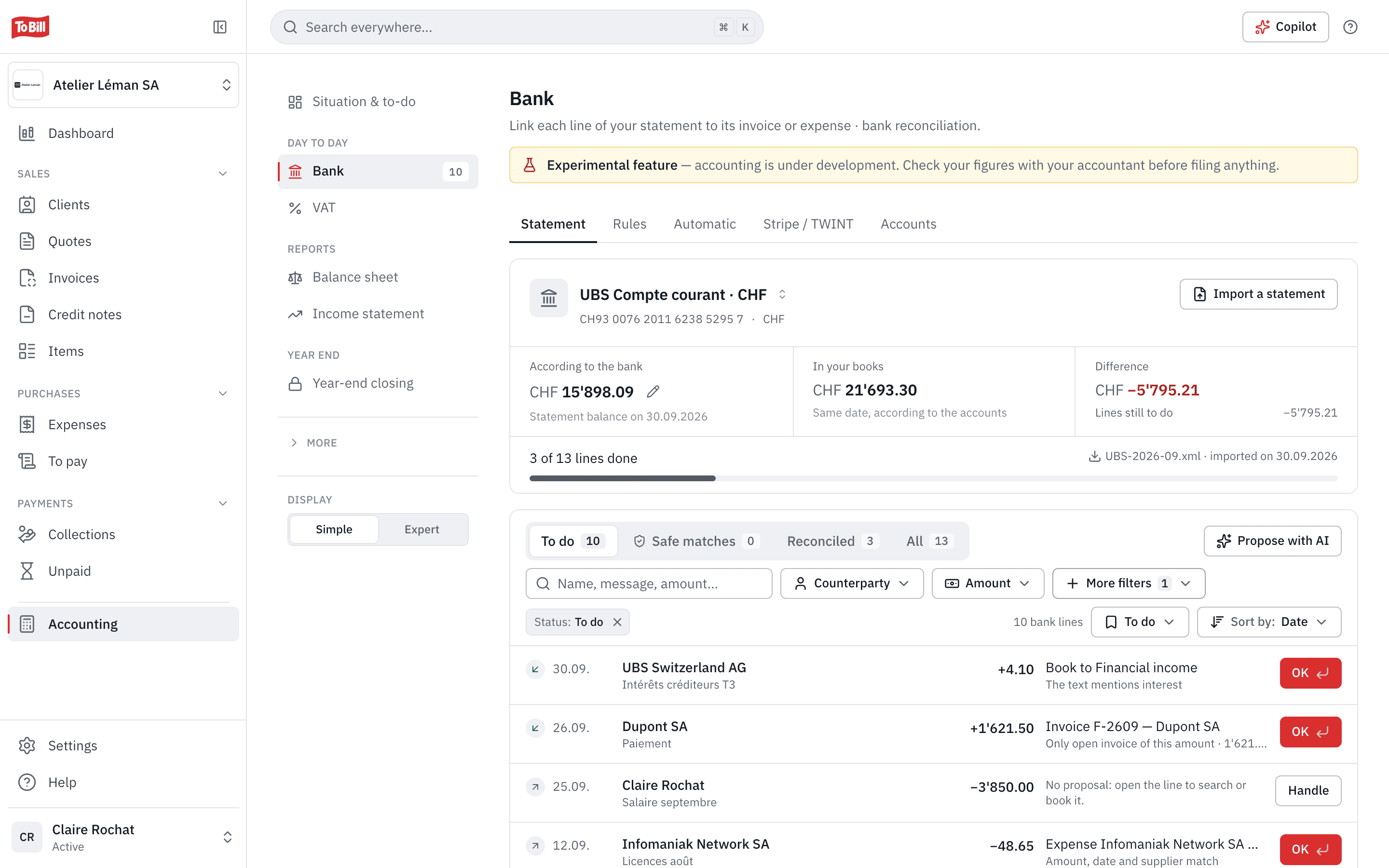
To Bill posts your invoices, credit notes, expenses and payments to the journal itself, VAT included. Every entry keeps its origin and its supporting document, and can be found by number, description, account or amount.
- An invoice is posted when it is sent, an expense on the date of its receipt.
- Manual entries with VAT, always balanced before they are posted.
- A posted entry is never deleted: it is reversed, with a reason.
- Each entry carries a fingerprint linked to the previous one; « Check integrity » verifies the whole chain.
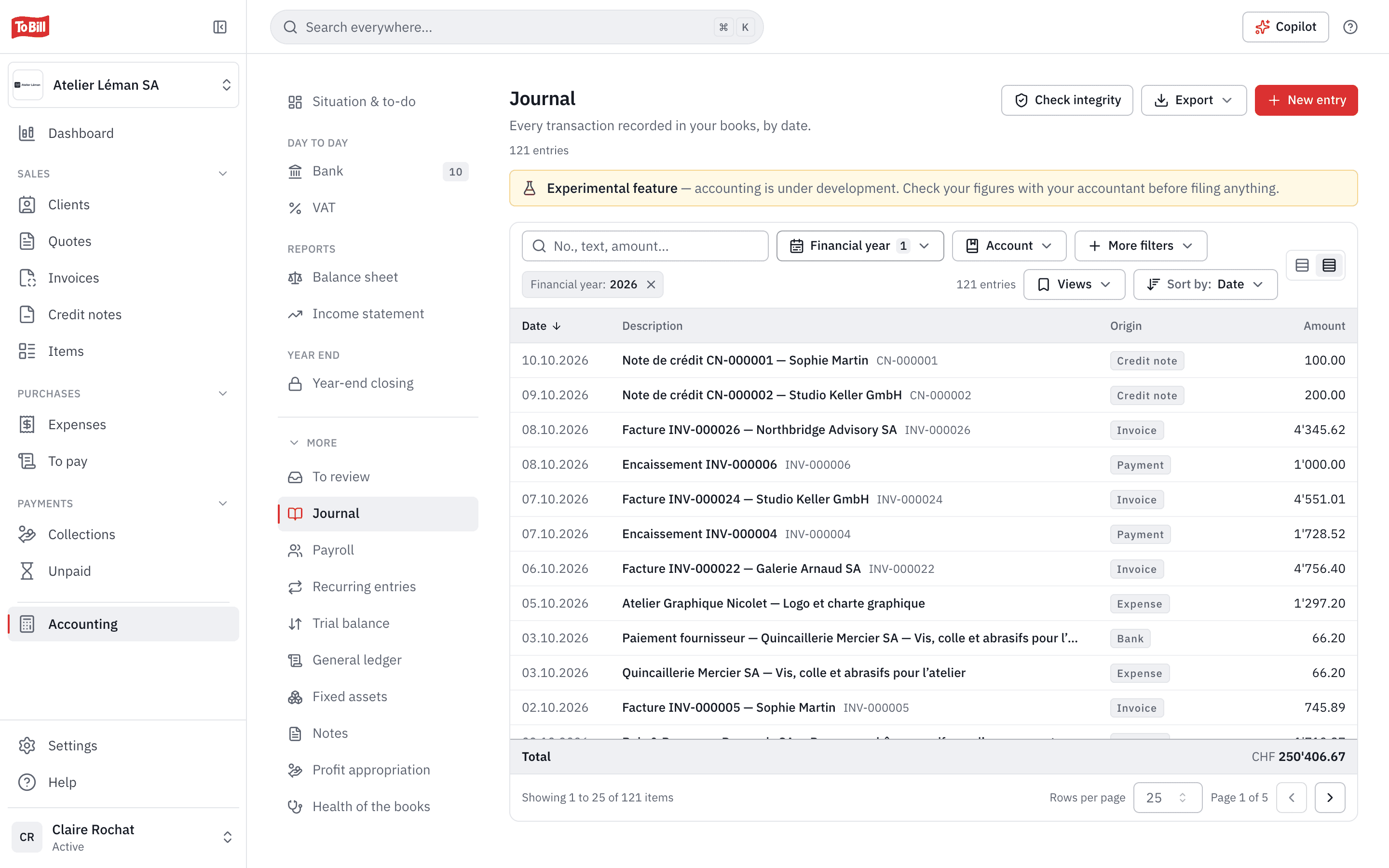
Balance sheet and income statement
Your financial statements, up to date at any time
The balance sheet and income statement are built from the journal, for the period you choose. Each line has a plain name with its legal term underneath; one click leads to the accounts, the general ledger, then the entry and its document.
- Comparison with the previous year, with one switch.
- The trial balance and the general ledger, account by account.
- Download as PDF and CSV.
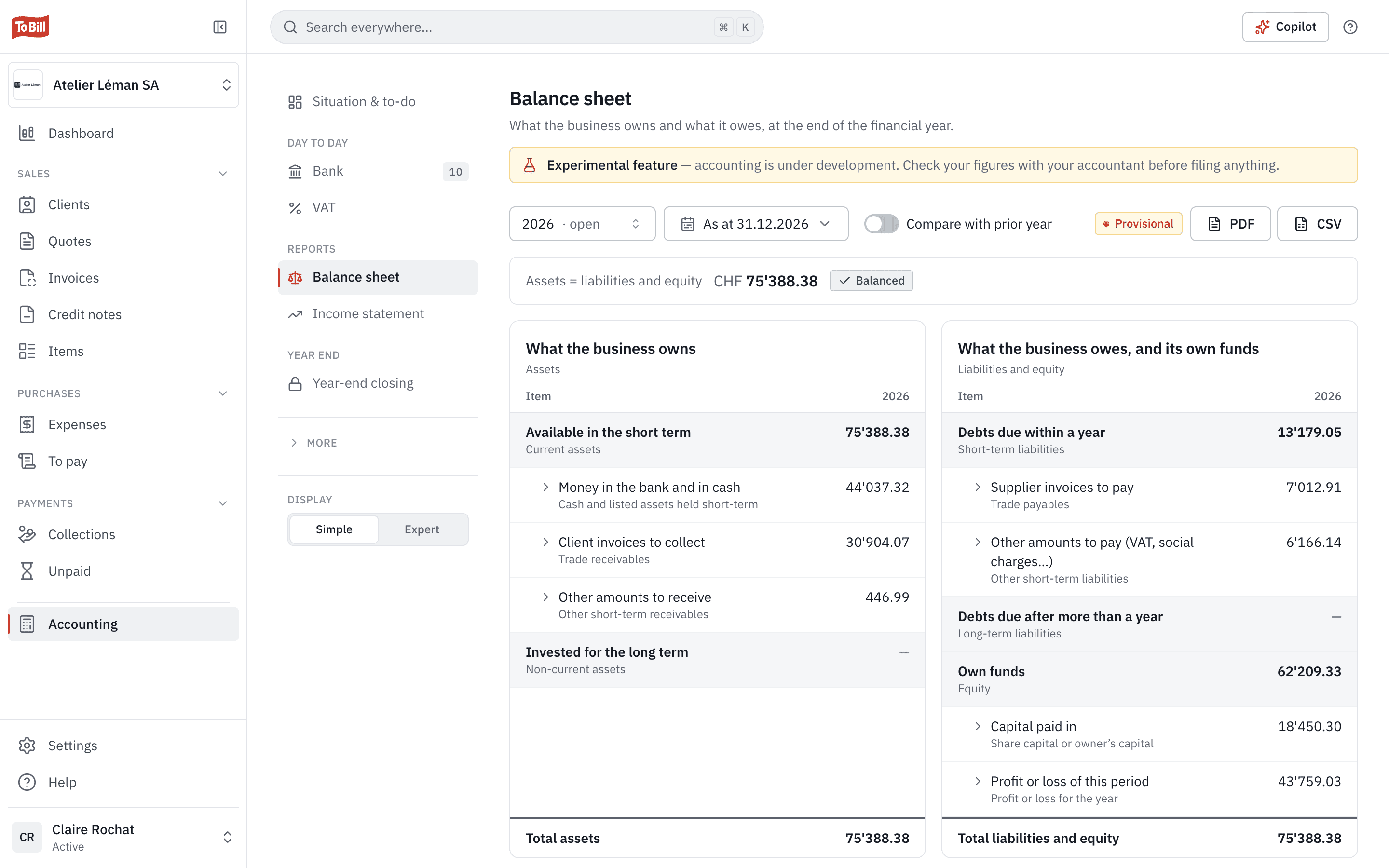
Getting started
Open your books in about 8 minutes
A wizard asks three questions, already filled in: your company, VAT and accounts, and the starting point. It then shows a full preview in which nothing is written yet: checks, a simulated trial balance and VAT by period. You open the books once everything is in order.
- The opening balance entered line by line, imported as CSV or built from what To Bill already knows: open invoices, bank, VAT.
- A company with no documents yet opens its books on a single screen.
- Your fiduciary can also turn on your accounting from the cockpit.
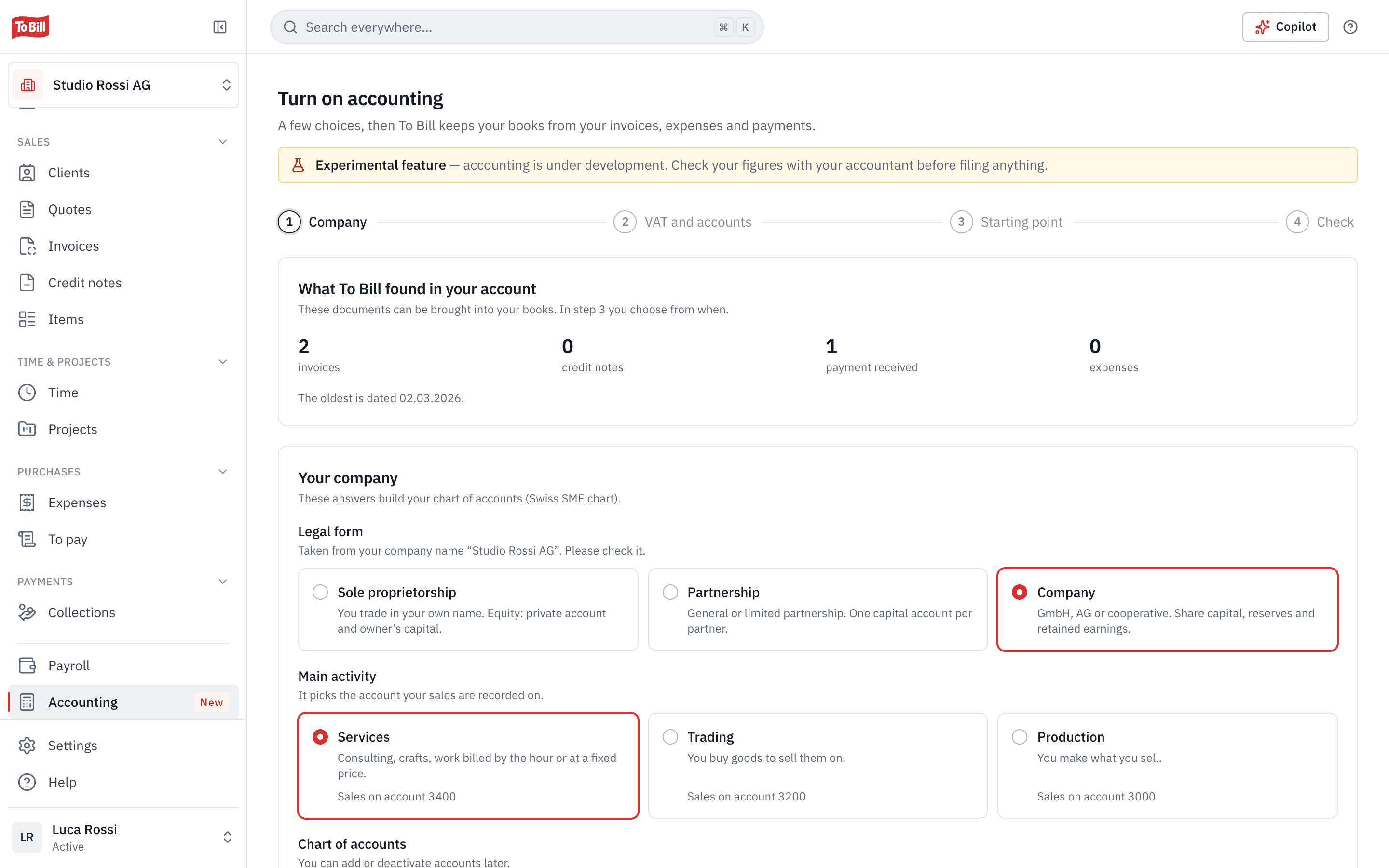
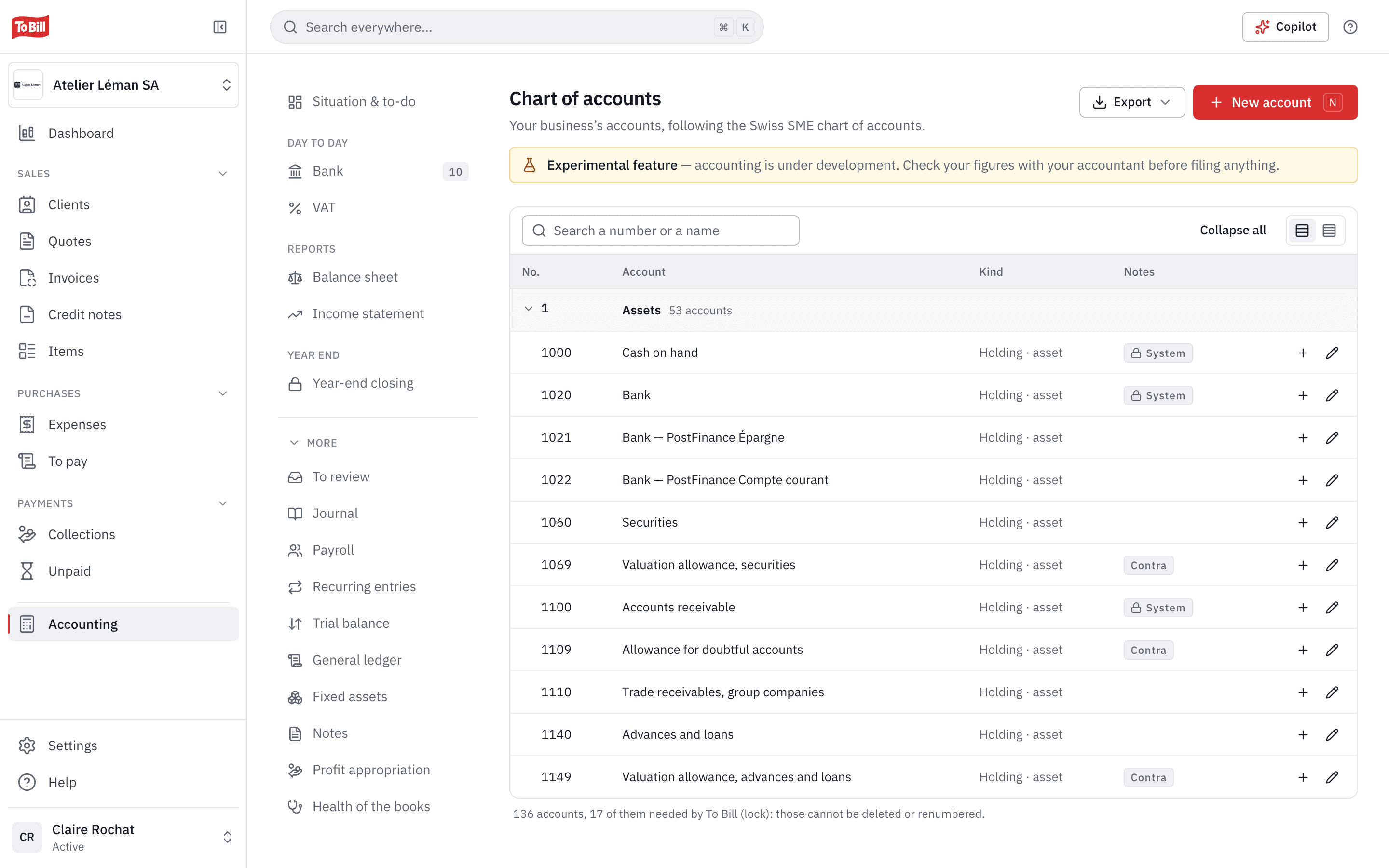
Chart of accounts
The Swiss SME chart of accounts, fitted to your legal form
To Bill starts from the Swiss SME chart of accounts (Kontenrahmen KMU) and fits it to your company's legal form. You add your own accounts, rename or deactivate them; the accounts To Bill needs can be neither deleted nor renumbered.
- Account numbers of 4 to 6 digits, names in four languages.
- « Where this account is used » shows what depends on an account before you change it.
- An account can only be deleted if nothing was ever posted to it.
Year end
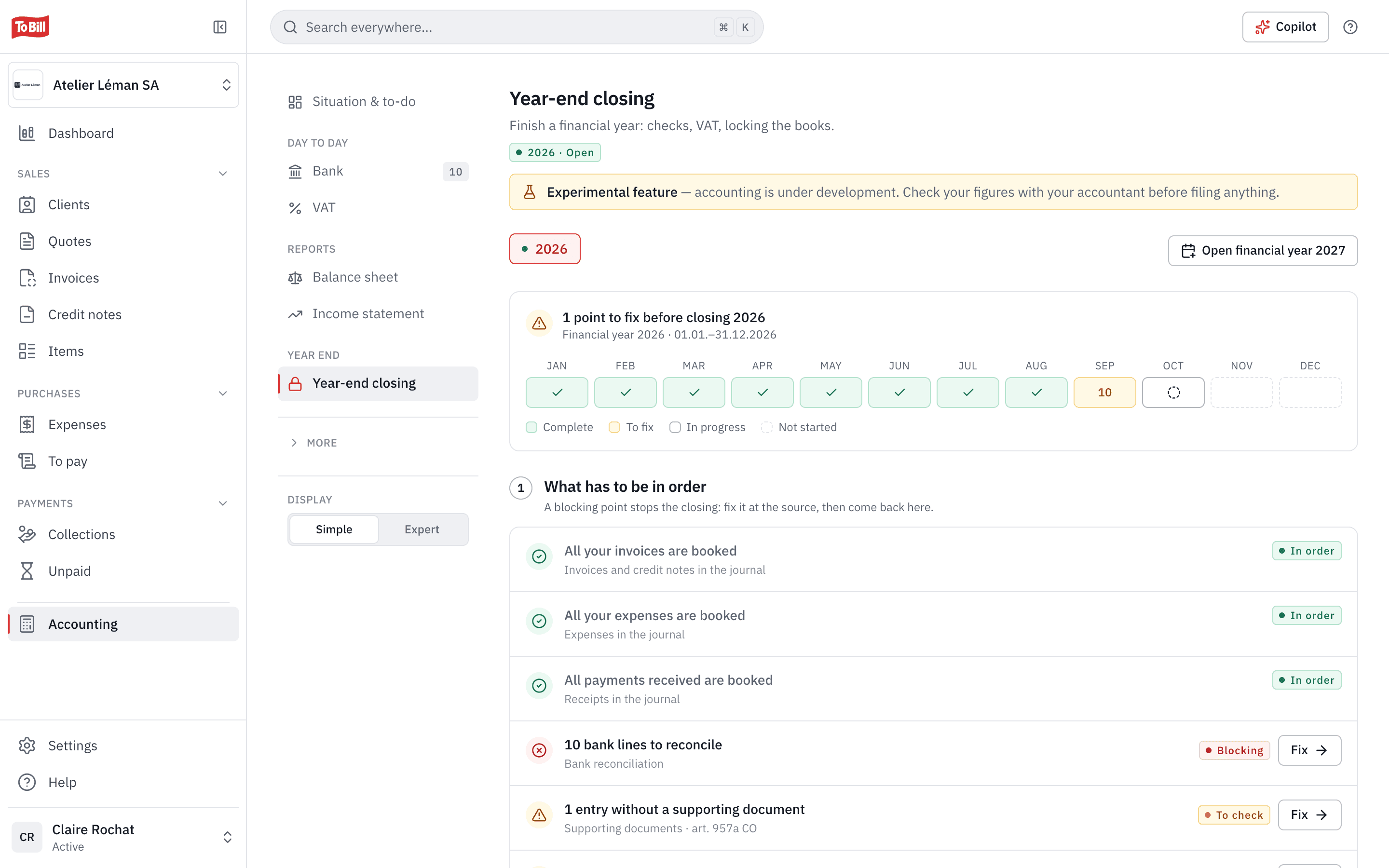
A guided closing, the notes and the profit appropriation
Month by month, the closing shows what blocks it and what is left to check, with a link to fix it. To Bill posts the closing entries, carries the balances forward to the next year and locks the closed year. The notes to the annual accounts (art. 959c CO) are filled in question by question, with figures taken from your books.
- Every check is Blocking, To check or In order.
- The notes as a PDF, in French, German, Italian or English.
- Profit appropriation for an AG, GmbH or cooperative, with the legal reserve and the 35 % withholding tax worked out.
Is To Bill's accounting ready for my SME?
It is still experimental. It keeps your books from your invoices, expenses and payments, but have your fiduciary check your figures before you file any return and before you close a year.
Does accounting cost extra?
No. It is switched on at no extra cost on the subscription, in Settings › Modules. Only an administrator can turn it on, and the subscription must be active or the trial running. Once the books are open, accounting can no longer be switched off.
Which chart of accounts does To Bill use?
The Swiss SME chart of accounts, fitted to your legal form. You can add your own accounts, rename them or deactivate them.
How does my fiduciary work with these figures?
From the cockpit, they work in your books with the rights you give them. You can also send them the bundle for the fiduciary (journal, trial balance, chart of accounts, balance sheet and income statement) or a journal export for Banana, Abacus, Crésus or WinBIZ.
I'm coming from bexio or another software: can I bring my data?
Yes. From bexio, To Bill takes over contacts, products, open invoices and the trial balance, with a preview before anything is saved. An opening trial balance can also be imported as CSV, in the format most software uses (Banana, Crésus, Abacus, WinBIZ) or from a spreadsheet.
How do I keep my books for ten years?
The complete archive (every year, the chain of fingerprints and all supporting documents) is downloaded from the exports, for the ten-year retention required by art. 958f CO.

Get started
Keep your books where you invoice
Turn on accounting in Settings › Modules, at no extra cost on the subscription. 7-day free trial, no commitment.
No extra cost on the subscription · No commitment