
AI Copilot
A copilot that answers, with its sources
From any screen, ask which invoices are overdue or what you owe the FTA: every amount links to the invoice, entry or payment it comes from. The autopilot reads your receipts, and the night agent checks your books. The AI proposes, you decide.
Included in the subscription, no credits · No commitment
Copilot
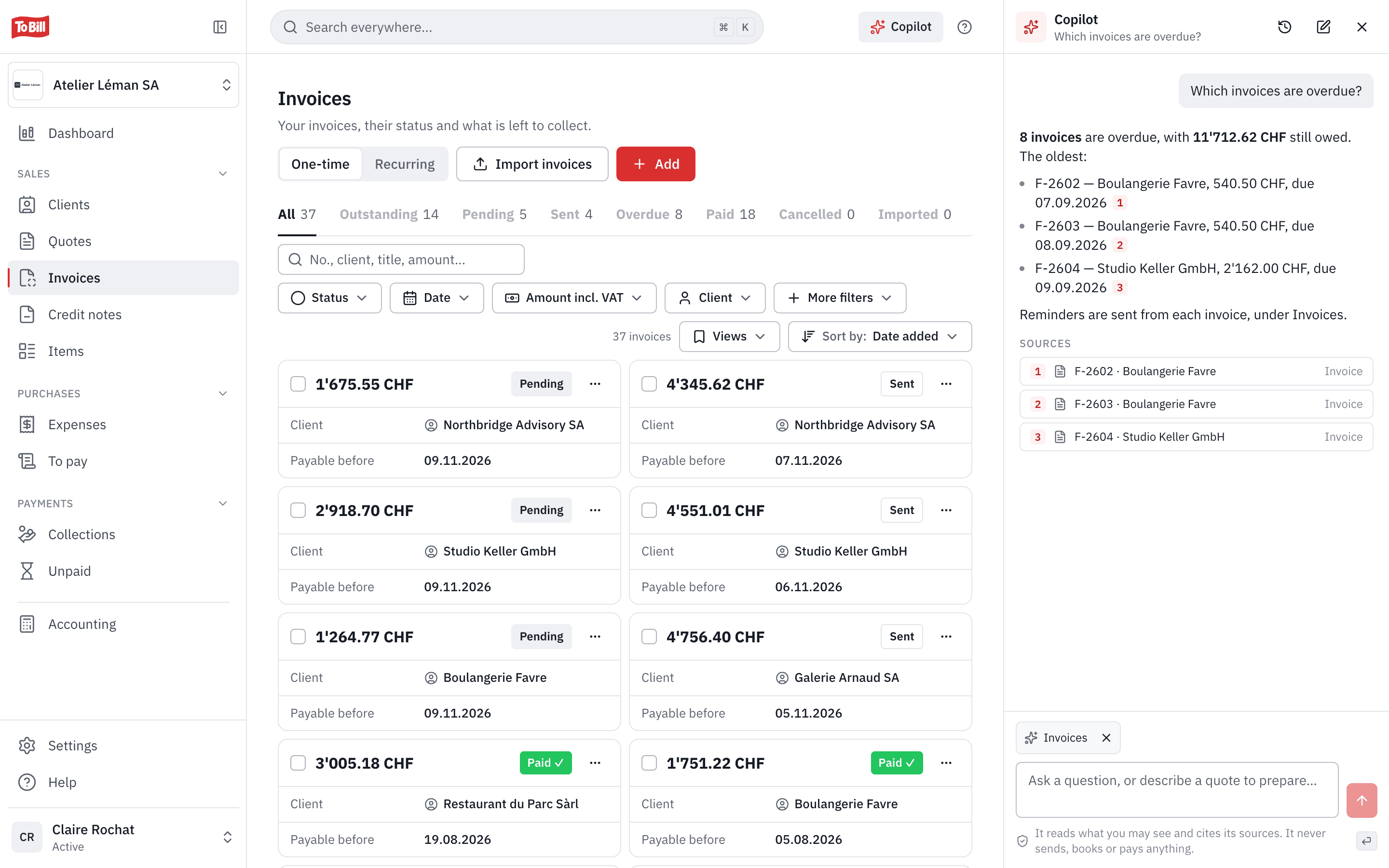
Your questions, answers with their sources
The Copilot opens on every page, in a side panel (⌘J, or Ctrl J on Windows). It answers about what you are allowed to see in To Bill, and every amount links to its source. An amount it finds neither in your data nor in your question is flagged.
- It prepares draft quotes and invoices that open in the editor: nothing is sent.
- It sends, posts, pays and deletes nothing, and gives no tax or legal advice.
- Only you see your conversations.
Autopilot
Your receipts read, and posted when it is safe
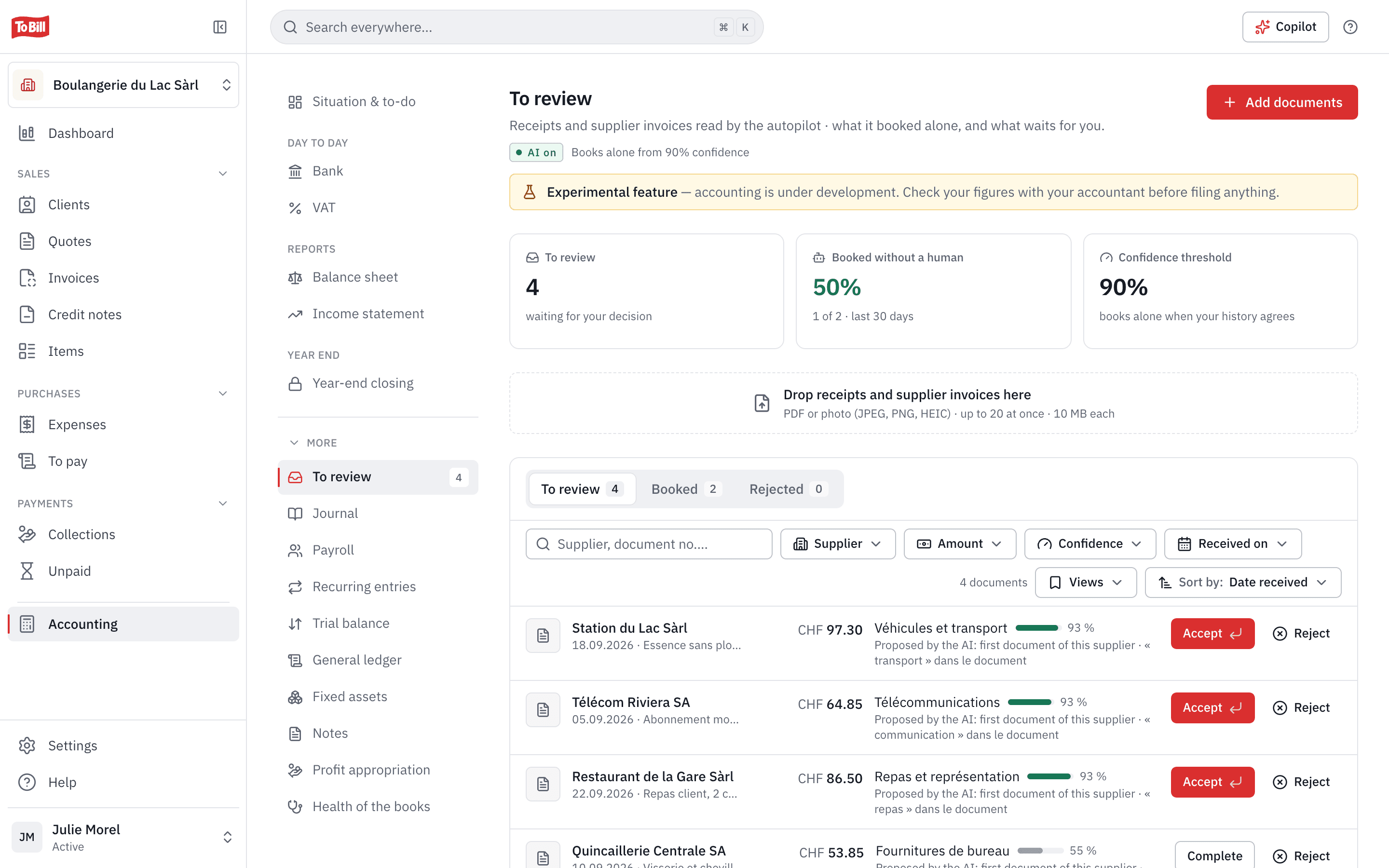
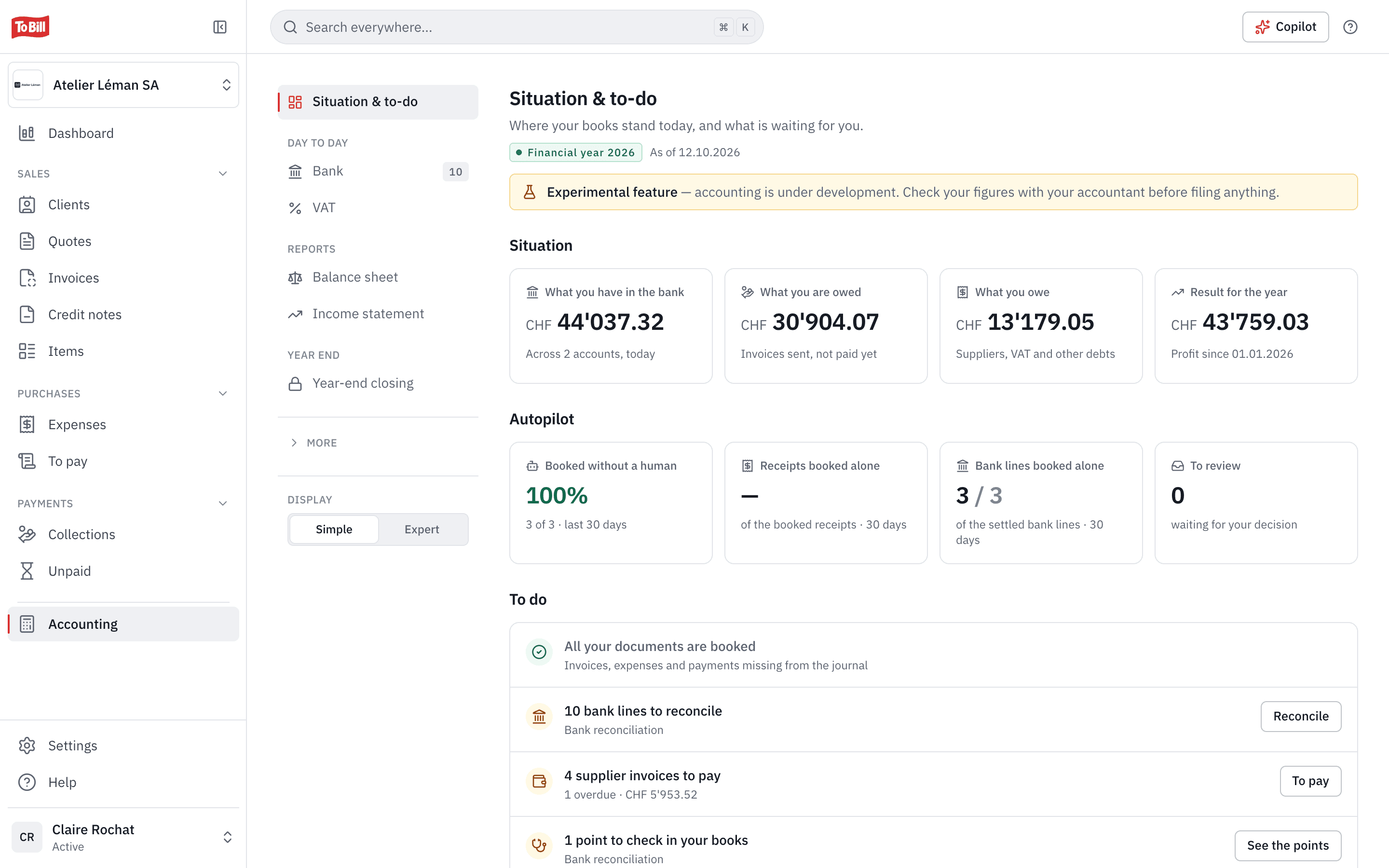
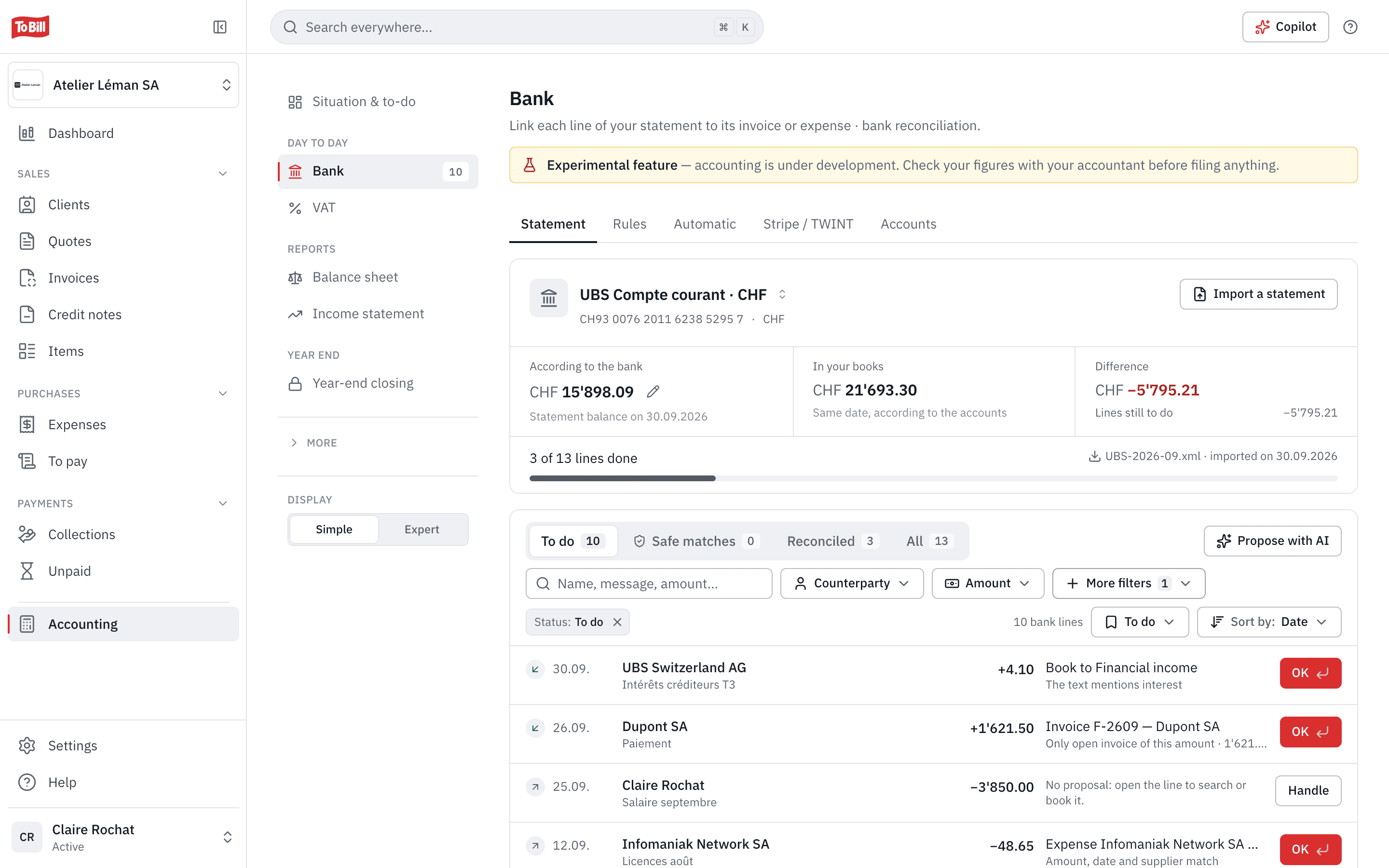
Drop your receipts and supplier invoices into « To review », up to 20 at a time. The autopilot reads them and proposes the account, the VAT and the supplier. It posts on its own only if you allowed it, your past decisions or one of your bank rules confirm the proposal, and its confidence reaches your threshold.
- The first receipt from a new supplier always waits for your approval.
- An invoice's QR code is read without AI, and the IBAN always comes from the QR code.
- An adjustable confidence threshold, 90 % by default; below it, the receipt waits for you with its proposal and reason.
Night agent
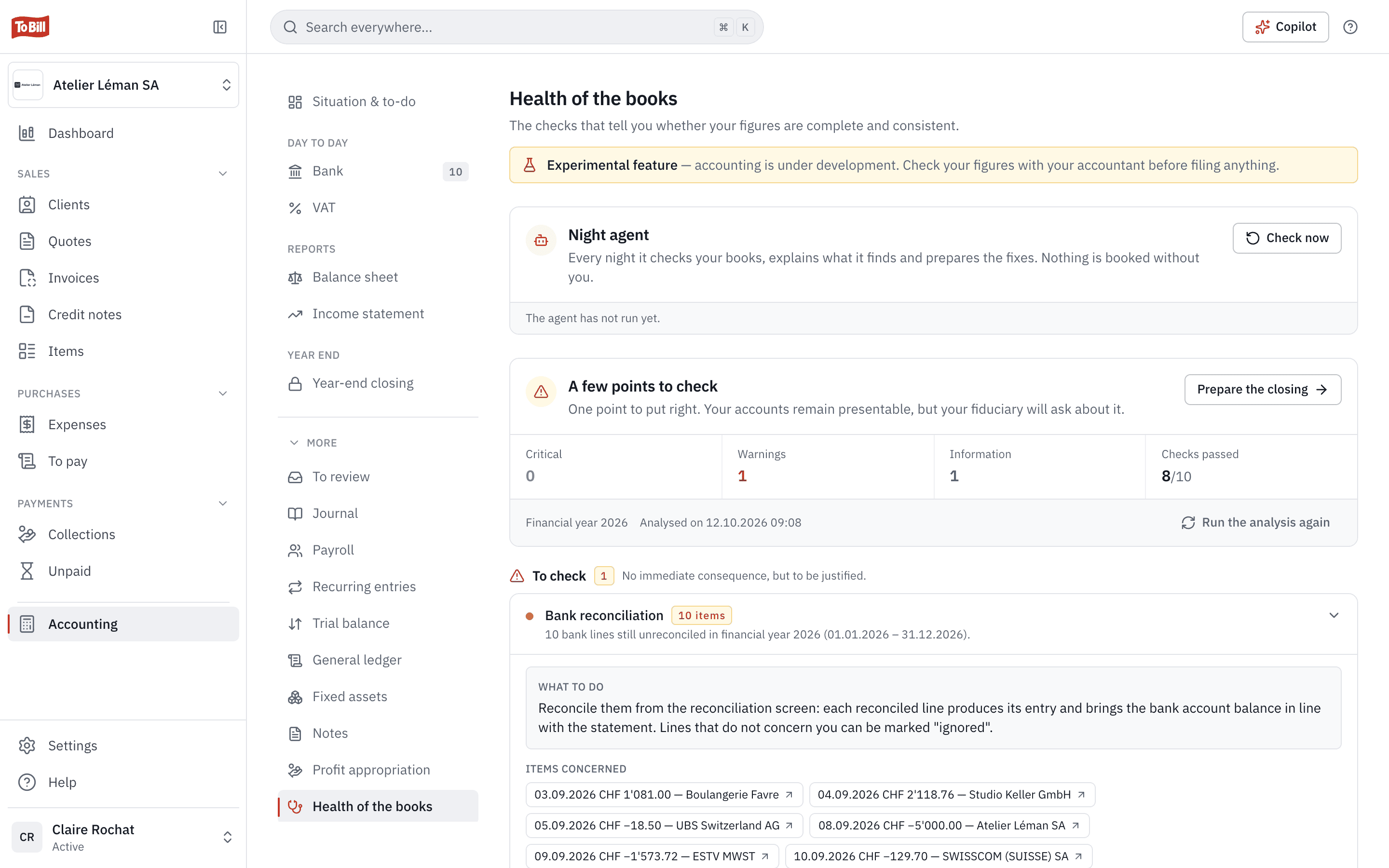
Your books checked every night
Every night, the night agent checks your books, explains what it finds and prepares the corrections. It posts nothing without your confirmation: you read the explanation, then fix it at the source.
- The books health checks, sorted into critical, warnings and information.
- A complement to your fiduciary's review, not an audit.
Your settings
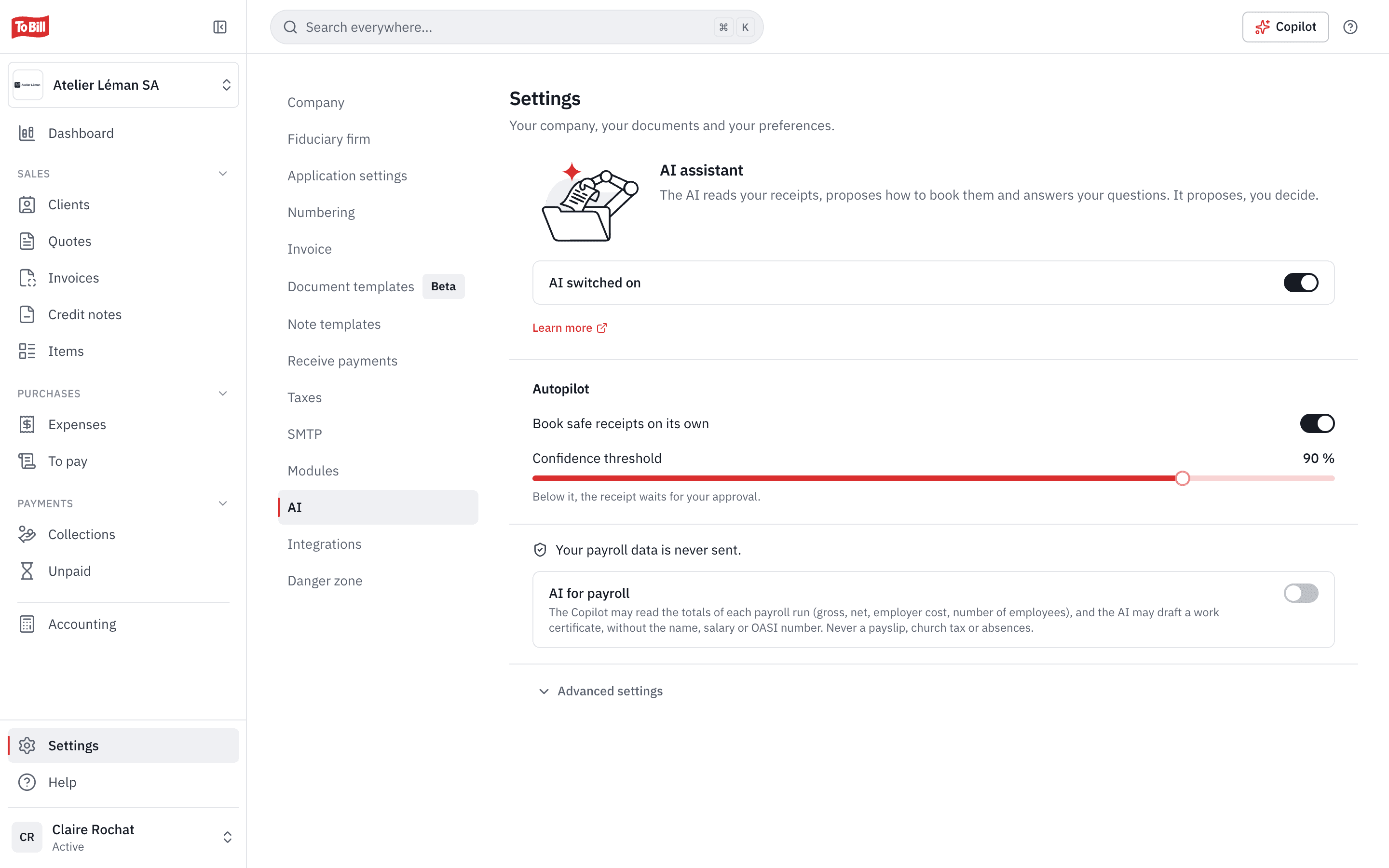
One switch, and your payroll kept out of AI
Every AI aid depends on a single switch, « AI switched on », in Settings › AI; an administrator turns it off at any time, and the advanced settings turn off one aid at a time. Payroll data stays out of AI unless an administrator allows it.
- Posting safe receipts on its own: a separate switch, with its threshold.
- AI is included in the subscription and uses no credits.
- What is sent, to whom and for how long: it is all on the « AI in To Bill » page.

Which AI does To Bill use, and what does it send?
Claude, the models of the company Anthropic, in the United States. Only what the feature needs is sent: the figures of your books and the Copilot leave without IBANs, AHV/AVS numbers, e-mails, phone numbers or people's names. Anthropic keeps this data for 30 days at most and never uses it to train its models. The details are on the « AI in To Bill » page.
Can the AI post or send anything without me?
No, with one exception: the autopilot posts a receipt on its own when your history or one of your rules confirms the proposal, if you allowed it. You can reverse the entry or switch the autopilot off. The Copilot sends, posts, pays and deletes nothing.
Does the autopilot need accounting?
Yes: « To review » is part of accounting, which you switch on at no extra cost on the subscription. The Copilot is on every page.
Is my payroll sent to the AI?
No, unless an administrator allows it: the payroll setting is off by default, even when AI is on. Payslips, AHV/AVS numbers and tax at source are never sent.
How do I switch AI off?
AI is on by default. An administrator switches it off at any time in Settings › AI, and nothing is sent any more. For a single aid, open « Advanced settings ».
Resources
Guides and transparency
Get started
Ask the Copilot your first question
Create your account, open the Copilot with ⌘J and ask what you want to know about your figures. 7-day free trial, no commitment.
Included in the subscription, no credits · No commitment