
Reminders and unpaid invoices
Get paid without chasing your invoices
To Bill sends your payment reminders at the right time, works out late-payment interest and sorts what your clients owe you by delay. Your clients find their invoices in their portal, and a large invoice can be paid in instalments.
No extra cost on the subscription · No commitment
Reminders
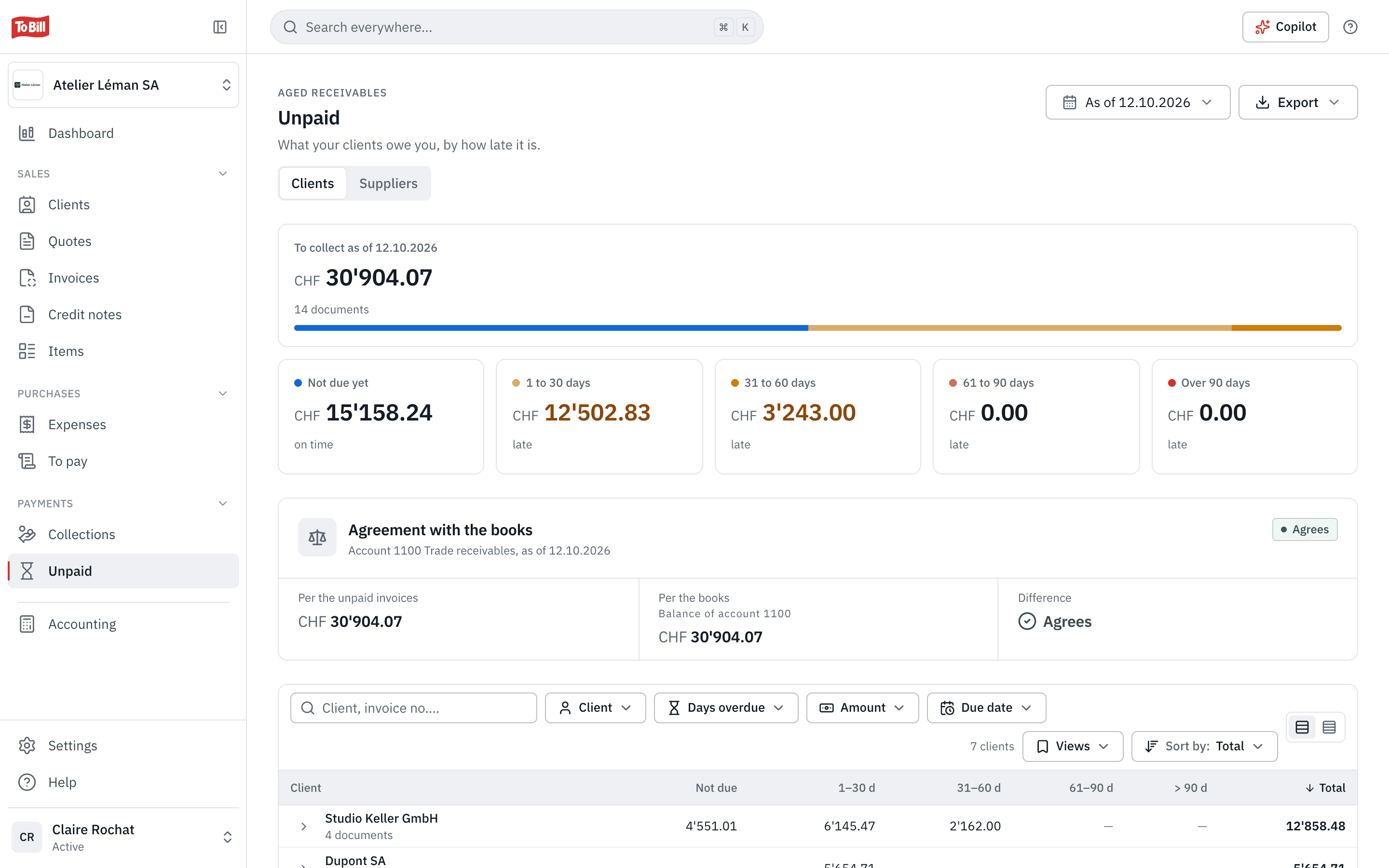
Three reminder levels, sent for you
Friendly reminder, formal reminder, final notice: you choose after how many days each one goes out, and the fees of the last two. When reminders are on, To Bill checks overdue invoices every morning and sends the next level as soon as its delay is reached.
- The friendly reminder never has a fee; later fees replace earlier ones, they do not add up.
- Late-payment interest of 5 % a year by default, the legal rate (art. 104 CO), added to reminders if you wish.
- Small payment differences are settled in one click.
An overdue invoice
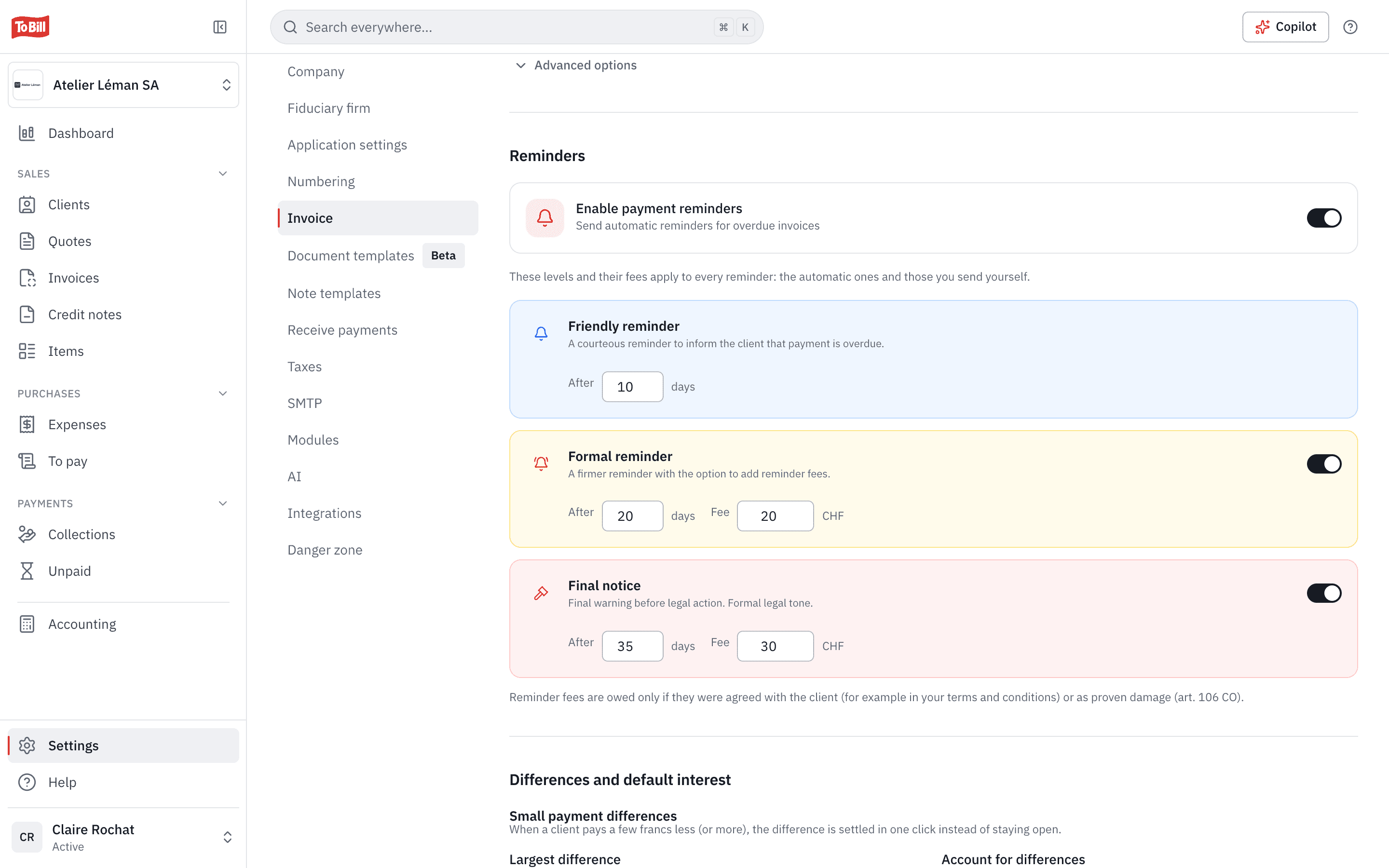
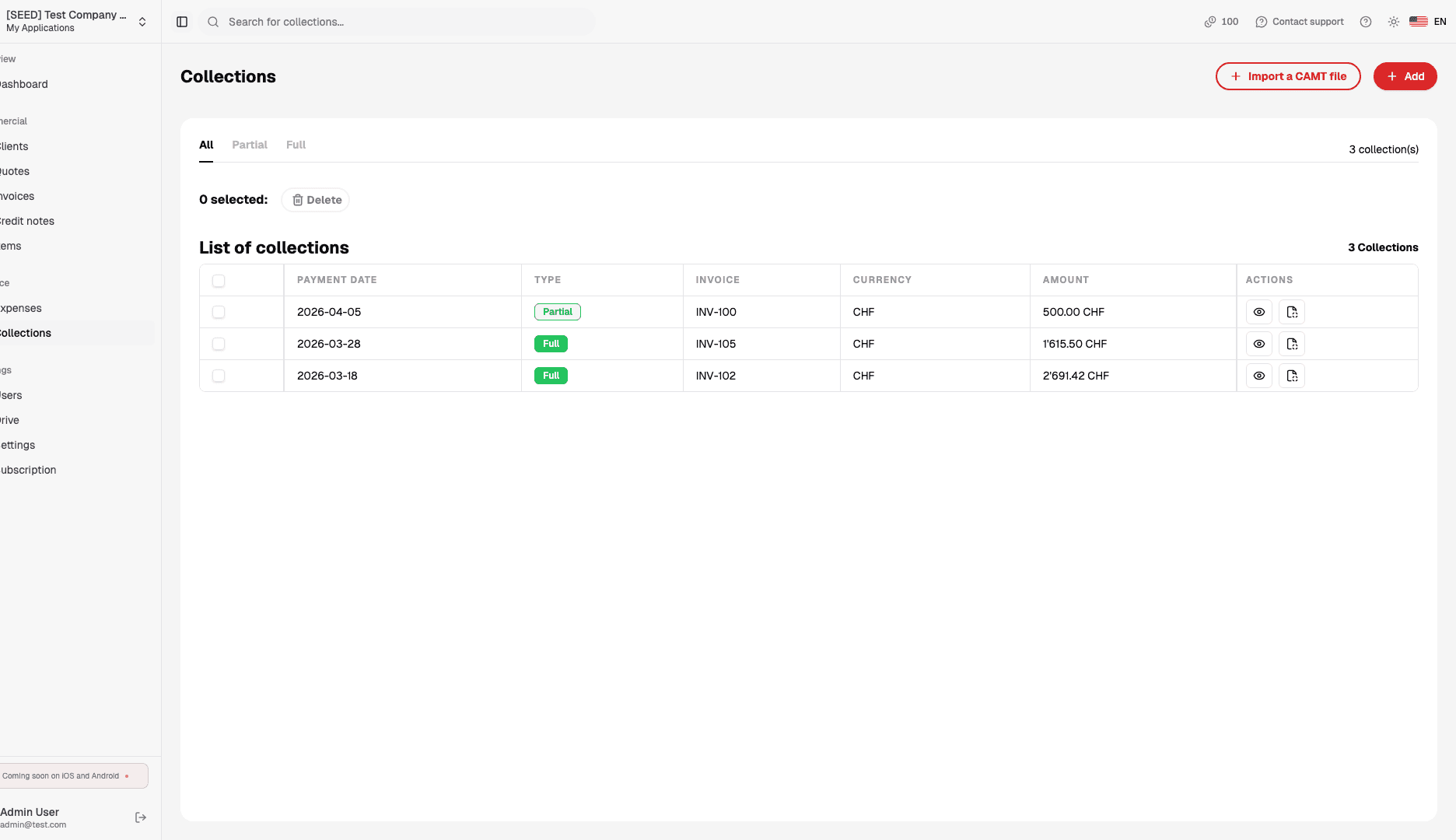
Each invoice, its reminders and its claim
An invoice's page shows the reminders sent, the next one and its date, the credit notes and the history. The claim shows the late-payment interest running, to view and to claim.
- A reminder can also be sent by hand, from the invoice.
- A claim can be written off, discounted or charged late-payment interest.
Instalments
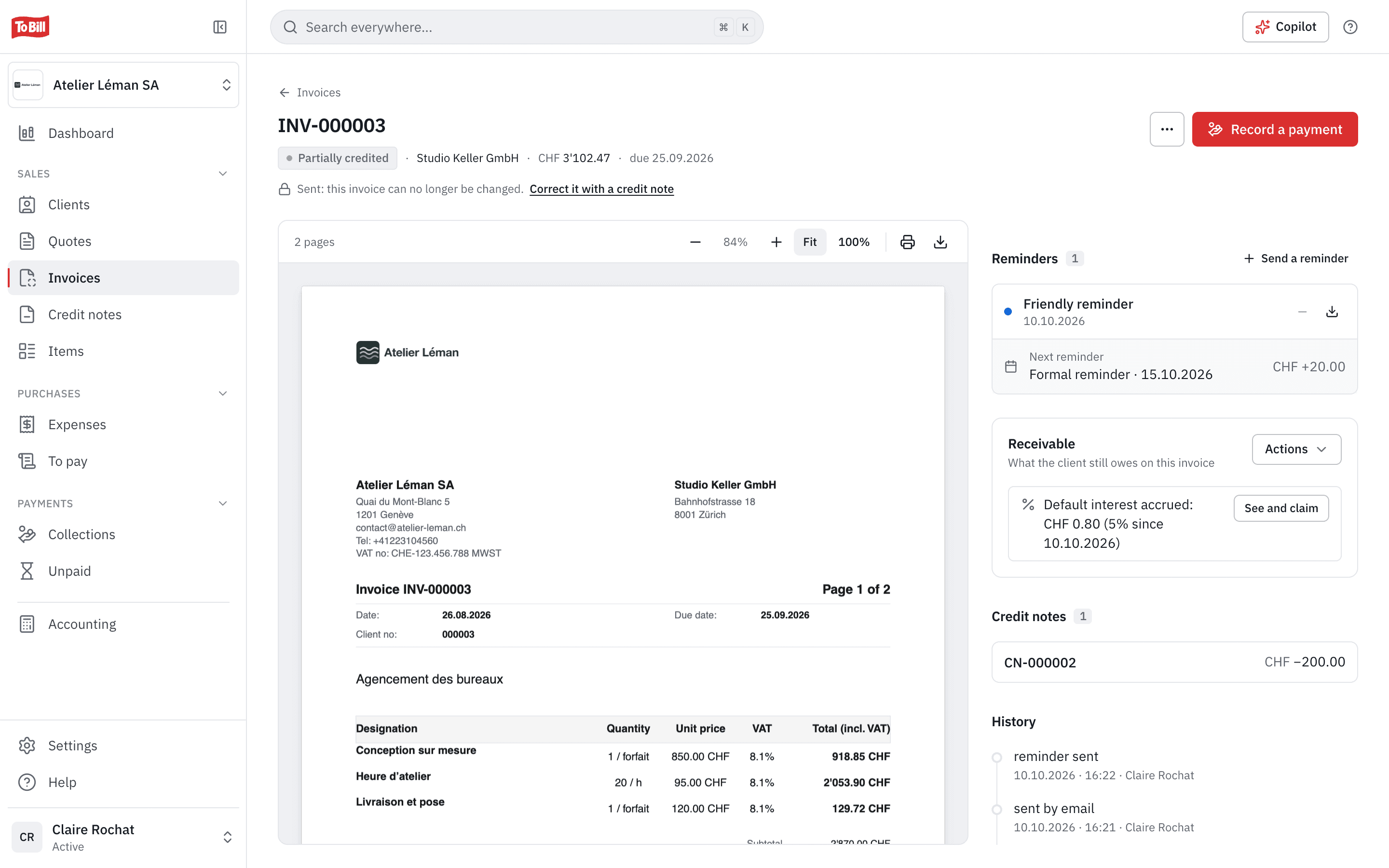
One invoice, paid in instalments
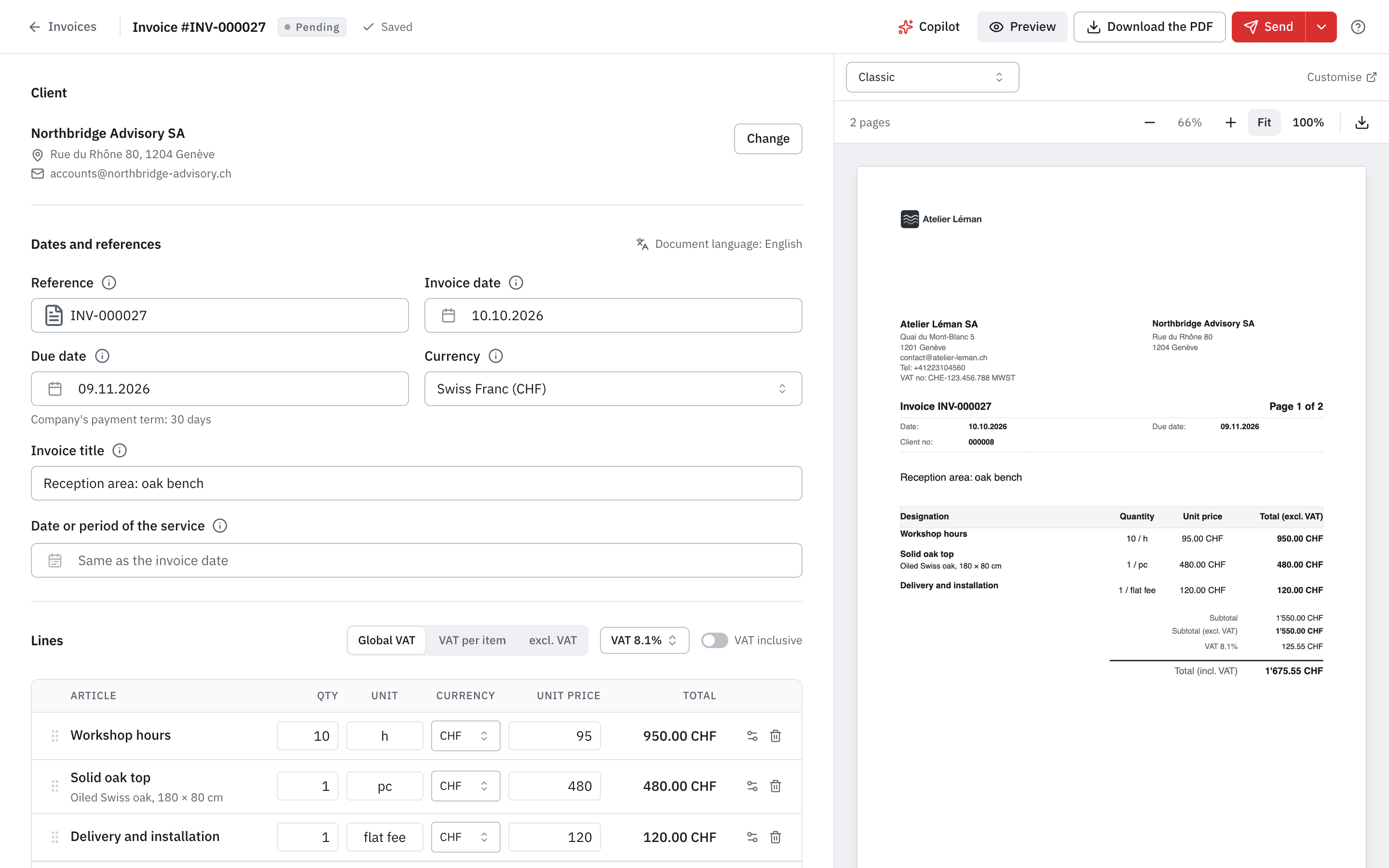
For a large invoice, choose payment in instalments: To Bill proposes three instalments of a third, 30 days apart, which you adjust. Each instalment has its own QR-bill and reference, to send when it falls due.
- A single invoice with its schedule: no separate deposit invoices.
- The QR-bill must be on; quotes and recurring invoices have no instalments.
Client portal
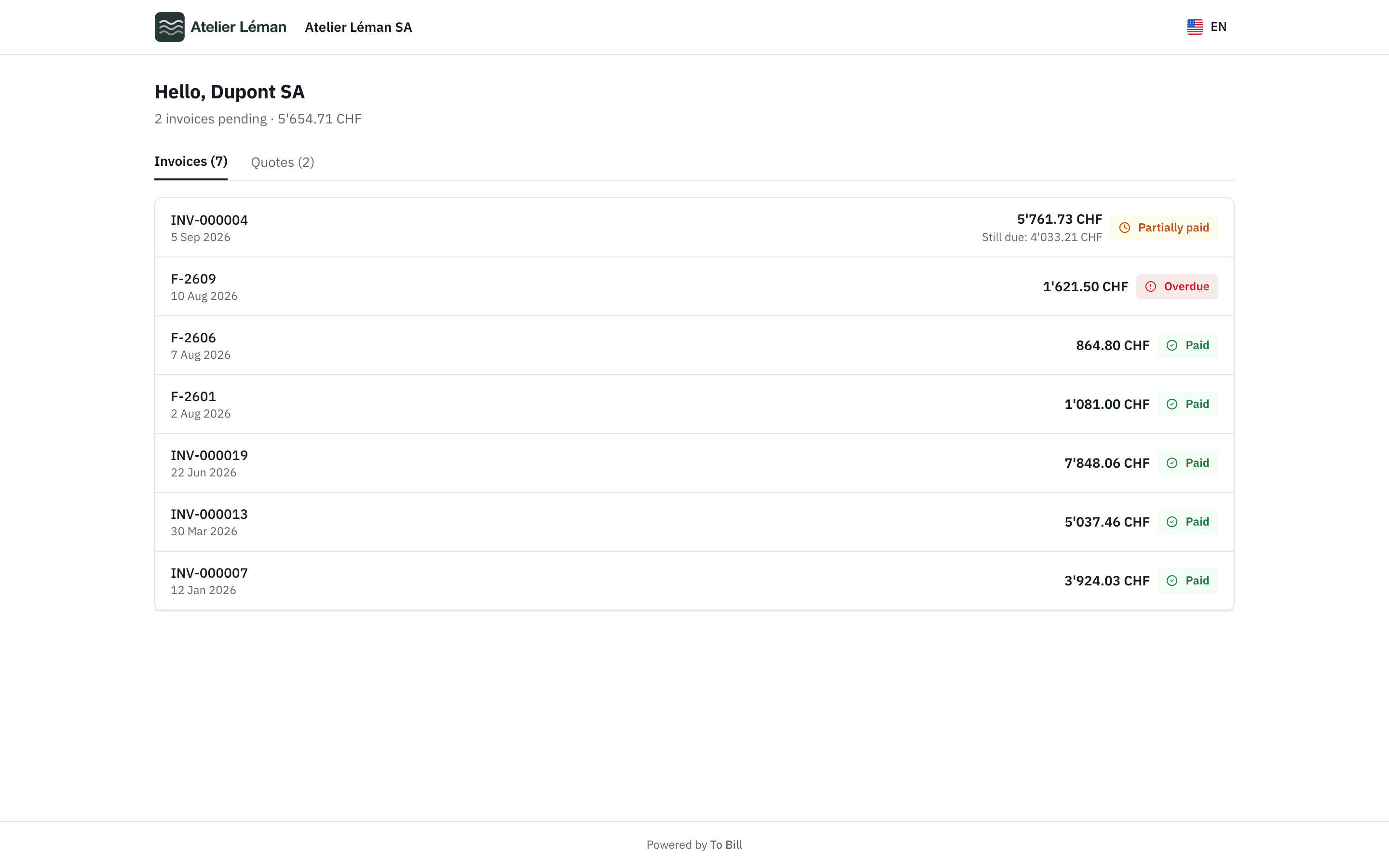
A portal where your clients find everything
Each client has a portal, with no password, linked from every e-mail: they find your invoices, quotes and credit notes, download the PDFs, accept or decline your quotes. You are told when they open an invoice.
- With Stripe, they pay by card or TWINT, up to CHF 5'000; otherwise by bank transfer with the QR-bill.
- An expired quote can no longer be accepted online: the portal asks your client to contact you.
Reminders and unpaid invoices
Reminders, unpaid invoices, instalments and the portal, step by step, on docs.tobill.ch.

Do reminders go out on their own?
Yes, if you switch them on: every morning, To Bill sends the next level to overdue or partly paid invoices, one level at a time. After the final notice, it stops.
Where do I see everything I am owed?
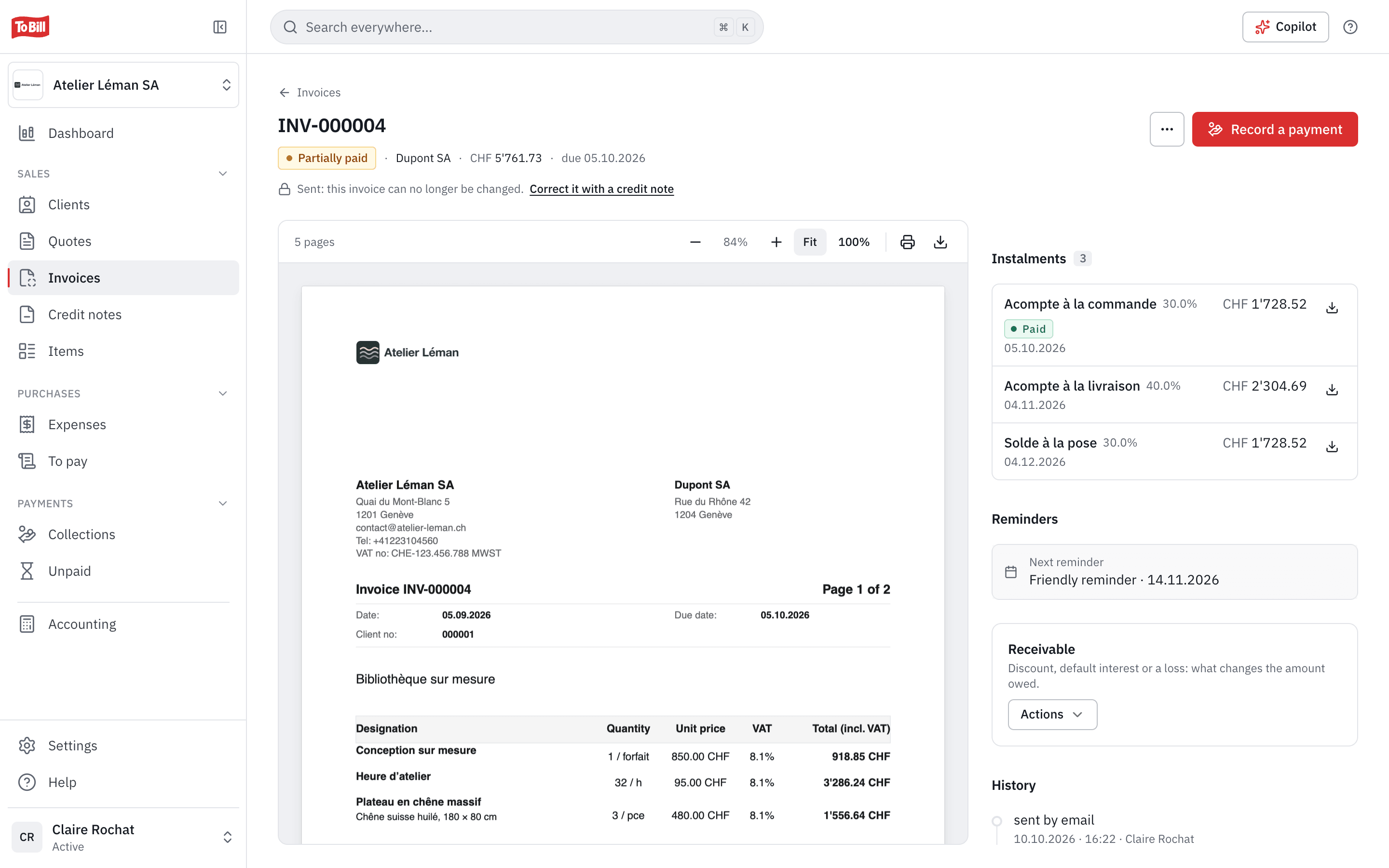
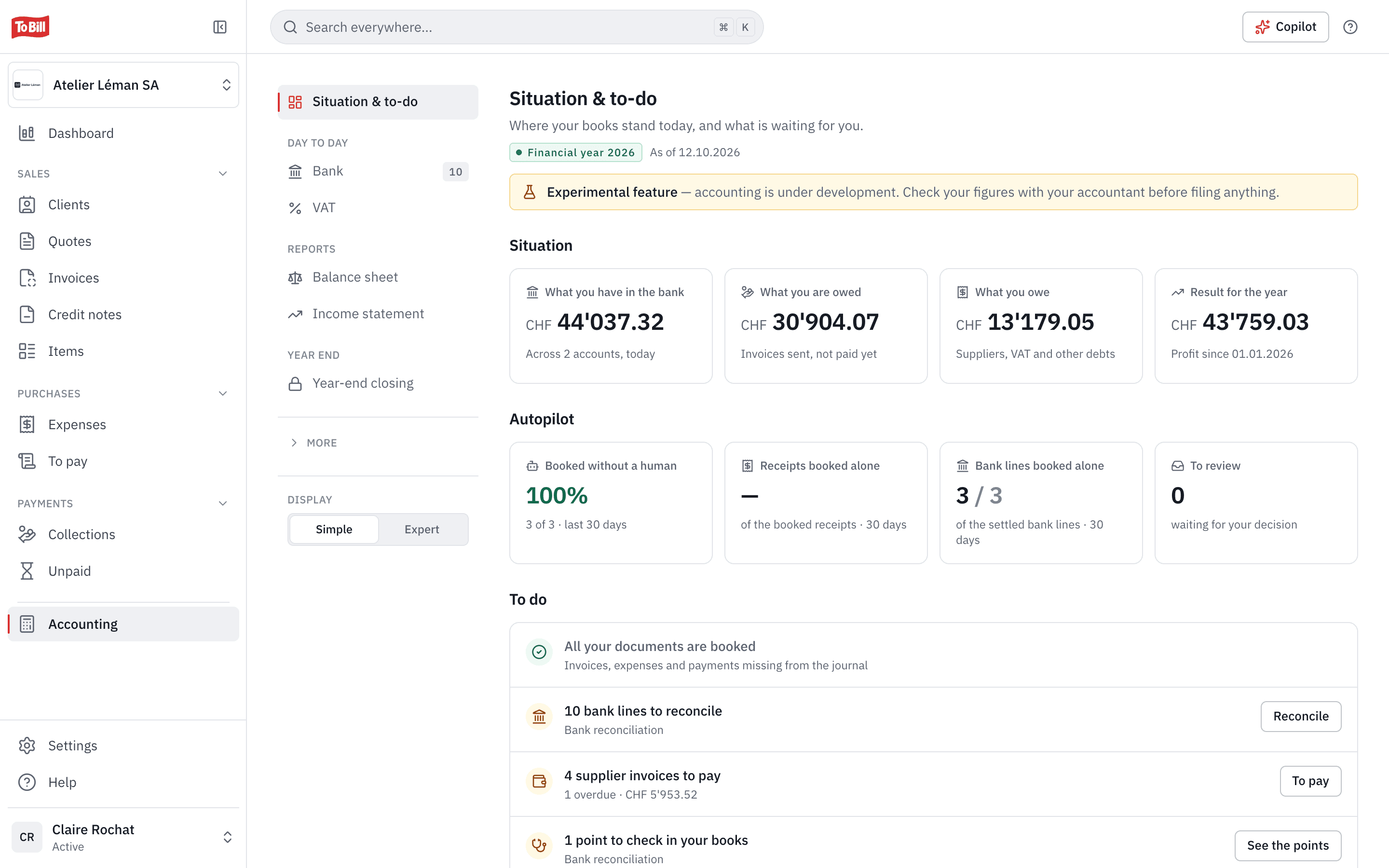
The Unpaid page sorts your receivables by delay (not yet due, 1 to 30 days, 31 to 60, 61 to 90, over 90), at any date, and exports to PDF or CSV. It is part of accounting; without accounting, the « Outstanding » tab of the invoice list already shows what is left to pay.
Is VAT charged on reminder fees?
No: reminder fees and late-payment interest carry no VAT. They are only owed if agreed with the client, for example in your terms and conditions, or as proven damage.
Do my clients need an account for the portal?
No. The portal opens without a password, from the link in every e-mail, and your client can change its language.
Get started
Let To Bill send your reminders
Switch on reminders in the invoice settings and choose your delays and fees. 7-day free trial, no commitment.
No extra cost on the subscription · No commitment