
Switch from bexio
Move from bexio to To Bill without typing it all again
Export your data from bexio and drop the files in as they are: To Bill takes over your contacts, products, invoices still open and your trial balance. You always see a preview before anything is saved.
bexio CSV, XLS or XLSX files · No commitment
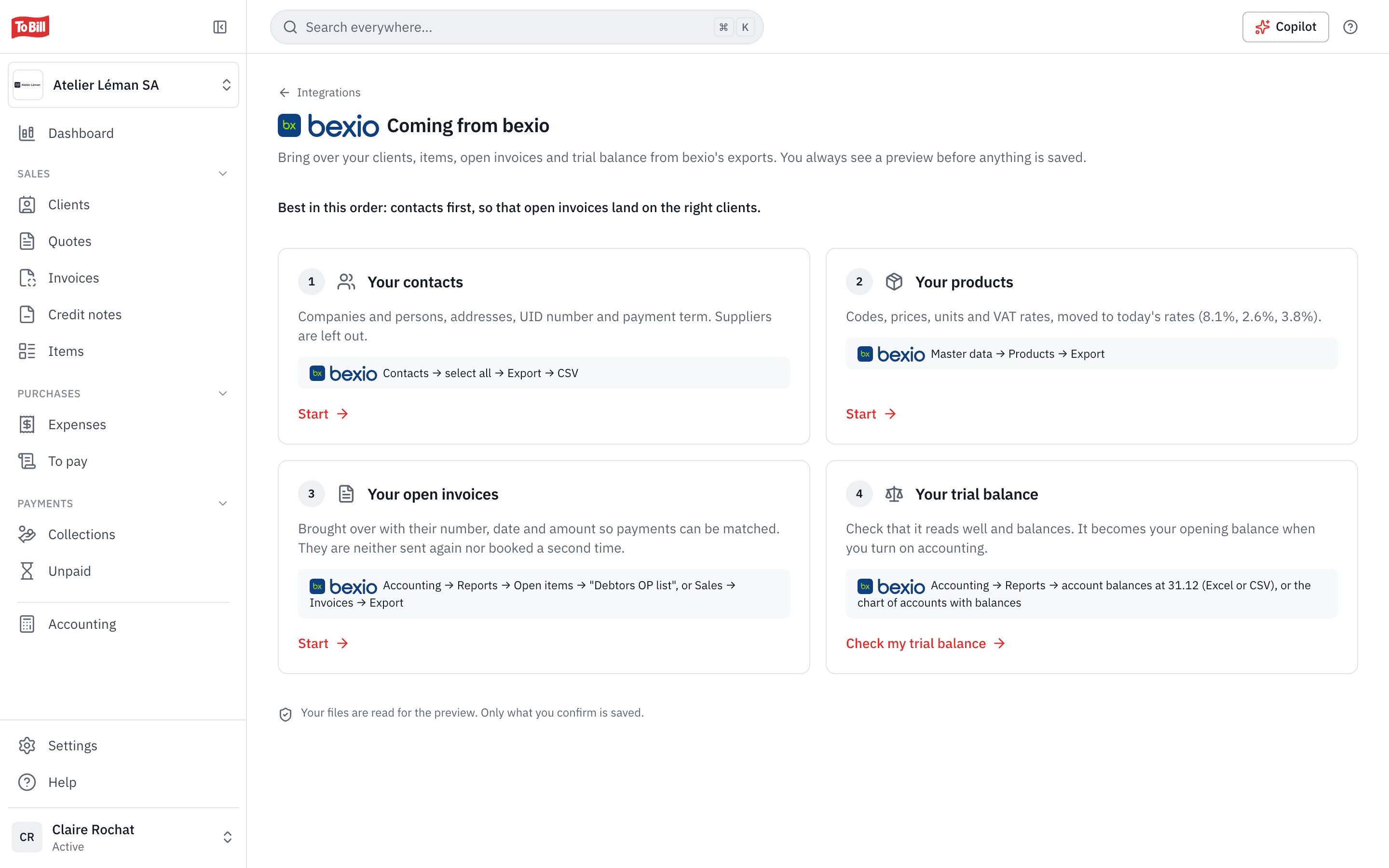
Contacts and products
Your clients and items, brought over as they are
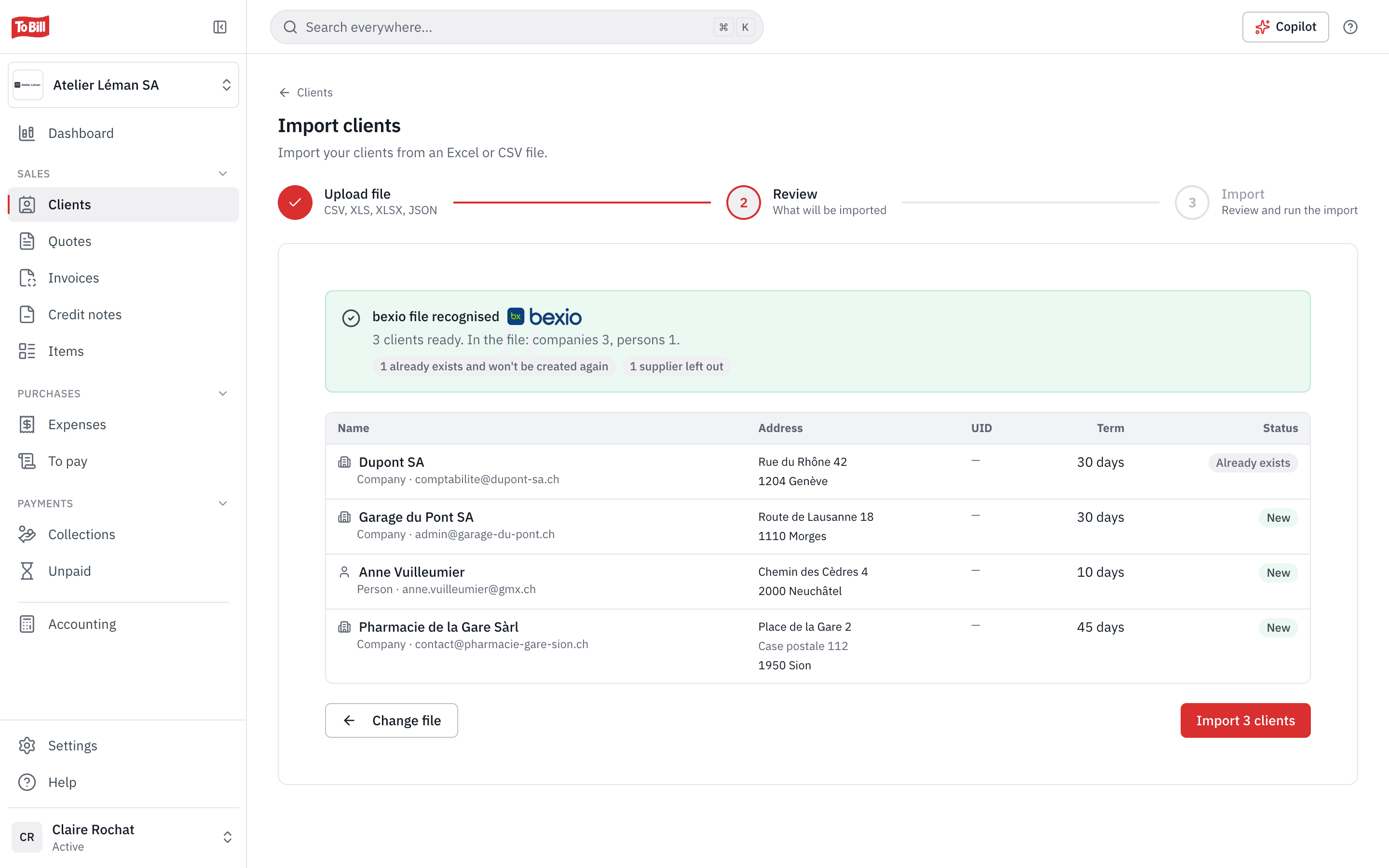
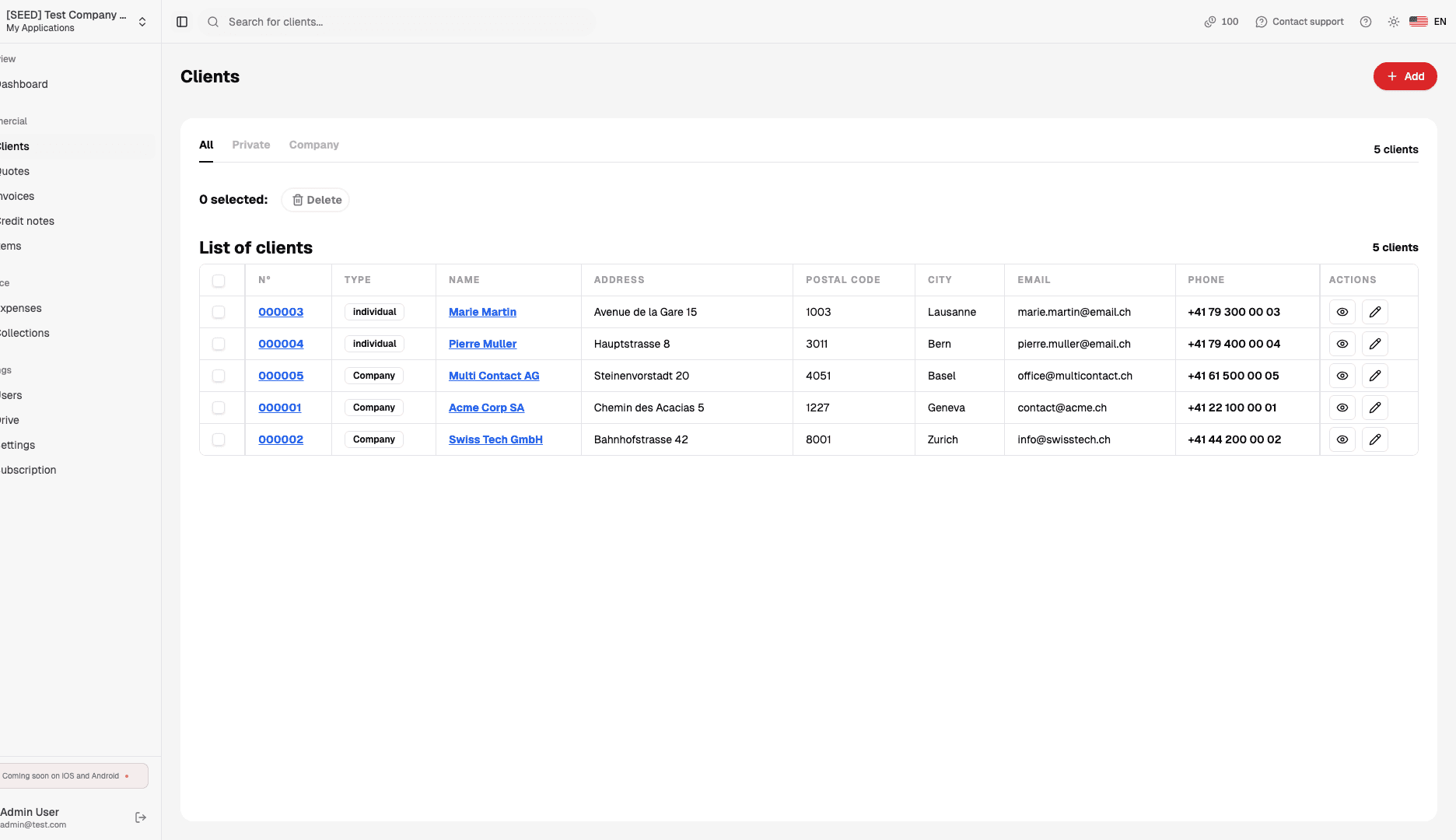
Drop in bexio's contacts export: To Bill recognises it, shows each client with its address, UID number and payment terms, and flags what needs checking, such as an invalid e-mail. Your products follow the same path.
- Clients already in To Bill are not created again; suppliers are left aside.
- Old VAT rates (7.7 %, 2.5 %, 3.7 %) move to the current rates, with a warning per line.
- Contacts first, so open invoices reach the right clients.
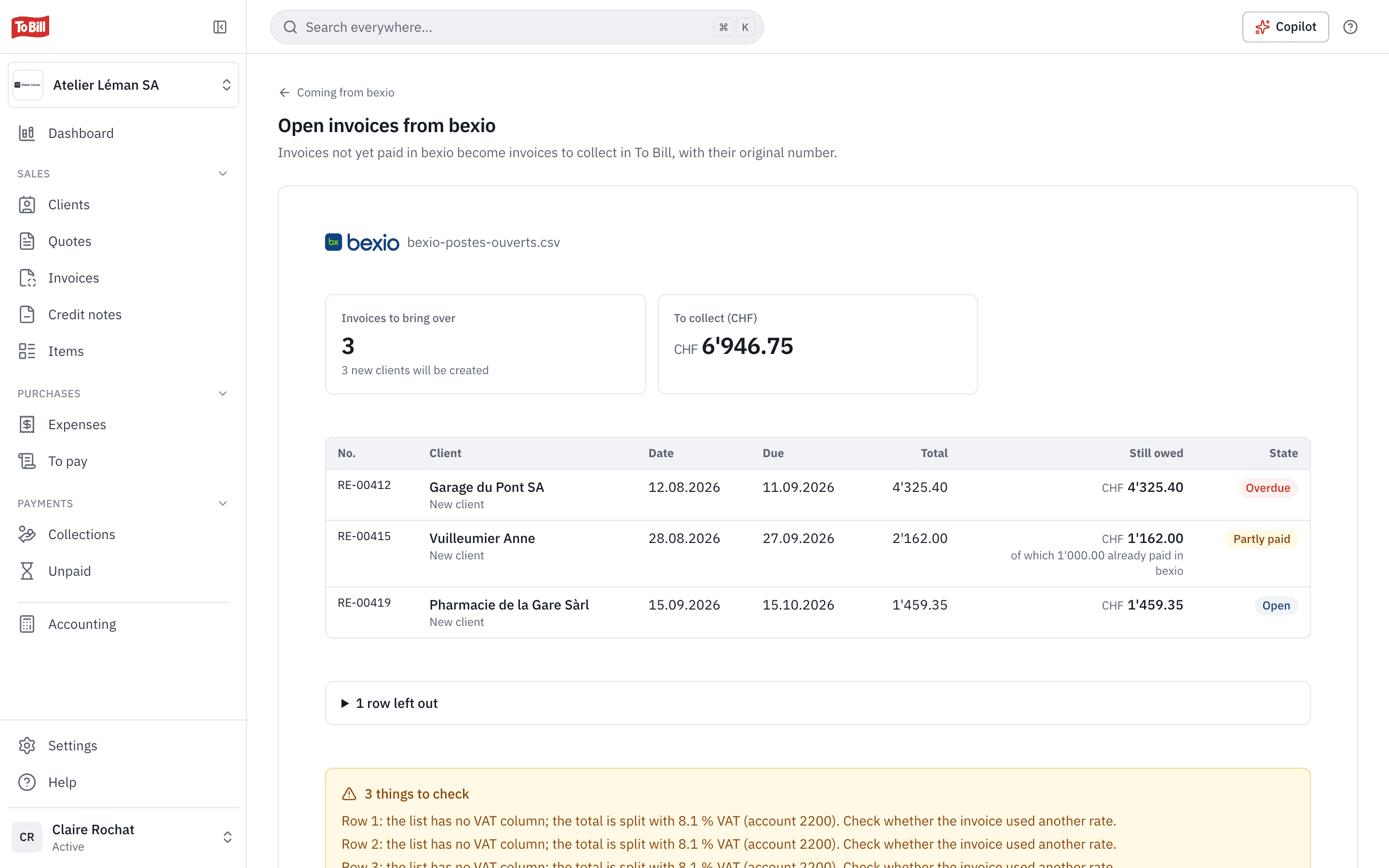
Open invoices
What you are still owed, without invoicing twice
Drop in bexio's list of open items. To Bill shows the invoices to take over and the amount still to collect, with the bexio number, client and amount due of each. The invoices arrive in the « Imported » tab with their original number, and wait for their payment.
- They are not sent to the client again, not reminded and not posted a second time.
- What bexio had already collected is recorded as a payment.
- Importing the same file again skips the invoices already taken over.
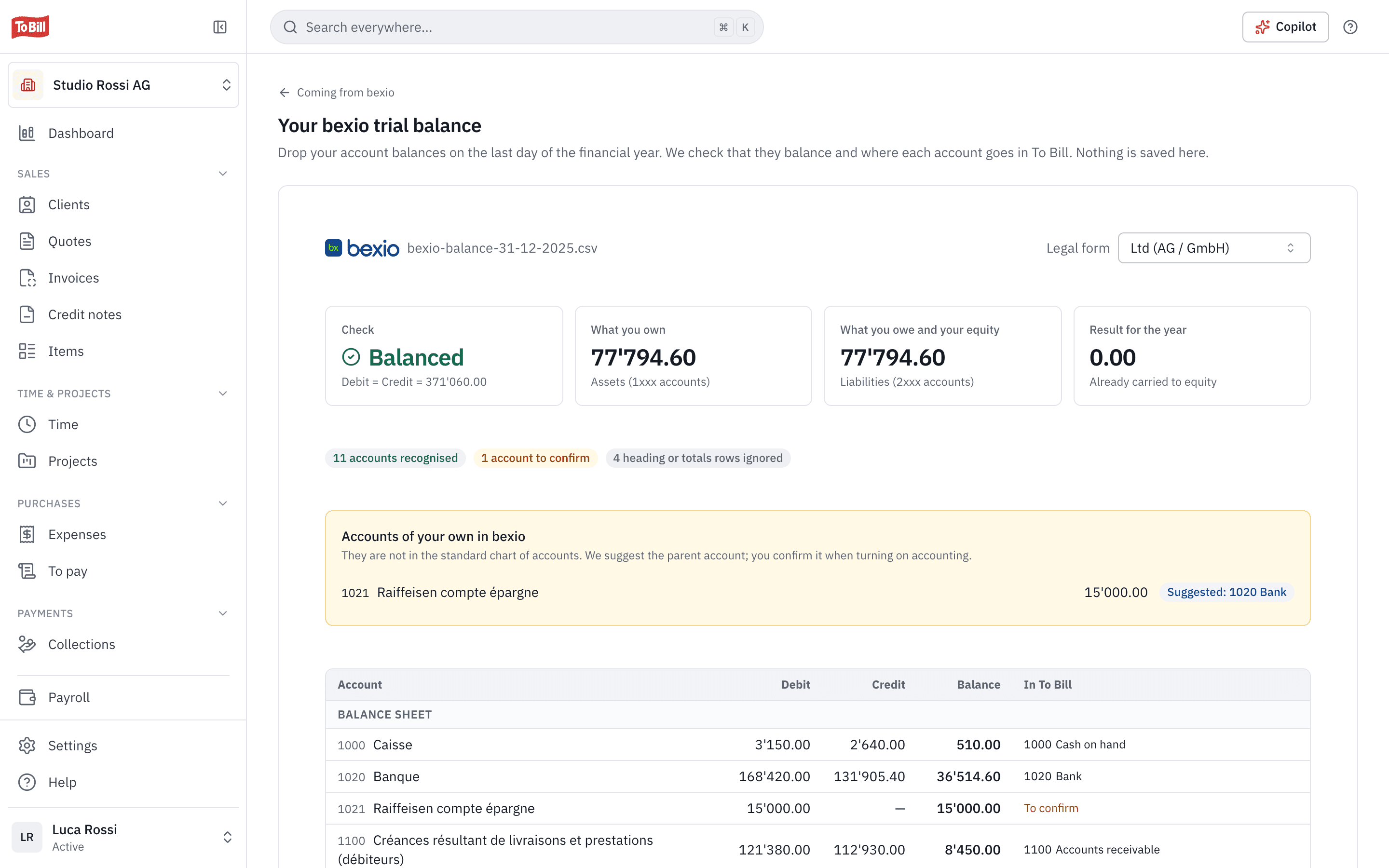
Trial balance
Your trial balance checked before you open your books
« Check my trial balance » checks the export of your account balances on the last day of the year: does it balance, and where does each account go in To Bill? Nothing is saved at this step; the balance then serves as the opening balance when you turn on accounting.
- Accounts that exist only in your bexio are flagged, with the account proposed in the SME chart of accounts.
- The legal form that best fits your balance sheet is suggested.

Does To Bill connect to my bexio account?
No. To Bill reads the files you export from bexio (CSV, XLS or XLSX), as they are. The « Coming from bexio » page shows the path of each export in bexio.
What is brought over?
Your contacts (clients), products, invoices still open and the balance of your accounts. Suppliers, invoices already paid, drafts, cancelled invoices and credit notes are left aside, and the preview says why.
Will my clients receive anything?
No. The invoices taken over are not sent again or reminded: they wait for their payment in To Bill, with their QR reference.
What if I come from another software?
Export your clients and items as Excel or CSV and import them into To Bill, mapping the columns to the fields. Old invoices as PDF can also be read, if AI is available for your company. An opening trial balance is imported as CSV, in the format most software uses.
Resources
Guides and comparison
Get started
Bring your bexio data over today
Create your account, export your contacts from bexio and drop the file in: you will see the preview before anything is saved. 7-day free trial, no commitment.
bexio CSV, XLS or XLSX files · No commitment